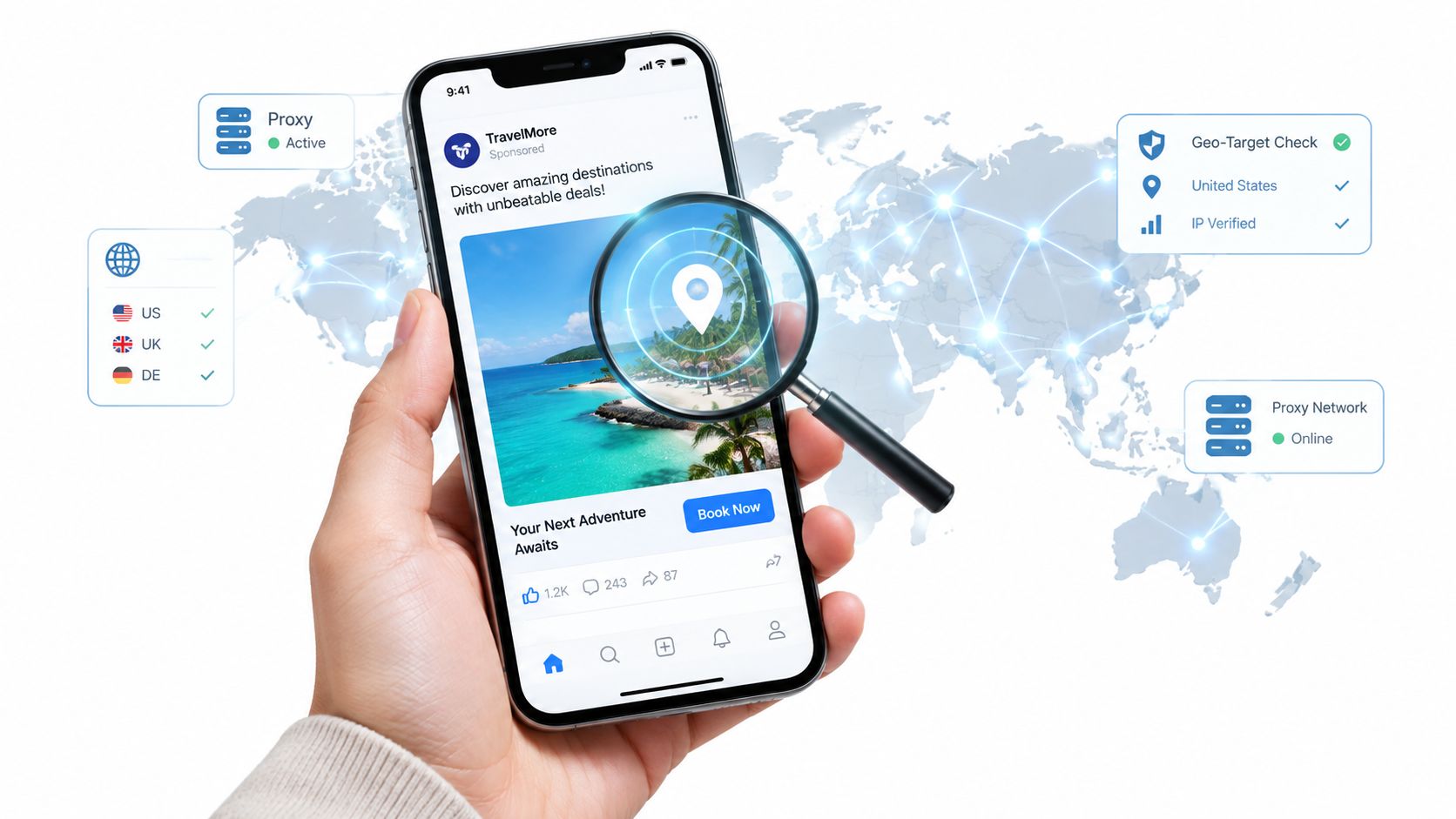
Your geo-dependent checkout works on a phone, but the same test fails on the office laptop. The campaign deadline hasn't moved, and someone suggests you bypass the proxy. Before changing a setting, establish whether the office network blocked the destination, the application chose the wrong route, or the destination rejected the request.
Identify Which Proxy Problem You Actually Have
A proxy problem needs an owner before it needs a fix. A corporate forward proxy, which sends outbound requests on your behalf, is different from a website's own traffic checks. Application configuration and proxy authentication introduce separate failure points.
Use the symptom to assign the ticket, rather than trying another connection at random.
Proxy symptoms, causes and first moves
| Symptom | Likely cause | Who can change it | First move |
|---|---|---|---|
| Some sites fail while others load | Host on a block list or category filter | IT security team | Request an exception for the exact host |
| Works in browser, fails in app or script | Application ignores system proxy settings | You, in the app's config | Set the proxy explicitly or add NO_PROXY for an approved direct destination |
| Works on mobile data, fails on office Wi-Fi | Office proxy or inspection policy | IT | Ask whether the test can run on an approved route |
| Blocked even on direct access | Website's own bot or proxy detection | Site policy | Review the terms and stop; do not rotate IPs to get around it |
An authentication prompt belongs with the identity or IT team. Missing or expired credentials won't be repaired by adding a destination exception.
Collect evidence before changing the route
Record the exact host and port, protocol, error code, device and network. Include whether the same request succeeds on another approved network, and whether the failure happens before or after login.
On managed Windows systems, checking the WinHTTP proxy configuration helps establish what that networking stack uses. It doesn't prove that every browser or application uses the same settings.
Changing the apparent IP isn't a universal repair. A 2025 study described by Tech Xplore found that cross-layer round-trip-time patterns exposed proxied traffic on 80% of the 5,000 most-accessed websites tested, including with obfuscation.
Adding an approved exception, configuring an authorized route and attempting to defeat a site's detection are different actions. A policy block needs a documented request, not a workaround.
Reading PAC and WPAD Settings Before You Change Them
A PAC file, short for proxy auto-configuration, is a small JavaScript file whose FindProxyForURL function chooses a route for each request. Your browser might send an internal application directly while sending public websites through the corporate proxy.
WPAD, or Web Proxy Auto-Discovery, finds that configuration, commonly through DHCP option 252 or a wpad hostname in DNS. Discovery and routing are separate: WPAD locates the instructions; the PAC file contains them.
Read the rule that actually matches
- Copy the configuration location. Find the automatic proxy configuration URL in the browser or operating-system settings. If the field is managed, record it without trying to override the policy.
- Open the PAC URL in an authorized browser session. It should display or download as readable text, although access may require the corporate network.
- Look for host tests such as
dnsDomainIs,shExpMatchandisInNet. Follow the function's execution order, because an earlier return can prevent a later rule from running. - Identify the returned route. Match your failed destination against the actual conditions, not just a familiar domain appearing somewhere in the file.
- Send IT the destination, the matching condition and its return value. That's more useful than asking someone to disable automatic configuration.
PAC return values and WPAD settings
| Setting or return value | What it does | What to check |
|---|---|---|
| DIRECT | Connects without a proxy | Confirm the matched hosts are internal names that should skip the proxy, or explicitly approved external exceptions |
| PROXY host:port | Sends HTTP and HTTPS traffic through that proxy | Check the host and port against IT documentation |
| SOCKS5 host:port | Sends TCP traffic through a SOCKS5 proxy where supported | Use only for apps that need SOCKS; browsers choose by rule |
A return value can contain fallback routes. Their order matters, and a DIRECT fallback should be intentional rather than an accidental escape from inspection.
Watch discovery and caching
The automatic proxy setup guide provides context for distinguishing a configured PAC URL from automatic discovery. Record which mechanism your device uses before troubleshooting it.
Browsers can retain PAC content or routing decisions until a restart or cache refresh. An unchanged result immediately after editing a setting doesn't establish that the new configuration failed.
Practical rule: Treat unexpected proxy prompts on public Wi-Fi as suspicious. Don't enter corporate credentials simply because automatic discovery found a proxy.
Turning off auto-detect can also break internal services that rely on the discovered route. Leave managed discovery settings with their owner.
How to Add Proxy Exceptions Step by Step
A proxy exception sends a selected destination directly instead of through the configured proxy. It only works when the network permits direct access, and it doesn't grant permission to bypass inspection.
Start with an approved destination from the error message. Record its port separately, because many bypass fields accept host patterns rather than host-and-port pairs.
Apply the exception where the application reads it
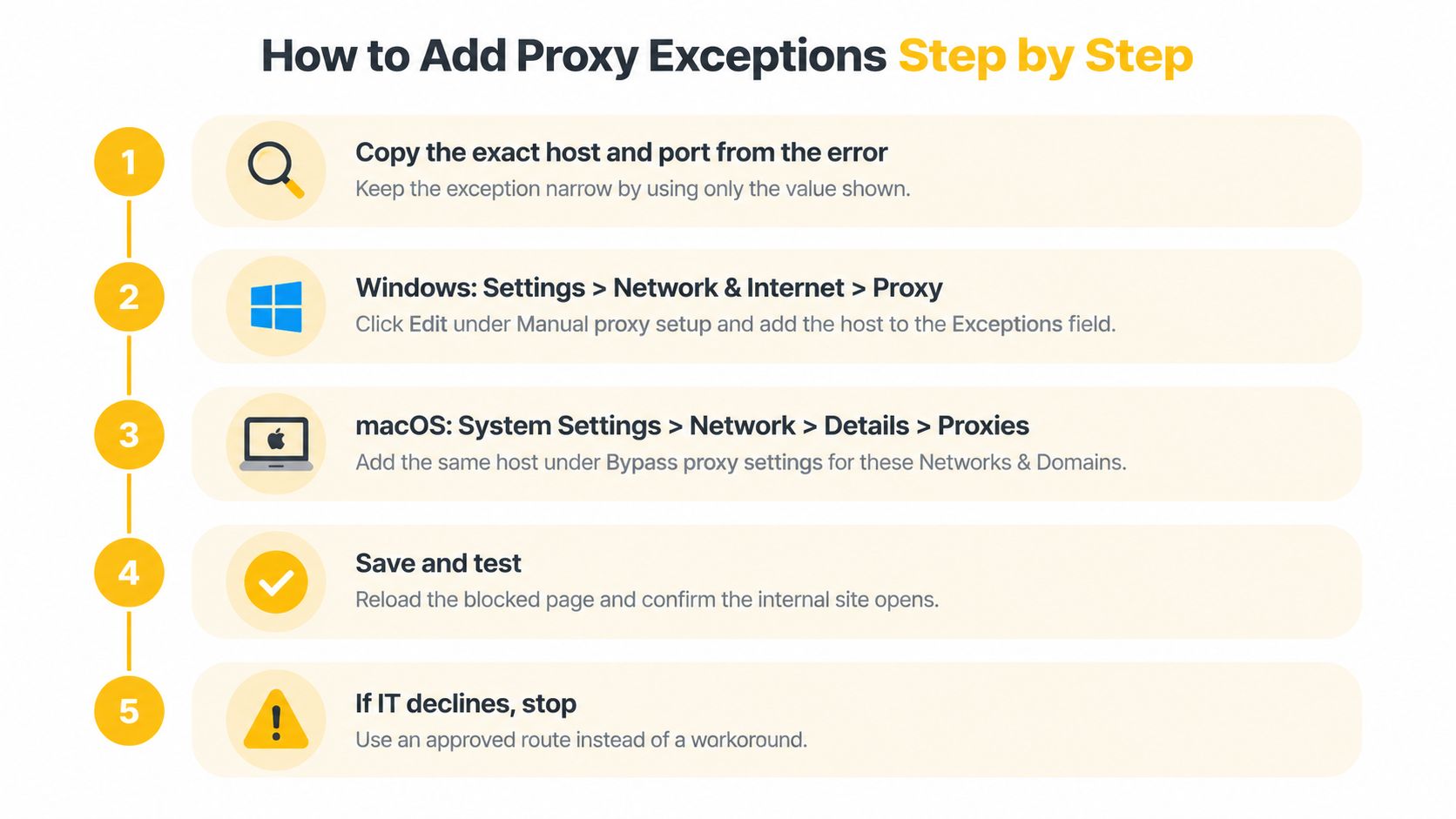
Capture the smallest destination. Copy the exact host and port, then confirm the approved scope with IT. Don't substitute a parent domain just because it's easier to type, since that can include unrelated services.
On Windows, open Settings, Network & Internet, then Proxy. Under manual proxy setup, edit the exception field, sometimes labelled “Don't use the proxy server for addresses beginning with,” using the interface's required separator. This affects the manual configuration, not necessarily a PAC-managed route or an application with independent settings.
On macOS, open System Settings, choose Network, select the active connection, then Details and Proxies. Add the approved host under the bypass settings for hosts and domains, whose wording can differ by release. Check that you edited the connection actually carrying the test, rather than an inactive adapter.
In Firefox, check Network Settings and “No proxy for.” Chrome and Edge normally read operating-system proxy settings, unless policy, extensions or launch options override them. The trap is assuming a browser-specific exception also changes background applications.
For command-line tools such as curl and Python requests, set NO_PROXY to the approved comma-separated destination list in the process environment. Then run
curl -vagainst the approved URL and inspect the connection target; a successful page alone doesn't prove direct routing. Some clients interpret exclusions differently, so verify the application that will run the actual job.Keep “Automatically detect settings” enabled unless IT explicitly changes that requirement. Record the entries, business reason, owner and rollback action in the change ticket. If the device is centrally managed, request the change through IT rather than fighting a setting that policy will restore.
Check scope before saving
Broad suffixes, whole top-level domains and unrestricted wildcard entries can move unrelated sensitive traffic outside inspection. An exception for a checkout test shouldn't also bypass controls for every service under a large shared domain.
Narrow beats convenient: Add the destination you can justify, not the largest pattern the settings field accepts.
Save the original configuration before testing. If IT declines the change, restore any local edits and use an approved alternative.
Fixing Common Errors Behind a Corporate Proxy
For HTTPS through a conventional HTTP proxy, the client normally sends CONNECT with the destination host and port. The proxy opens a TCP tunnel and then forwards the connection's bytes, as described in the IETF's CONNECT specification.
In an ordinary tunnel, the proxy doesn't decrypt the HTTPS application data. A corporate TLS-inspection deployment is different: it terminates and re-establishes encrypted connections using certificates trusted by managed devices.
Separate proxy responses from destination responses
A 403 on the CONNECT request indicates that the proxy refused the tunnel, often because of destination or port policy. A 403 returned after a tunnel is established can instead come from the destination application, so capture which stage generated it.
A 407 response means proxy authentication is required. Re-authenticate using the approved mechanism, and ask IT whether the application supports the organization's sign-in method.
Don't paste credentials into command lines, shared scripts or ticket attachments. Those locations can retain secrets in histories, logs and collaboration systems.
Proxy errors, causes and fixes
| Symptom or error | Likely cause | Fix |
|---|---|---|
| Certificate warning only on office network | TLS inspection with corporate root CA not installed | Install the approved root certificate from IT |
| Timeout with no response | Request sent to a proxy that cannot reach the host | If direct access is approved, add the host to NO_PROXY and test with curl -v |
| Works in curl, fails in browser | Browser uses a different PAC or proxy | Compare browser and OS proxy settings |
| Old behaviour after a change | PAC file or proxy setting cached | Restart the browser and re-fetch the PAC file |
| SOCKS5 connection refused | Possible protocol/port mismatch, unavailable listener or rejected connection | Match the protocol to the port, then verify listener availability |
Treat error labels as clues, not diagnoses
A certificate warning confined to the office network is consistent with inspection, but it isn't proof. Check the certificate issuer and ask IT to validate the chain; never click through the warning or disable certificate verification to finish a test.
Timeouts also need context. A proxy may lack access to a private destination, but DNS failures, firewalls and an unavailable application can produce similar symptoms.
For an approved internal destination, a narrowly scoped direct route can resolve the proxy's reachability limitation. For an external policy-controlled destination, the same timeout belongs in an IT ticket, not an automatic bypass rule.
A SOCKS connection refusal doesn't prove that HTTP was sent to a SOCKS port. Connection refusal can occur before protocol negotiation, so confirm the listener and endpoint before changing application protocols.
If the browser works while the script fails, compare the script's environment, authentication and trust store with the browser's configuration. The proxy connection refusal checklist can help organize that evidence.
Record the failing stage, timestamp and sanitized error output. That gives IT something reproducible without exposing cookies, authorization headers or customer data.
Approved Alternatives When an Exception Is Refused
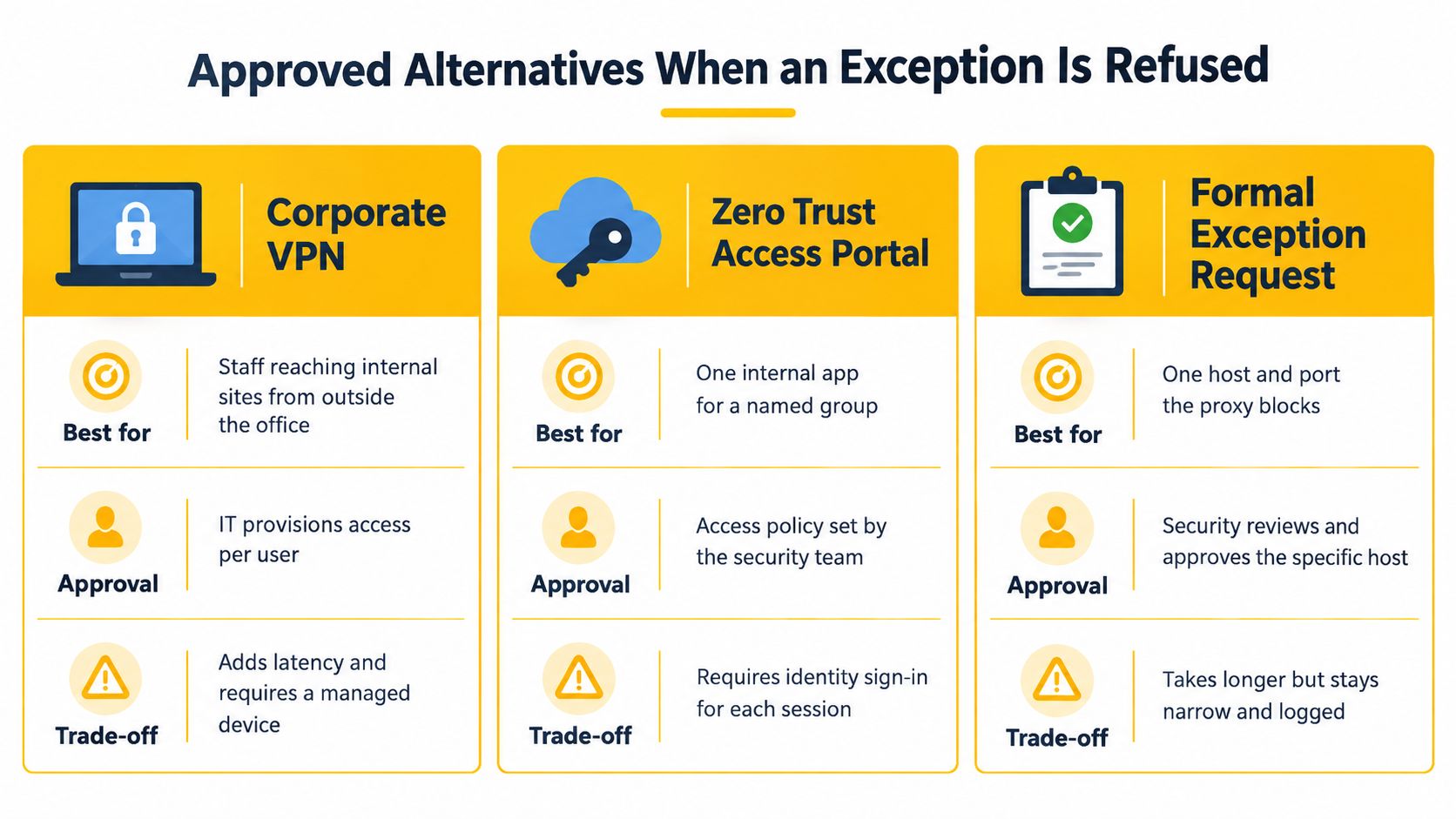
| Option | Best for | Approval needed | Main trade-off |
|---|---|---|---|
| Corporate VPN | Staff reaching internal sites remotely | IT provisioning | Traffic stays under policy inspection |
| Sanctioned cloud test browser or sandbox | QA and geo-tests in isolation | Security team | Limited to the vendor's locations |
| Approved residential or datacenter proxy | Market research and price monitoring | Procurement and legal | IP reputation varies by target site |
| Mobile 4G/LTE proxy | Authorized ad verification, account management within platform rules, geo-QA | Team lead and legal review | Higher cost, bandwidth limits, scope must be documented |
| Test allowlist from IT | Short, defined checks | IT change ticket | Slower to get, but fully auditable |
An exception refusal moves the task rather than ending it. The work shifts to an isolated environment or a different access policy, scoped tighter than unrestricted connectivity from a staff laptop.
For internal applications, F1Group's guidance on safer remote working for East Midlands businesses provides context for discussing managed remote access with IT. Public-site testing raises a separate question: which outbound network the check should run through.
Match the network context to the job
Datacenter proxies exit through hosting networks. Residential proxies use consumer-network connections and need clear sourcing and contractual review. Mobile proxies, including 4G/LTE and 5G connections, exit through mobile operators.
An ASN, or autonomous system number, identifies the network operator announcing an IP range. Carrier-grade NAT, or CGNAT, lets a mobile operator share a public address among subscribers, which makes indiscriminate blocking more likely to affect ordinary users.
That shared traffic makes IP-only classification less definitive and blanket blocking more disruptive. Detection systems and approval rules apply to mobile exits exactly as they apply to any other route, so the documented scope in the table still governs what the connection may do.
IP rotation changes the exit address on a schedule or per request. Sticky sessions aim to retain an exit address for a defined period, helping preserve continuity during approved login workflows, although underlying carrier changes can still interrupt it.
HTTP and SOCKS5 are access protocols: they define how traffic reaches the proxy, while exit quality depends on the network behind it. Geo-targeting selects the exit's country or region, and the destination still interprets the session on its own signals.
Verify the signals independently
For authorized comparisons, hold the test account and workflow constant while comparing direct and proxied runs. Record the source address, TLS and HTTP properties, browser fingerprint, cookies, DNS and WebRTC exposure, timing and challenge outcomes separately.
The academic study published in Information examines concealed-IP detection and illustrates why detector-specific results make poor universal success claims. Browser and session evidence persist through an IP change, so the full signal set matters more than the exit address alone.
A marketing team checking regional ads needs reproducible location conditions and documented authorization. The publisher's rules define what the test may do, and the network choice supplies the geography.
Security and Policy Limits You Should Not Skip
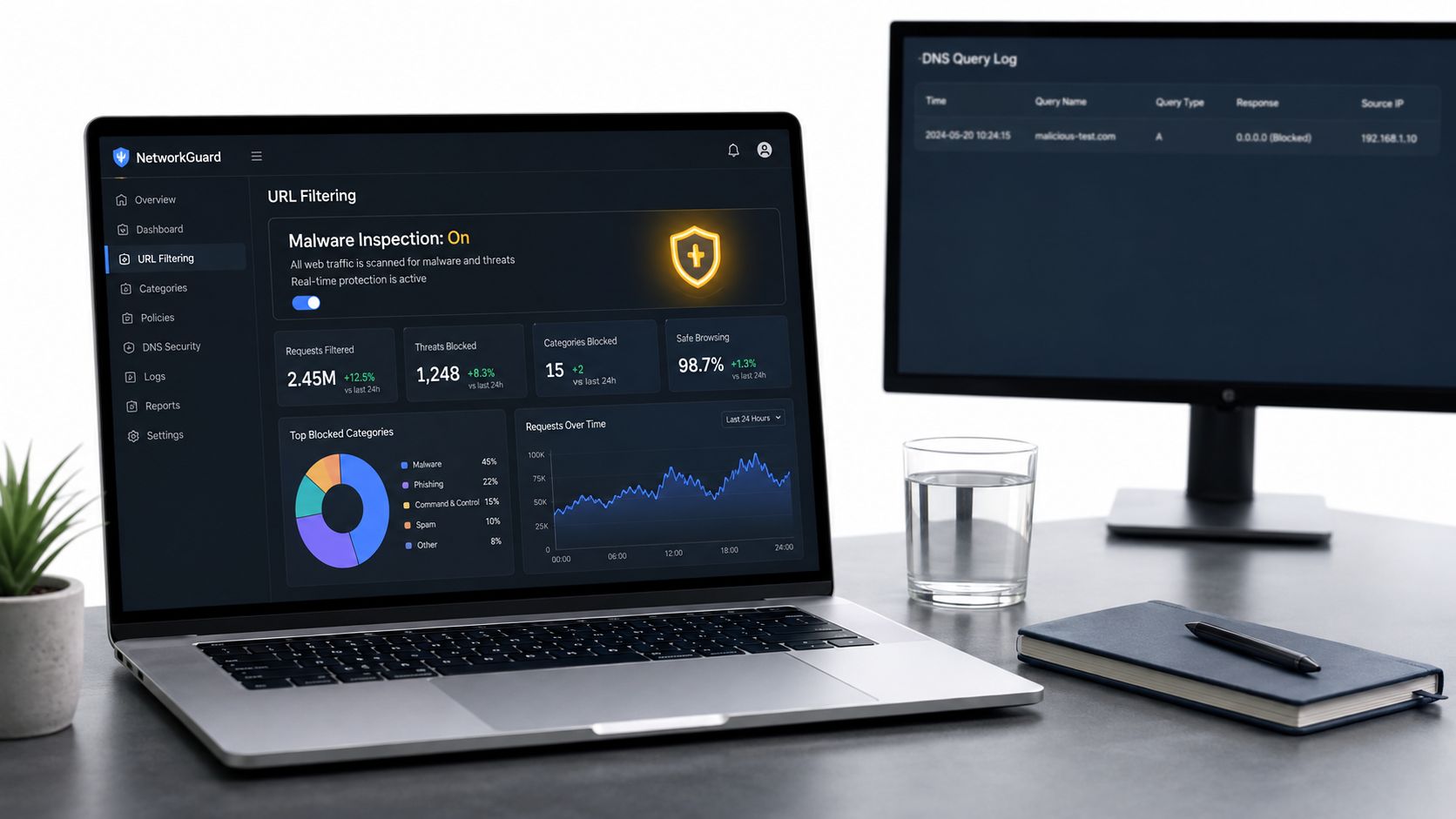
A corporate proxy isn't merely a speed layer. Removing it may also remove URL filtering, malware inspection, DNS visibility, data-loss controls and audit records.
Google's 2025 M-Trends report recommends monitoring outbound traffic through proxies and intrusion-detection systems and reviewing DNS requests to identify malicious downloads. A direct route therefore needs a replacement control plan, not just a successful connection test.
Preserve the controls the business needs
- Limit egress. Scope outbound permission to the approved host and port.
- Assign accountability. Name an owner and expiry date for every exception.
- Retain visibility. Monitor endpoint DNS and keep complete audit logs.
- Protect encrypted traffic. Apply TLS inspection where lawful and appropriate to the approved design.
- Minimize exposure. Use test credentials and non-production data wherever practical.
For organizations redesigning access rather than granting a temporary exception, MR2 Solutions' explanation of integrating SD-WAN with SASE offers context for keeping networking and security policy aligned.
A consumer-like QA route can reproduce customer conditions more faithfully while exposing credentials or test data to a different network path. Document that trade-off before testing.
Mobile proxies aren't to be bought expecting to evade detection or bypass access controls. Platform terms still apply; rotating addresses to defeat a ban or imposed rate limit isn't an approved troubleshooting method.
Confirm the Route With IT Before You Test
The approval should describe the business task and the permitted route, not merely authorize someone to make the error disappear. A vague "turn off the proxy" sign-off gives no one a path to verify later.
Write the change request. Keep it to the format itself: one sentence on the task, one on the route IT will permit, one on when the exception ends. Attach the sanitized failure evidence already collected so IT can separate routing, authentication and destination-policy faults.
Ask whether an existing approved route fits. Let that answer set the configuration: managed device, isolated environment or sanctioned external connection.
Verify the approved change. Run
curl -vand a browser test, then record the actual connection path and outcome alongside the ticket. Confirm the business workflow, not merely that a page loads.Remove the exception when the test window closes. Restore the saved configuration and verify that normal policy enforcement is active again.
A QA team, for example, needs a checkout flow tested under the mobile conditions a French customer sees. IT approves a dedicated French 4G/LTE mobile route rather than a desktop exception, scoped to test accounts and a staging host, with session controls holding one IP across the payment steps. Owner and expiry go on the ticket; teardown restores normal enforcement.
Evoproxy offers mobile 4G/LTE connectivity with country- and carrier-oriented routing options, session controls, and HTTP or SOCKS5 access. For an approved task that needs mobile network conditions, visit Evoproxy to evaluate a configuration against your target location, session requirements and compliance records.