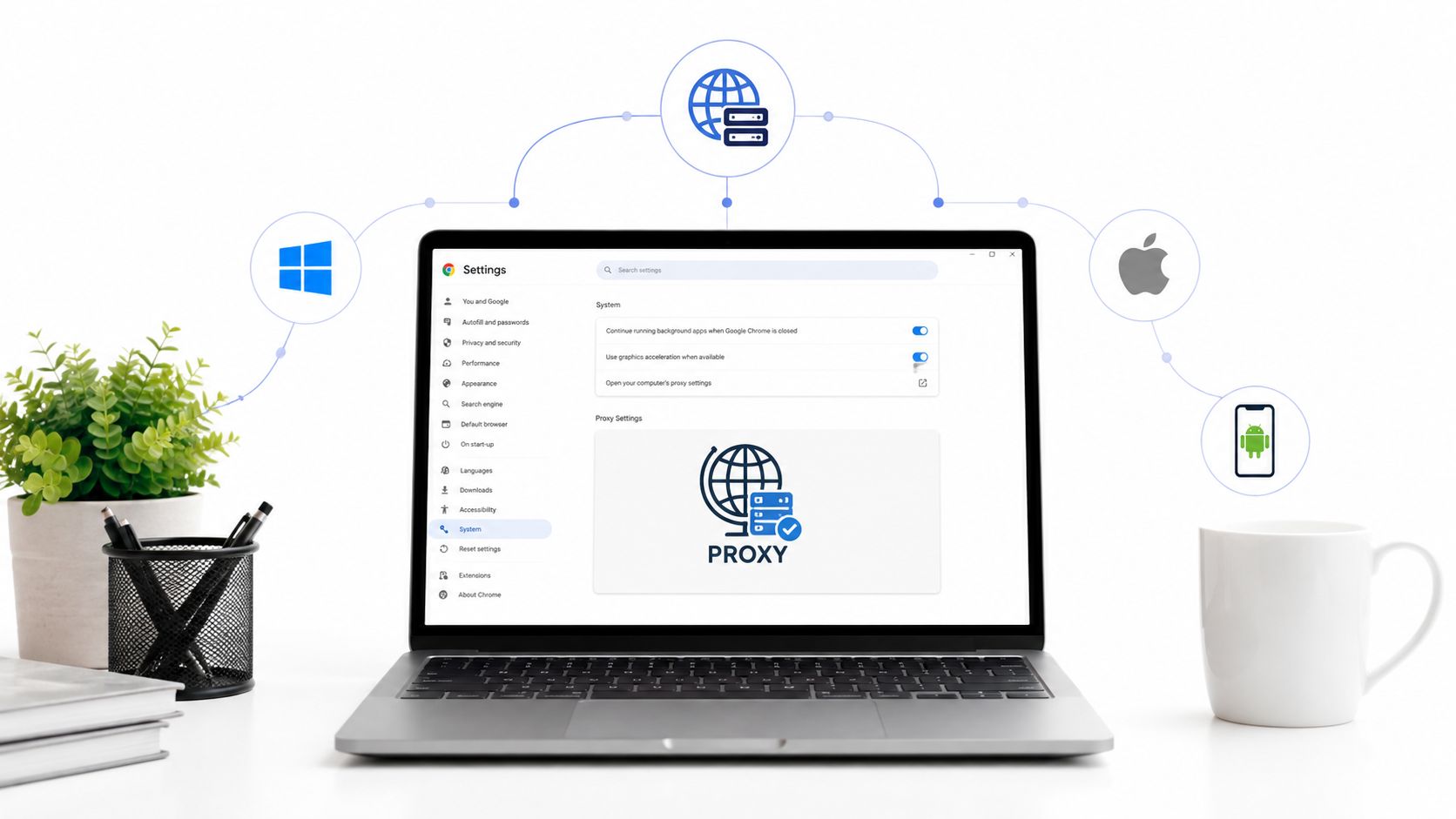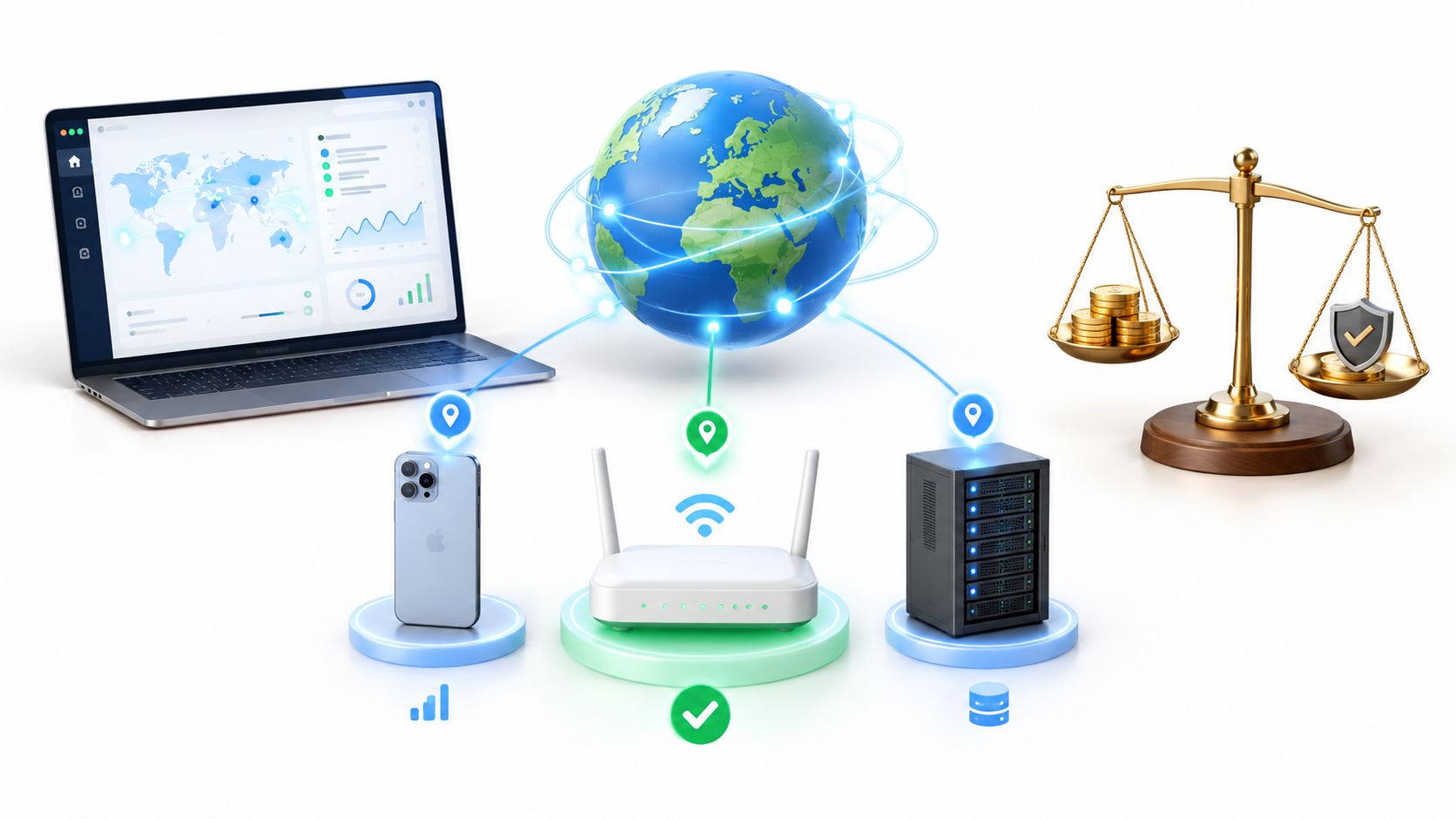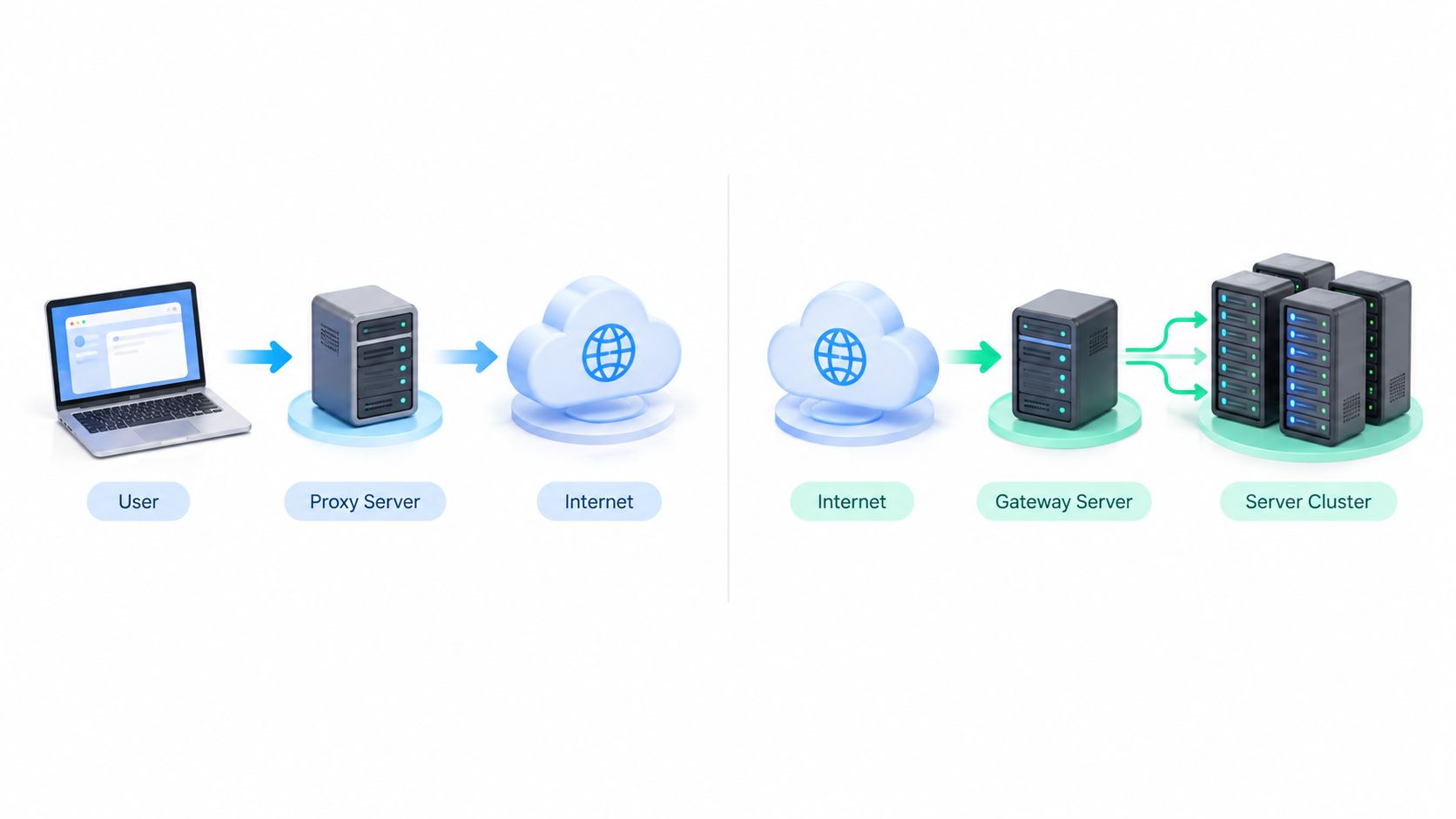
An auto proxy URL points to a PAC file, a small script typically named proxy.pac that decides for each request whether to connect directly or through a proxy. That approach originated with Netscape's 1996 browser design for automatically selecting routing behavior.
You've probably seen the failure mode. Someone on your team pastes a setting into a browser, checks an IP lookup page, sees the expected country, and declares the job done. Hours later, a QA flow shows local pricing, an ad check returns the wrong creative, or a background API call reveals your office network. The setting looked right, but the traffic didn't all follow it. That gap is where most confusion starts, because an Auto Proxy URL isn't really an address for traffic. It's an address for a decision.
What an Auto Proxy URL Really Points To
Your ad verification lead opens a test browser in Lyon and sees a campaign exactly as a French mobile user should. A colleague runs the same check from another laptop and gets the default global page. Both people swear they used "the proxy." In practice, one device fetched the routing script and applied it, while the other kept a manual setting or never retrieved the script at all.
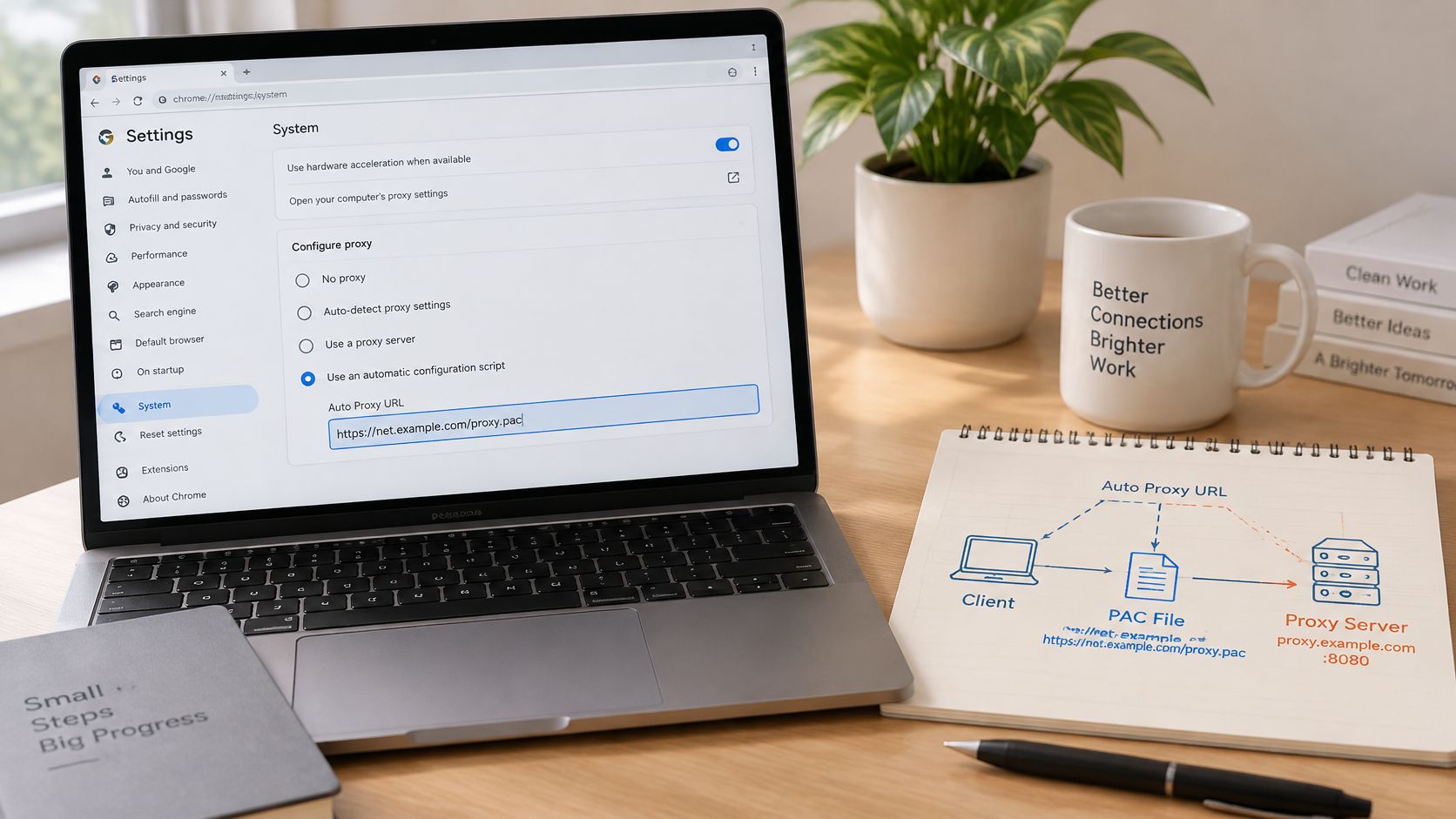
That's the core distinction. A normal proxy setting points to a server, such as a host and port. An Auto Proxy URL points to a Proxy Auto-Configuration file, usually called proxy.pac, which the browser or operating system downloads and runs. Think of a fixed proxy as one road you always take. A PAC file is more like a navigation app that recalculates the route for every trip based on the destination.
Why Centralizing the Decision Matters
The system is rooted in the Proxy Auto-Configuration method originally designed by Netscape in 1996 for Netscape Navigator 2.0, and a PAC file contains a JavaScript function called FindProxyForURL(url, host) that decides whether each request goes direct or through one or more proxies, as described in Mozilla's guide to PAC files. The Internet Engineering Task Force later documented PAC in RFC 3040 in January 2001.
That history isn't trivia. RFC 3040 noted that PAC simplified administration by centralizing proxy policy in one script, so administrators could update the script instead of manually reconfiguring every user agent. It also warned that interoperability was imperfect because browsers could interpret the same script differently.
A valid Auto Proxy URL proves a device can fetch routing instructions. It doesn't prove every application on that device will follow them.
When you paste that URL into a settings screen, you're not choosing one exit server. You're choosing who decides the exit for each request, and how quickly you can change that decision for everyone without touching every laptop, phone, or browser profile by hand.
How a PAC File Decides Where Each Request Goes
Follow one request. Your browser wants a product page. Before it opens a connection, it hands the URL and host to FindProxyForURL(url, host). The function evaluates simple rules and returns an instruction such as DIRECT or a named proxy, sometimes with fallback proxies the browser can try if the first one fails.
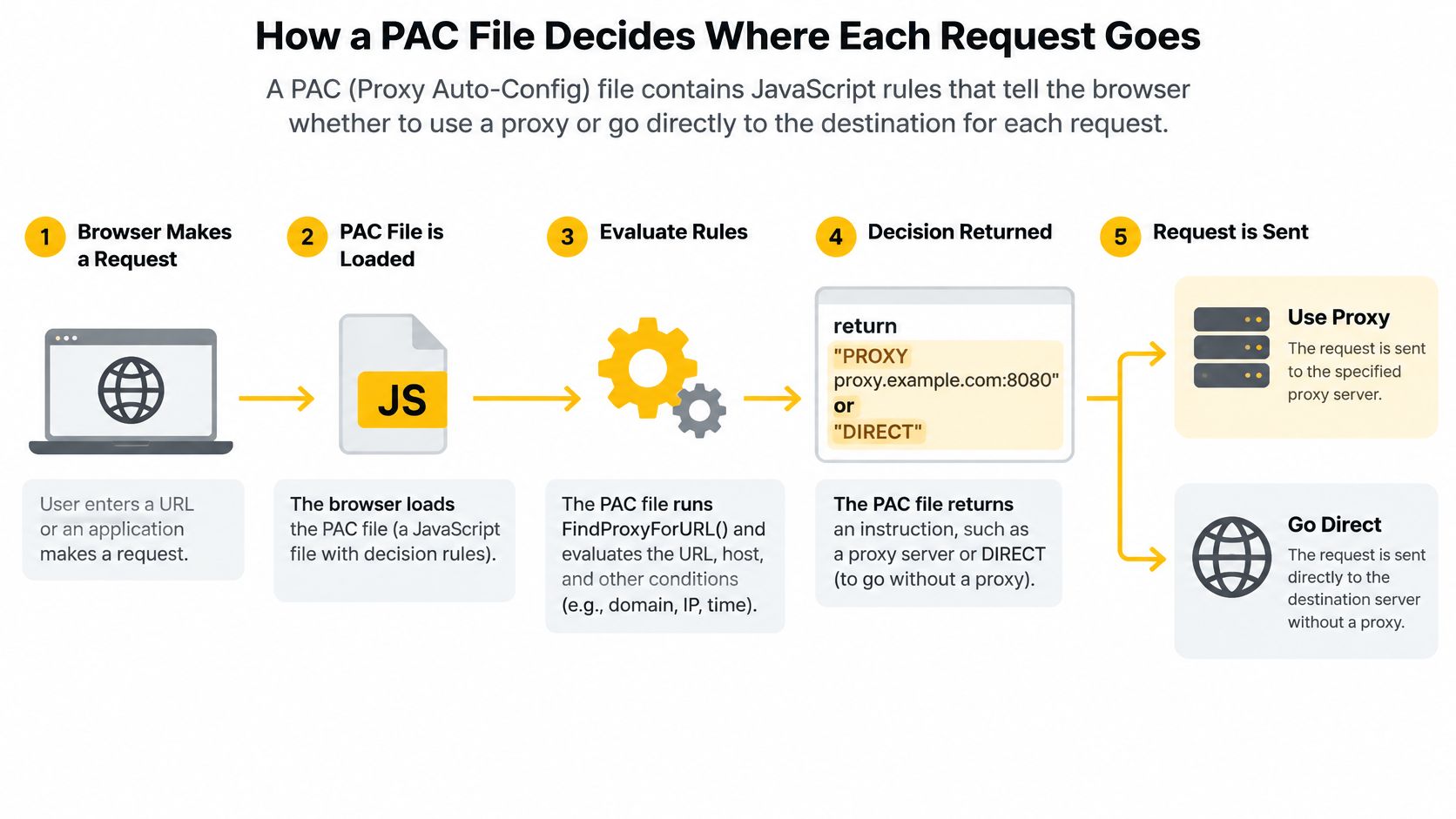
A plain example helps. Internal tools can return DIRECT because they're already on your network. Public research targets can return a proxy with the location you need. A second proxy in the returned list acts as a spare, not as a second hop for the same request.
The Hostname Caching Limit
Don't assume you can route every path differently. Current guidance notes that automatic proxy-result caching is indexed by hostname, which limits the ability to select different proxies based on URL path or other URL components. In practice, two pages on the same host will often reuse the same routing result even if you hoped a checkout path would behave differently from a homepage.
What Changes With HTTPS
An Auto Proxy URL doesn't change HTTP tunnel semantics. For HTTPS destinations, a compliant client connects to the configured proxy and issues CONNECT destination-host:port, and after a successful response the proxy blindly forwards encrypted bytes while TLS remains end to end between client and destination, as set out in the HTTP semantics in RFC 9110.
That distinction saves troubleshooting time:
- 400 Bad Request: The explicit port in CONNECT is mandatory, and an invalid or empty port should be rejected this way.
- 407 Proxy Authentication Required: The proxy needs credentials and returns a
Proxy-Authenticatechallenge. - CONNECT succeeds but TLS fails: The tunnel opened, so look at the destination handshake rather than blaming proxy bandwidth.
- CONNECT fails repeatedly: Check authentication, allow lists, ports, or destination policy first.
A proxy URL that starts with ` can still carry HTTPS traffic through CONNECT. It doesn't mean the proxy can inspect the encrypted page content. Measure DNS timing, TCP connection time, CONNECT success rate, TLS handshake latency, and sustained throughput separately, or you'll fix the wrong layer.
Hosting a PAC File and Letting Clients Find It
Your script can be logically perfect and still useless if devices can't fetch it. Hosting is unglamorous infrastructure work, but it's where teams either gain painless updates or create a silent single point of failure.
Put proxy.pac on a web server that every target device can reach without already needing the proxy you're trying to configure. That's a common trap for remote staff. If a laptop must use the proxy to reach the PAC file, and it needs the PAC file to learn the proxy, it won't get started.
Two Ways Clients Discover the Script
The explicit route is simplest to reason about. An administrator or user enters the Auto Proxy URL directly in system or browser settings. You know exactly which script the device should fetch, and you can test that same URL from a clean device on the same network.
The automatic route is WPAD, short for Web Proxy Auto-Discovery. Clients look for a wpad.dat location through DNS or DHCP, then fetch the configuration from there. WPAD reduces manual setup for managed office networks, but it raises the stakes on name control. If the wrong host answers the WPAD name, devices can be directed to routing instructions you didn't publish.
Practical rule: Prefer an explicit Auto Proxy URL when you can't fully control DNS and DHCP on every network your devices join.
Changes also don't propagate instantly. Clients apply a new version only when they re-fetch the file, which may depend on caching, reconnecting, or restarting the application. Don't edit production rules minutes before a campaign check and assume every seat has the new behavior.
A Short Hosting Checklist
- Keep the file in version control: Review routing changes like code, because one bad rule can send direct traffic to a proxy or proxy traffic direct.
- Restrict who can publish: Anyone who can replace the PAC file can influence where browser traffic goes.
- Serve a stable URL: Changing the location means reconfiguring clients, which defeats the point of central updates.
- Maintain a test URL: Open it from a clean device outside the admin network and confirm the expected script loads.
- Keep rules readable: Future troubleshooting gets harder when nobody knows why a host was forced direct months ago.
Setting the Auto Proxy URL in Common Platforms
Start with one decision before you touch a menu. Should this routing apply to the whole device, or only to one browser profile used for a defined task? A social media manager checking regional content may want an isolated profile. A QA device testing a full user journey usually needs system-level behavior, with the caveat that not every app honors it.
Menu labels change between releases, so follow current official platform documentation rather than memorized click paths. The concepts below stay consistent even when the wording moves.
Desktops and Browsers
On Windows and macOS, look for system network or proxy settings that offer an automatic configuration script or automatic proxy configuration option. Enable it, paste the Auto Proxy URL, save, then fully restart the browser you're testing. Some browsers mirror the operating system setting, while others allow a separate choice, so verify which layer is in control.
If you're working at browser level, review the steps for changing proxy settings in Chrome before you assume the browser and operating system agree. A stale manual proxy inside one profile can override your new script. That mismatch explains many reports where one person's screenshots don't match another person's results.
For team rollouts, document three things in your runbook:
- Scope: System-wide, one browser, or one managed profile.
- Expected exit: Country, network type, and any session behavior the task requires.
- Rollback: How to disable the script and return to DIRECT if the PAC host fails.
Mobile Devices
On mobile, configure the proxy for the specific Wi-Fi network where the option is available, choose the automatic setting, and enter the PAC URL. Current implementation guidance indicates that iOS can receive system-level PAC handling, whereas Android custom clients such as OkHttp may require explicit PAC parsing and JavaScript execution, a distinction explained in this mobile corporate proxy integration guide.
That sentence should change how you validate. A successful browser check on a phone doesn't prove your app, its embedded WebView, or its analytics SDK used the same route.
Run a short verification routine on each platform. Load a known test page, confirm the routed IP through a trusted check page, then repeat the exact workflow on a second device. Test on the network people will really use, not only on office Wi-Fi beside the person who wrote the script.
Proxy Types, Sticky Sessions and Mobile IPs
A PAC file chooses a route, but the character of that route depends on the proxy at the end of it. Three terms matter first. IP rotation changes the exit address over time or on demand. Sticky sessions hold one address for a set period so a login or checkout flow stays consistent. An ASN, or autonomous system number, identifies the network operator announcing an address block, and geo-targeting selects a country or region.
| Proxy type | IP source | Rotation behavior | Typical fit |
|---|---|---|---|
| Datacenter | Addresses in hosting networks | Often flexible, easily changed | High-volume public data checks where sites tolerate hosting ranges |
| Residential | Addresses assigned through home broadband networks | Rotating or sticky depending on configuration | Market research and price checks that should resemble household traffic |
| Mobile 4G/5G | Addresses from cellular carrier networks | Rotating or sticky depending on session setup | Geo-dependent QA, ad verification, and social workflows needing carrier egress |
Datacenter addresses are usually easiest for a destination to recognize as non-household traffic because their ASN belongs to a hosting network. Residential addresses look closer to ordinary home connections. Mobile addresses come from carrier networks, and that's where shared addressing changes the blocking calculation.
Why Carrier-Grade NAT Matters
Carrier-grade NAT, or CGNAT, lets a carrier translate many subscriber devices through a smaller pool of public IPv4 addresses. RFC 6598 reserves the block 100.64.0.0/10, containing 1,048,576 addresses, for shared address space used by service provider CGN devices, and that block is not globally routable, as defined in RFC 6598 on shared address space.
Because many real customers can share one public mobile IP, a destination that blocks that address aggressively can affect many unrelated people. That's why mobile IPs are harder to detect as a single actor and riskier to block outright. It's also why an IP alone is an imperfect identity signal.
For session design, read how session persistence keeps a proxy address stable and decide where consistency helps. Use sticky behavior for legitimate account management, multi-step QA, and ad journeys that break if the exit changes mid-flow. Use rotation for broad, stateless public research. Record timestamps, destination, response status, and session context either way, because a shared carrier egress doesn't map one to one to a user.
HTTP proxies handle web requests and CONNECT tunnels, while SOCKS5 is a more general proxy protocol that can carry a wider range of TCP traffic. Your PAC return value, client support, and task all need to agree on that choice.
Testing Coverage and Security Before Production Use
A green result on an IP check page is the weakest test you can run. It proves one browser request used an expected exit at one moment. It says nothing about redirects, uploads, background calls, or whether the selected proxy is trustworthy tomorrow.
PAC is a browser or operating system routing mechanism. Custom mobile applications and HTTP clients may not execute PAC logic automatically. A browser test may use the intended proxy while an embedded WebView, SDK, background request, or API client goes direct. For geo-dependent QA, that blind spot can invalidate the whole result.
Build your checks around actual workflows, using a structured proxy test environment setup rather than ad hoc spot checks:
- DNS resolution: Confirm lookups don't leak an unintended location or fail when the proxy path is active.
- Redirects and HTTPS: Follow the full chain and verify CONNECT succeeds for every destination host.
- WebSockets and uploads: Exercise long-lived connections and file posts, not just page views.
- Background calls: Trigger analytics, API, and SDK requests and inspect where they egress.
- Fallback behavior: Disable the first proxy in a test copy of the script and confirm clients use the intended backup or fail clearly.
Why Proxy Supply Needs Scrutiny
Automation doesn't make an endpoint safe. In a study of more than 107,000 publicly listed open proxies, approximately 92% were unavailable or did not permit proxy traffic, according to large-scale measurements of publicly listed open proxies. The same body of verified findings reports that five countries accounted for nearly 60% of working open proxies and 41% were hosted by only 10 autonomous systems.
A separate nine-month analysis in those findings identified more than 436,000 proxies and 104,000 responsive examples, with 7.17% of responsive proxies modifying webpage content and 76.42% of those modifying proxies performing malicious actions. You don't need to memorize those numbers. You do need their lesson.
Don't route production research, brand protection, or account work through automatically selected endpoints you haven't health checked and access controlled.
Before production use, run continuous availability checks, keep fallback logic in the PAC file, monitor content integrity on known test pages, and require authentication where your setup supports it. Log which proxy handled a task, when it handled it, and what status came back. When results look wrong, those records let you separate a routing failure from a bad endpoint.
Choosing the Right Setup for Your Team
Choose by workflow, not by habit. A direct connection is fine for internal systems and public checks where your real location is the point of the test. A manually set proxy suits one person doing a short, stable task, but it becomes fragile when ten people need the same rules and those rules change weekly.
A PAC-based setup earns its complexity when routing differs by destination. For example, internal tools can go direct, public price monitoring can use a residential exit in the target market, and a fallback proxy can cover an outage. One script update changes the policy without a tour of every workstation.
Mobile 4G sources make sense when the destination experience depends on carrier networks. Ad verification specialists may need to see a campaign as a mobile subscriber sees it. QA teams may need a French carrier egress for a localized signup flow. Social media managers handling legitimate client accounts may need sticky, location consistent sessions that don't jump networks mid-task. Brand protection and SEO monitoring teams may need the same geo-targeting without tying every check to one office connection.
Match these criteria before you commit:
- Coverage required: Browser only, whole device, or an app with its own HTTP client.
- Session behavior: Rotating for stateless research, sticky for multi-step legitimate workflows.
- Network identity: Datacenter speed, residential context, or carrier egress through mobile IPs.
- Operational control: Authenticated access, health checks, fallback rules, and usable logs.
- Compliance boundary: Platform rules, applicable law, client authorization, and a documented business purpose.
Within that model, Evoproxy is a mobile proxy provider based in southern France with access to more than 1,500,000 mobile IP addresses. Its personal plans run on dedicated mobile hardware with 250 GB of monthly traffic and rotation from one to five minutes, while shared ports offer 50 GB with scheduled rotation for short tests.
Don't buy on pool size alone. Run one real workflow through the setup, apply the coverage and security checks above, and inspect whether every component followed the route. Keep the PAC rules readable, keep sessions documented, and keep all use within platform rules and applicable law. That's how an Auto Proxy URL becomes a dependable routing policy instead of a mysterious string someone pasted into settings months ago.
If your next test needs genuine carrier egress rather than a browser-only approximation, try the mobile 4G setup from Evoproxy against one real ad verification, QA, or market research workflow. Configure the session behavior you need, verify coverage beyond the visible IP check, and scale only after your own logs show the routing works end to end.