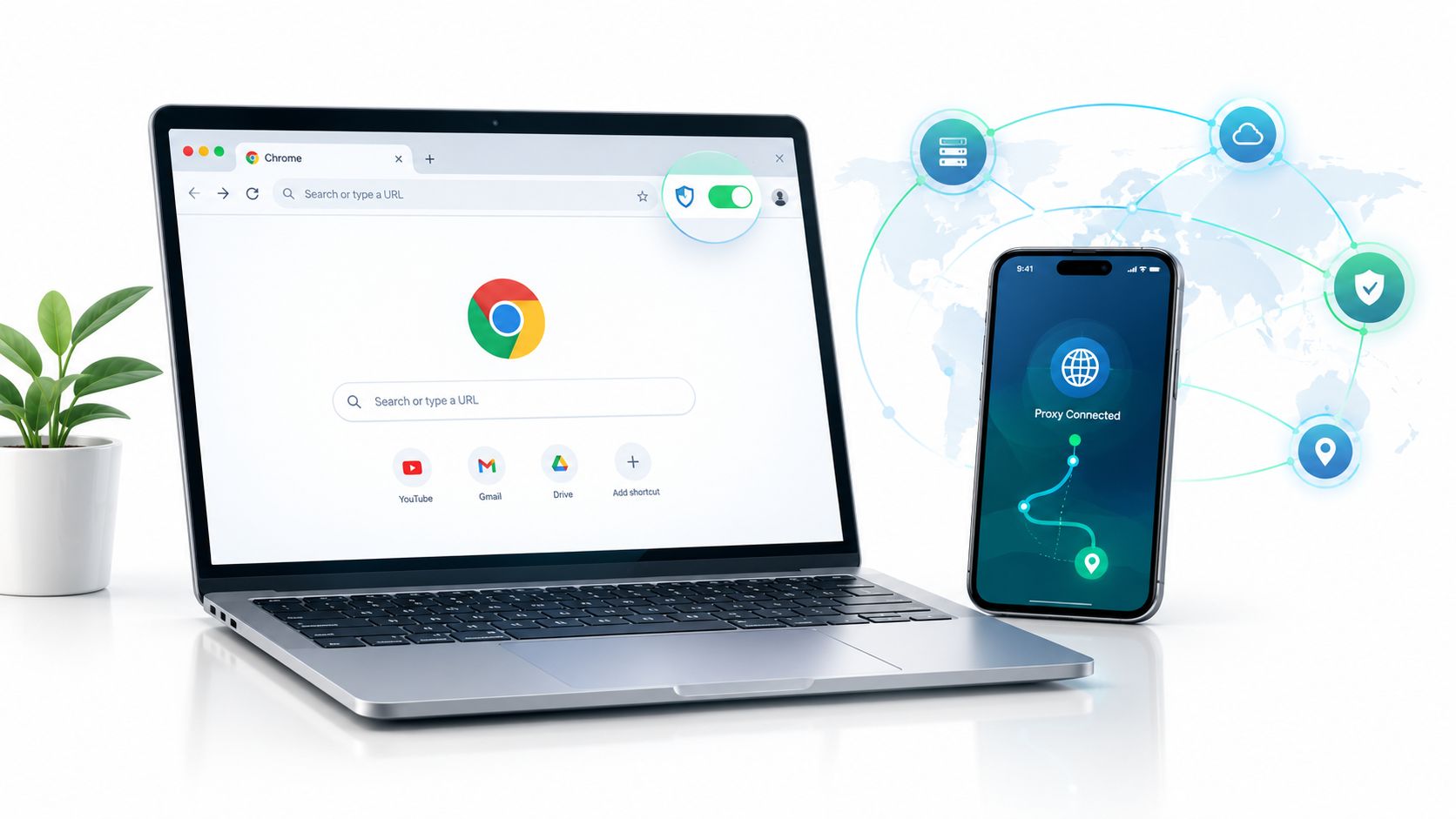
A social media manager opens Chrome on Monday with separate profiles for every brand account. By midweek, several accounts trigger suspicious-login checks because their sessions keep arriving from the same network path. The content may be legitimate, but the browser environment looks concentrated, inconsistent, or difficult to explain.
A proxy Chrome extension gives the browser a controllable network layer. Instead of changing the operating system's entire connection, you can route selected profiles, tabs, or domains through different proxy endpoints. That distinction matters for social media operations, ad verification, price monitoring, QA testing, and compliant research where the same laptop needs to reproduce different regional browsing conditions.
| Workflow need | Useful extension capability | Mobile proxy relevance |
|---|---|---|
| Account-specific browsing | Separate profiles and manual switching | Keeps a session associated with one carrier-based exit |
| Regional ad checks | Country, city, or ASN routing | Reproduces how a campaign appears on a target network |
| SEO and price monitoring | URL rules and PAC routing | Sends selected domains through a suitable market |
| QA testing | Sticky sessions and controlled rotation | Preserves state while testing geo-dependent flows |
The extension is only one part of the setup. Proxy type, session policy, authentication, browser scope, and failure recovery determine whether the workflow remains stable.
The Real Problem Proxy Chrome Extensions Solve
The practical problem goes beyond “how do I hide my IP?” A team running social accounts, collecting public market data, or validating regional advertising needs traffic separation. If every browser profile uses the same connection, one login challenge, rate limit, or reputation issue can affect unrelated work.
A browser extension acts as a switchboard between Chrome and the proxy endpoint. Rule-based tools can route a selected domain through a mobile connection while leaving internal dashboards, development tools, and ordinary browsing direct. Vendor-managed extensions simplify this further by presenting authenticated locations and rotation controls inside the browser.
Chrome is the dominant environment for this category. Global browser usage data for March 2026 recorded Chrome at 66.71%, compared with 5.79% for Edge and 2.33% for Firefox, according to the March 2026 browser extension ecosystem analysis. That audience is large, but distribution is fragmented. The same analysis counted 178,299 active Chrome extensions, with 70.4% having 100 users or fewer and only 2.63% exceeding 10,000 users.
Where separation helps
A social media team might assign one browser profile to each client, then bind each profile to a stable mobile session. An ad verification specialist can route campaign domains through a regional endpoint while keeping analytics and collaboration tools on the normal connection. A QA engineer can test a French mobile experience without changing the entire workstation's network behavior.
Practical rule: Separate the browser traffic that needs a different market or identity context. Don't proxy everything by default.
The extension won't fix weak account hygiene, inconsistent cookies, or a mismatched browser fingerprint. It also shouldn't be used to bypass access controls or violate platform rules. Its legitimate value is controlled reproduction, isolation, and privacy.
How Chrome Proxy Modes Actually Work
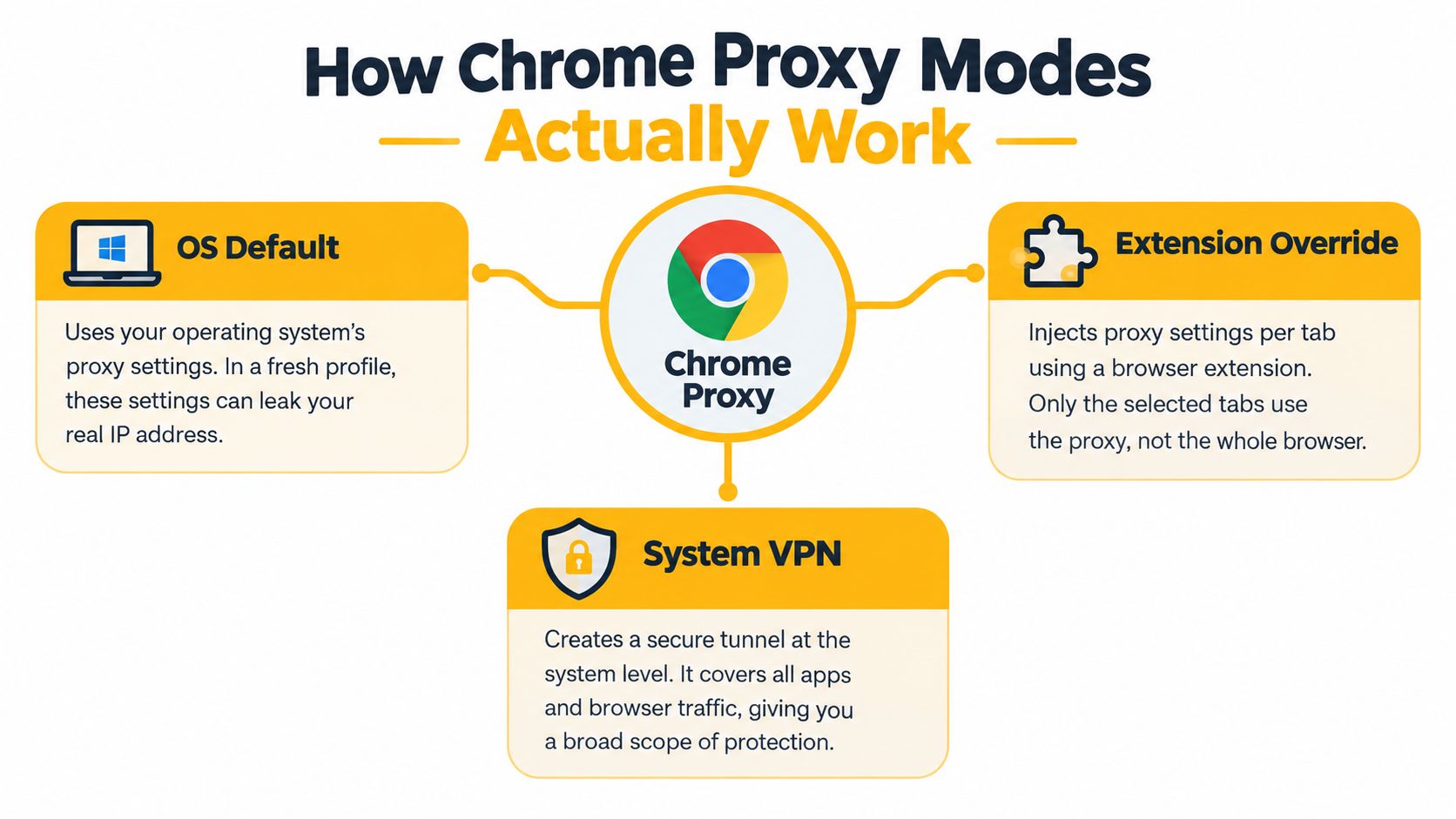
Chrome can operate with no proxy, inherit the operating system's settings, use manual server rules, or apply an automatic configuration file. Chrome's documented proxy model includes direct connections, auto-detection, custom PAC scripts, fixed server rules, and system settings, as described in the Chrome extension proxy API reference.
The five modes in practice
Direct sends traffic without a proxy. Use it for domains that must remain on the local connection, such as internal development services or a control dashboard.
System inherits the operating system's proxy configuration. This is broad and familiar, but it gives Chrome less granular control. A VPN or system proxy may affect every application, not just the browser profile you're testing.
Fixed server rules let an extension apply a specific HTTP, HTTPS, or SOCKS policy. This is the usual choice for a named mobile endpoint with username and password authentication.
PAC, or Proxy Auto-Configuration, is a script that chooses a route based on the requested URL. A PAC rule can send selected advertising, social, or retail domains through a mobile endpoint while leaving unrelated traffic direct.
Auto-detection asks the browser or network environment to discover proxy settings. It can be useful in managed networks, but it's a poor choice when you need deterministic routing for testing or account separation.
HTTP and SOCKS are not interchangeable. HTTP proxying is designed around web requests, while Chrome's SOCKS5 support is limited to TCP-based URL requests, so it doesn't cover every traffic path the browser may generate. The Chromium proxy documentation is the right reference when a workflow depends on WebSocket behavior, streaming, or other non-standard browser traffic.
A browser extension also isn't a full VPN tunnel. It controls Chrome according to its permissions and proxy API behavior. Other applications remain outside its scope, and even Chrome traffic can follow bypass rules or browser-specific paths.
Four Extension Archetypes Worth Knowing
Feature checklists hide the decision that matters most: who controls the endpoint and how much routing logic does the team need? Four archetypes cover most proxy Chrome extension workflows.
| Archetype | Example extensions | Best for | Trade-off |
|---|---|---|---|
| Rule-based switcher | SwitchyOmega | Engineers managing profiles, URL rules, and raw credentials | Requires manual provider configuration |
| Vendor-connected dashboard | Oxylabs or Bright Data extensions | Teams wanting location and session controls in one interface | More dependent on the selected provider |
| Lightweight toggle | Proxy SwitchySharp forks | Occasional manual switching | Limited routing depth and operational visibility |
| Anti-detect bundle | Browser suites with fingerprint controls | Workflows requiring coordinated browser-state testing | More complexity and greater compliance responsibility |
Rule-based tools
SwitchyOmega and FoxyProxy Standard fit teams that already have proxy credentials and want control over profiles, URL patterns, and PAC files. This is usually the most flexible model for mobile workflows because the extension doesn't dictate the provider's session format.
If a provider exposes a sticky-session parameter, you can place that endpoint in a profile and preserve the same carrier exit for a defined workflow. You can also create separate profiles for a stable session, a rotating session, and a direct connection.
Vendor-connected tools
A provider-managed extension is easier for users who don't want to paste host, port, username, and password values into a separate configuration screen. Location, rotation, and authentication may be presented in one dashboard.
That convenience has a cost. The extension may work well inside one provider's ecosystem but offer less freedom when the team needs custom PAC rules, multiple providers, or an unusual authentication scheme.
Lightweight and bundled options
A simple toggle is fine for manual market checks. It becomes frustrating when a team needs domain rules, profile mapping, session diagnostics, or repeatable configuration across many browser instances.
Anti-detect bundles add browser fingerprint controls, timezone handling, and storage separation. They can be appropriate for controlled QA and account-environment testing, but they increase the number of variables a team must document. A mobile IP alone doesn't make an otherwise inconsistent browser session trustworthy.
Public Chrome-store telemetry illustrates the range in adoption and satisfaction. Proxy SwitchyOmega is reported at about 800,000 users with a 4.8 rating from 460 ratings, while Oxylabs Proxy Extension is reported at about 40,000 users with a 3.96 rating from 55 reviews, and Web Proxy Extension at around 1,000 users with a 3.70 rating from 10 reviews, according to Chrome extension telemetry. Those figures don't prove that one tool fits every team, but they reinforce the operational priorities: usability, reliability, and configuration depth matter.
Connecting an Extension to a Mobile Proxy Provider
A manual profile is usually the clearest starting point because every routing decision remains visible. The exact labels vary, but the process is consistent.
Create the browser profile
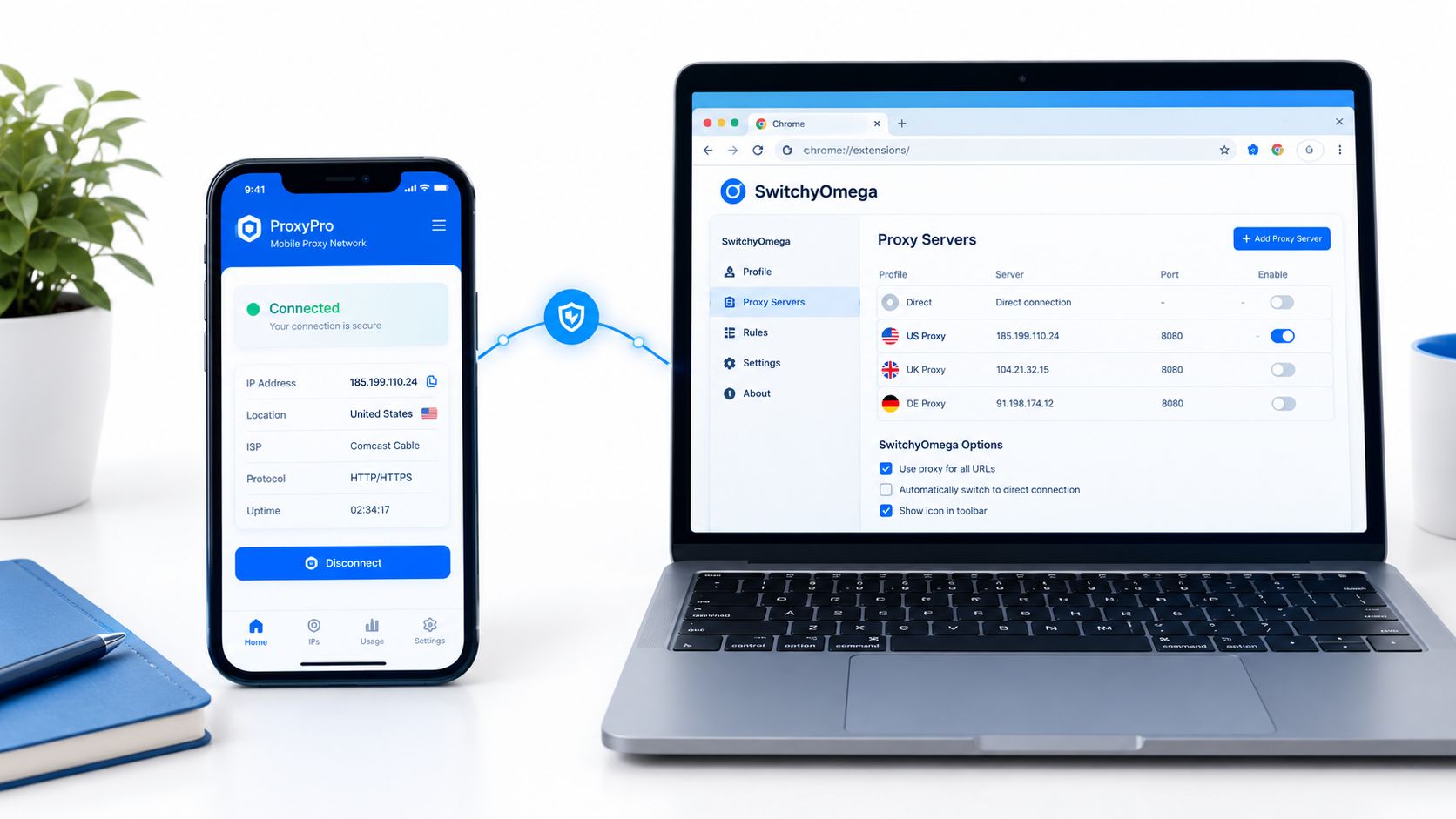
Install a maintained rule-based extension from the Chrome Web Store. Create a new profile and name it after the workflow, not merely the provider. Names such as “French mobile QA” or “social session A” make mistakes easier to spot than generic labels.
Choose the protocol your endpoint exposes. Use HTTPS when the service provides an HTTPS proxy gateway. Use SOCKS5 when the provider documents it and the workflow benefits from that transport, while remembering that Chrome's SOCKS5 handling is not a universal tunnel.
Enter the gateway host and port in the manual proxy fields. Then add the assigned username and password. Don't place credentials in a shared document or commit them to automation code. Store them in the team's approved secrets workflow and restrict access to the people and browser instances that need them.
Add routing and session rules
Enable authentication when the extension supports startup authentication. If the provider uses a session identifier or sticky-session control, select the session mode before testing. A sticky session keeps the same exit associated with a browser workflow for its configured lifetime, which is useful when a login or checkout flow spans several page loads.
For a rotating workflow, let the provider change the exit according to its documented policy. Don't rotate during a sensitive login, form submission, or checkout sequence. Rotation is useful for broad public research and availability checks, but stability is usually more important for QA reproduction and authenticated sessions.
Create bypass rules for localhost, internal tools, and approved control-plane services. A careless bypass list can send the target traffic direct, while an overly broad proxy rule can slow unrelated work or interfere with development tools.
A practical setup guide for the mobile proxy provider configuration can help map the provider's endpoint fields to the extension's profile fields.
Verify before scaling
Save the profile, activate it from the extension icon, and confirm that the active badge or profile label changes. Visit an approved IP-checking page, then test the exact destination and authentication flow that matters to the business.
Record the expected exit country, carrier or ASN, session policy, and bypass list. A small configuration record prevents a team from debugging the wrong layer when the browser, extension, proxy gateway, and target site all behave differently.
Why Mobile 4G Proxies Beharder to Block
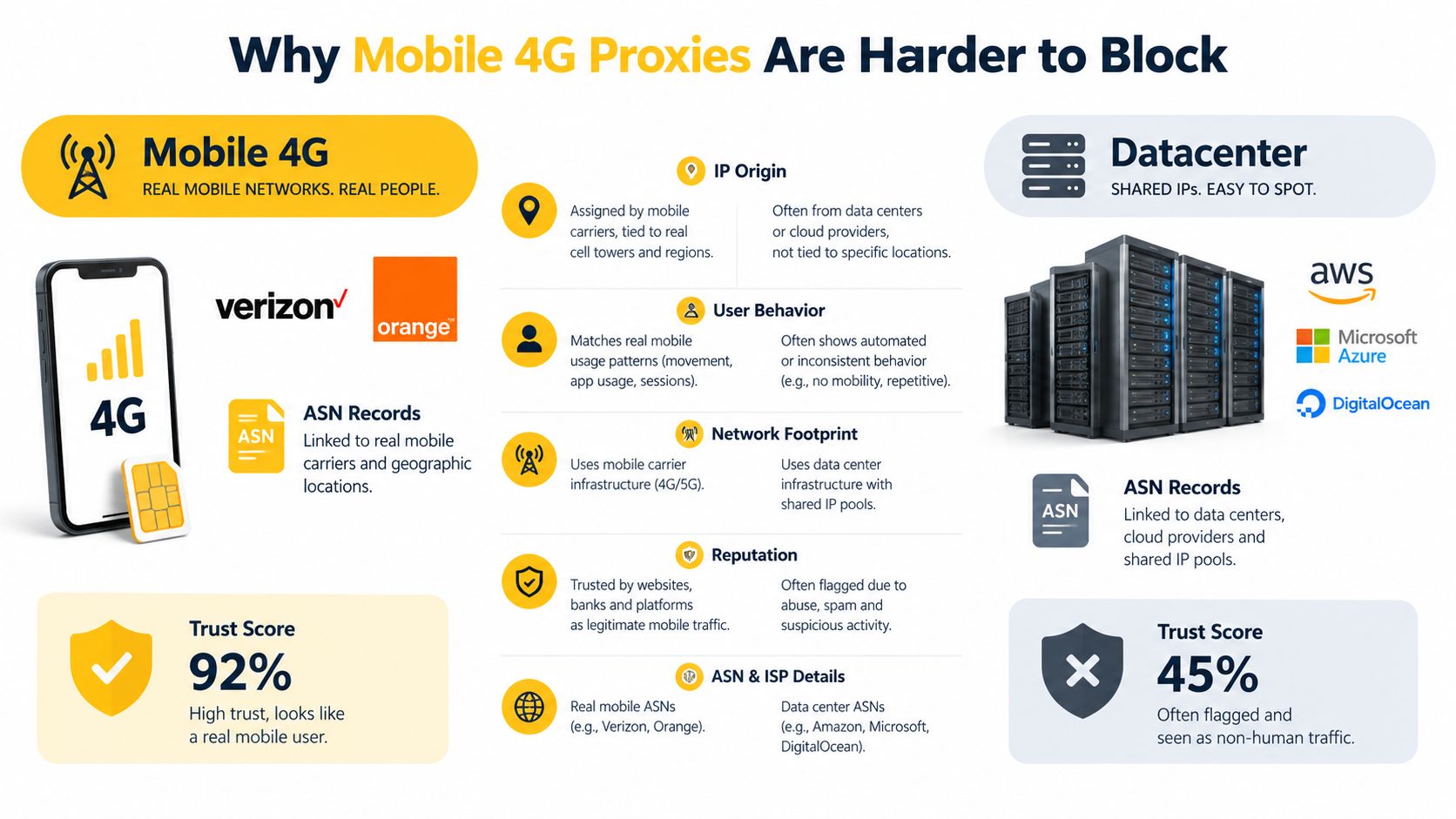
Mobile, residential, and datacenter proxies present different network signals. A datacenter proxy typically comes from hosting infrastructure and can be easier for a destination to classify as non-consumer traffic. Residential proxies use ISP-associated ranges and can look closer to household access, although rotating addresses may create their own continuity problems.
A mobile 4G or 5G proxy exits through a carrier network. The ASN, or Autonomous System Number, identifies the network operator, such as an ISP or mobile carrier. ASN targeting lets an operator choose an exit associated with a particular carrier, which is valuable when an ad, retail site, or search result differs by network as well as geography.
Mobile traffic also commonly uses carrier-grade NAT, or CGNAT. In this model, many subscribers share a smaller pool of public IPv4 addresses. The shared address space reserved for this kind of carrier translation includes 100.64.0.0/10, as described in the CGNAT and mobile proxy background. That shared structure makes a mobile IP less conclusive as a signal of one individual automated operator, although it doesn't make the traffic invisible.
Match the IP type to the task
For ad verification, a mobile ASN can help reproduce how a creative appears to users on a carrier network. For account-session QA, a sticky mobile endpoint can preserve a consistent exit while the tester checks login persistence and geo-dependent behavior. For broad public scraping, datacenter infrastructure may be more economical, provided the collection respects access rules and rate limits.
Mobile isn't automatically superior. It can cost more, provide less predictable throughput, and create shared-network conditions that require careful session handling. The right comparison is not “which proxy is hardest to block?” but “which network context does this test or research task require?”
Geo-targeting can also be narrower than country selection. It may include country, region, state, city, or ASN, which is why geo-targeting guidance matters for SEO monitoring, ad validation, and market research. Choose the narrowest location and carrier condition needed to reproduce an authentic user experience.
Incognito, Profile Scope, and Bad Proxy Cache Gotchas
Many teams assume that installing a proxy Chrome extension covers every Chrome window. It doesn't. Extensions that set proxies are disabled in Incognito by default, and the user must explicitly enable the permission from the extension's Details page, as documented in ChromeOS proxy extension guidance.
The same principle applies to profiles. An extension installed in one Chrome profile isn't automatically active in another unless the installation and settings are available there. Treat every profile as a separate deployment unit, then verify its permissions, proxy profile, credentials, and bypass rules.
| Gotcha | What breaks | Correct procedure |
|---|---|---|
| Incognito is not enabled | Private windows connect directly or ignore the extension | Open chrome://extensions, select Details, and enable Allow in Incognito |
| A new profile lacks the extension | The browser uses its default network path | Install and configure the extension inside that profile |
| SOCKS5 is treated as a full tunnel | Some browser traffic uses another path | Test the exact traffic types required by the workflow |
| Chrome remembers a failed proxy | A healthy endpoint appears unavailable | Clear the proxy error state and retest |
| Bypass rules are too broad | Target traffic skips the mobile route | Review domain patterns and exceptions |
The transport myth
SOCKS5 doesn't mean every browser protocol is automatically covered. Chrome's documented behavior limits SOCKS5 proxying to TCP-based URL requests, so teams must test DNS behavior, WebRTC exposure, QUIC-related paths, video delivery, and other traffic relevant to their application. A proxy extension is a browser routing tool, not a guarantee that every packet generated by every browser component follows the same route.
Chrome also maintains a cache of bad proxies. Chromium documents clearing that state through chrome://net-internals/#proxy when debugging a proxy that has been marked unavailable, as explained in the Chromium proxy troubleshooting documentation. Restarting Chrome may help, but a deliberate cache reset is more reliable when a mobile session has rotated or briefly dropped.
For authenticated workflows, session persistence matters more than constant rotation. Keep the session stable while logging in and completing a multi-step task, then rotate only between independent checks. The session persistence guide is useful when the provider exposes explicit sticky-session controls.
Matching Extensions to Practical Workflows
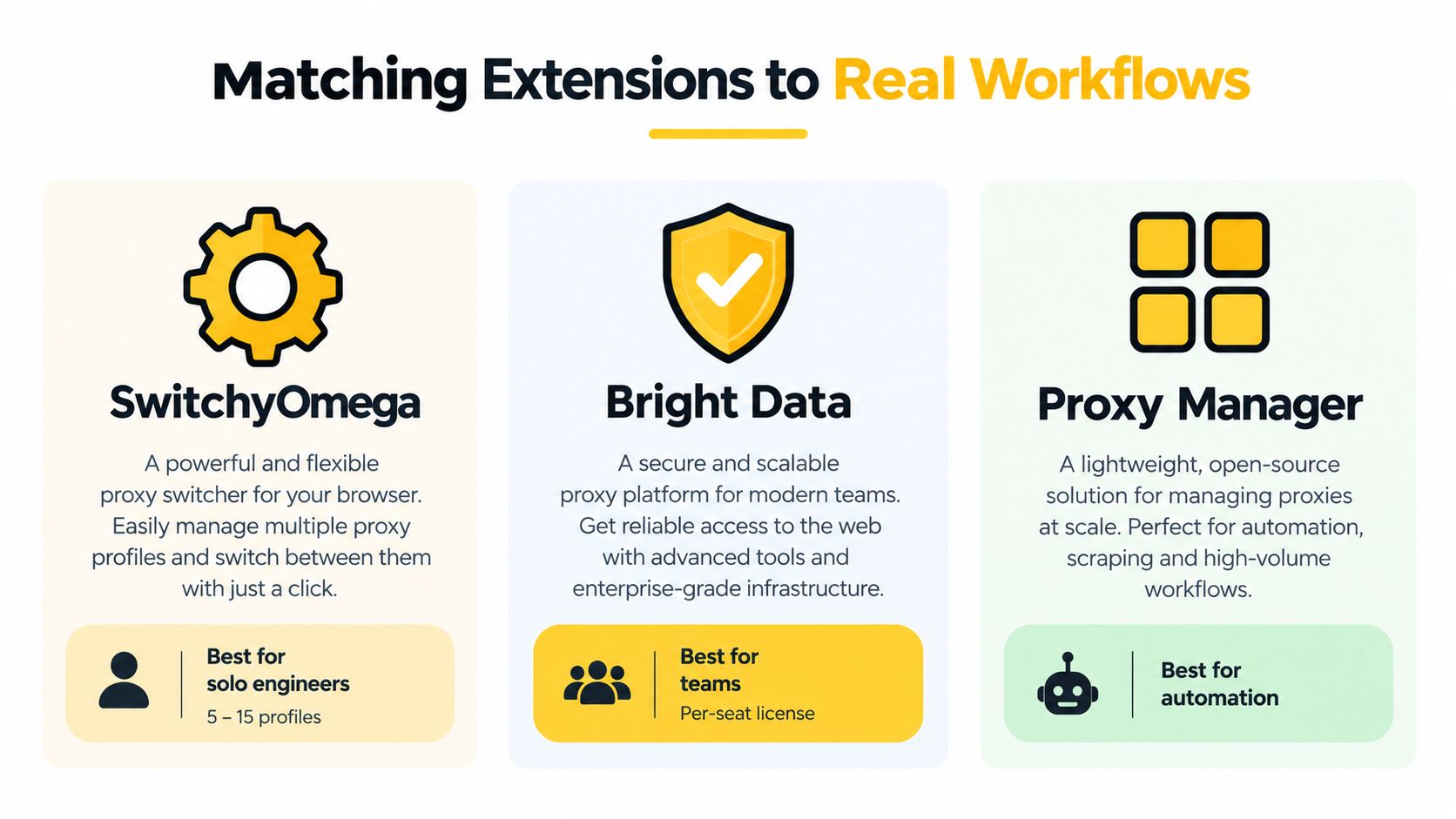
A team running several browser profiles needs different controls from a solo operator checking one market. Choose the extension around the workflow, not the feature list. Solo growth engineers usually value fast profile switching and visible rules. Agencies need repeatable onboarding and location controls. Scraping teams need predictable PAC behavior, clear diagnostics, and a proxy pool suited to the collection method.
For a small group of profiles, a rule-based extension is usually the most adaptable option. It keeps the proxy provider separate from the browser interface, so replacing an endpoint, testing another ASN, or adding a direct exception does not require rebuilding the entire workflow. For mobile 4G routes, record the provider's ASN, CGNAT behavior, and sticky-session policy beside the browser profile. Those details determine whether a location change is useful or whether it breaks an active login.
A situational playbook
Social account QA and warming require stable browser state, a consistent mobile session, and restrained rotation. Use a rule-based profile with a sticky mobile endpoint, and keep the workflow within platform policies. Rotating on every request creates avoidable login and verification problems.
Ad verification across markets benefits from a managed vendor extension when operators must select country, city, carrier, and session settings from one visible control surface. A residential fallback can suit tests that require household context, but a carrier-network brief calls for a mobile 4G endpoint with the matching ASN.
Large-scale public research often fits a rule-based extension with PAC support and a dedicated datacenter pool. The extension should configure browser traffic, not serve as the collection engine. Heavy jobs belong in a governed data pipeline, with the extension reserved for spot checks, authentication, and reproducing browser-specific results.
Affiliate and multi-store QA needs repeatable city-level routing and stable sessions. A managed vendor connection reduces setup work when operators switch locations frequently. Manual profiles remain preferable when the team combines several proxy sources or needs to inspect each CGNAT route independently.
Storage quotas and extension state can cause trouble across large profile fleets. Keep rule sets and provider metadata lean, export configuration, and test a clean copy before distributing changes.
Operational insight: The correct route should be easier to select than the incorrect one. Hidden rules invite drift, especially when sticky sessions and mobile ASN requirements differ by profile.
Recommended Setup and Next Steps
Use this pairing as a starting point, then adjust it to the workflow and provider.
| Extension | Best workflow | Proxy type |
|---|---|---|
| SwitchyOmega | Profile-based SMM, QA, and manual market checks | Sticky mobile or 4G endpoint |
| FoxyProxy Standard | URL-pattern routing and PAC-based research | SOCKS5 or HTTP endpoint, according to provider support |
| Managed vendor extension | Operator-led geo and ad verification | Mobile or residential location endpoint |
| Operator-led geo-selection extension | Organized teams switching locations | Mobile or residential endpoint |
For smaller profile fleets, start with a rule-based extension. Document the provider, session policy, ASN, and browser profile separately. This keeps mobile routing decisions visible and makes CGNAT-related troubleshooting easier.
- Export the current exception list. Preserve development tools, internal services, and approved direct routes before changing Chrome's proxy behavior.
- Provision the mobile endpoint. Select the required city and ASN, then choose sticky sessions when login continuity matters.
- Load and verify the profile. Enter the endpoint in the supported SOCKS5 or HTTP fields, save it, and confirm the exit location with an IP geolocation check before scaling.
The setup is ready when selected domains use the intended mobile route, unrelated tools still work, and a failed endpoint can be replaced without guesswork.
Evoproxy provides mobile 4G/LTE/3G endpoints with configurable rotation and personal or shared ports. These options support carrier-based routing, ASN selection, and sticky sessions inside a proxy Chrome extension. Visit Evoproxy to review the available mobile proxy setup for your SMM, ad verification, SEO monitoring, or QA workflow.