
HTTPS hides your passwords, search terms submitted to a site, and specific page content, but your ISP can still see your IP address, connection times, traffic volume, and the domain you're visiting. The connection isn't invisible, it's only partially encrypted.
So what can my ISP see when a marketing team runs several account sessions, a scraping system checks prices, or an ad verification workflow loads a campaign from a mobile network? The usual answer, “HTTPS protects everything,” misses the operational detail that matters. Encryption protects the payload. Routing and metadata still reveal the shape of the connection.
That distinction affects privacy, compliance, account separation, geo-targeting, and the reliability of automated workflows. A business can protect login credentials while still exposing its network identity, destination infrastructure, timing patterns, and traffic volume to the access provider.
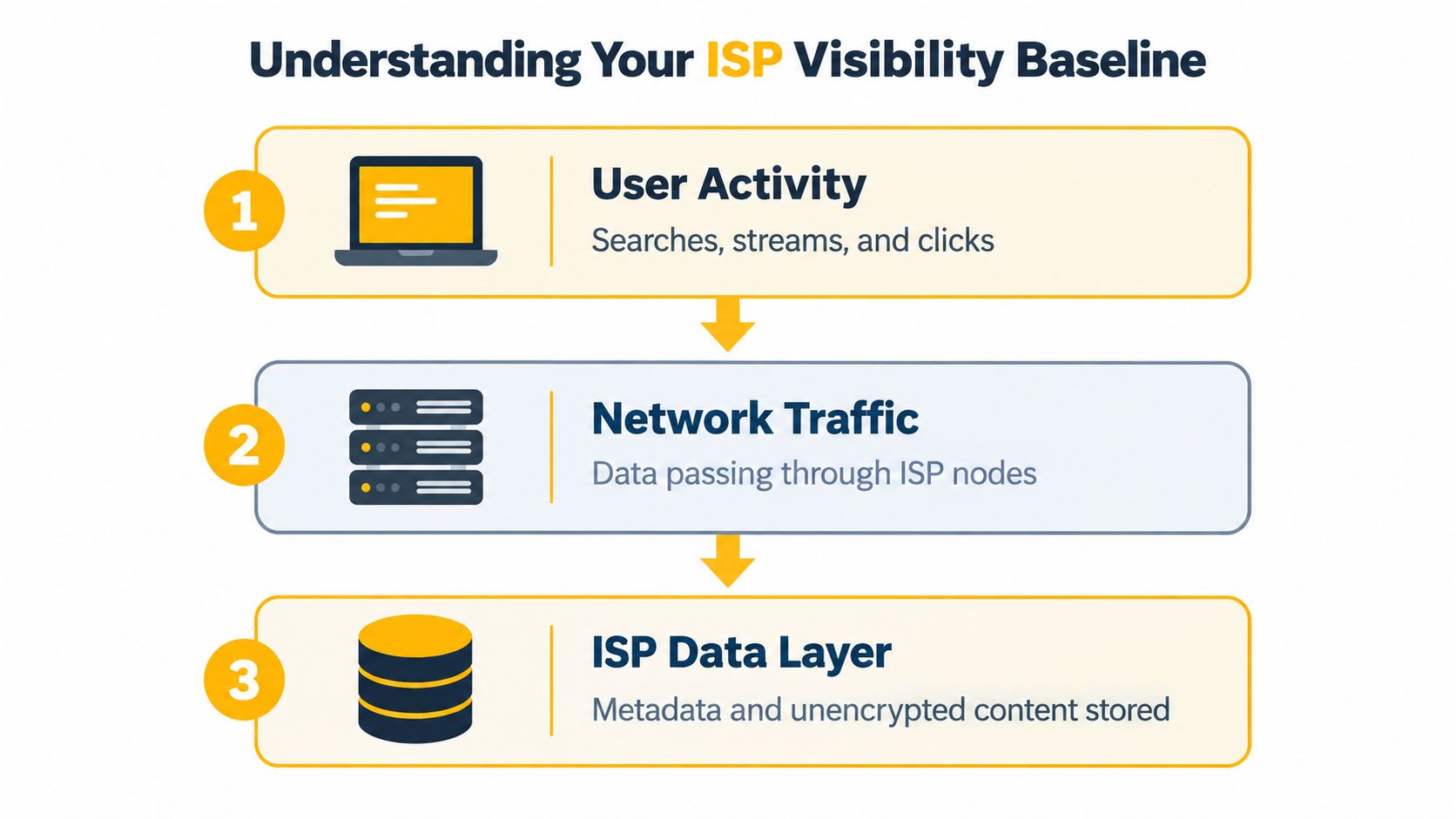
Understanding Your ISP Visibility Baseline
A retail team once reviewed a location-sensitive campaign and asked a simple question: could the ISP see which product page the verification script opened? The team assumed that HTTPS made the session private from end to end. The more accurate answer was narrower. The ISP could generally identify the destination domain and observe connection metadata, but it normally couldn't read the page path, account credentials, form contents, or the article viewed.
That baseline comes from how internet routing works. Your device sends traffic through an access provider before it reaches a website, application, proxy, or other endpoint. The provider needs enough information to deliver packets, manage its network, and maintain the subscriber connection. HTTPS then encrypts the application data inside that connection, creating a boundary between visible metadata and protected content.
What remains visible
According to the Electronic Frontier Foundation's explanation of HTTPS visibility, an ISP can generally observe:
- The destination domain, such as
example.com, even when the page uses HTTPS. - The customer's assigned IP address, which identifies the access connection.
- Connection time and traffic volume, including when a session starts and how much data moves.
- Some DNS activity, when the device uses ordinary, unencrypted DNS resolution.
That information can be useful without revealing the page itself. A provider might not know whether a user opened an account dashboard or a specific article, but repeated destination domains and timing can still describe how a connection is used.
What HTTPS normally protects
HTTPS usually prevents the ISP from reading the URL path after the domain, passwords, messages, form data, search terms submitted to the site, and specific page content. The EFF illustrates the distinction with a URL such as eff.org/deeplinks: a network observer may identify eff.org, but not the individual page after the slash.
Private browsing mode doesn't change this network boundary. It can stop a browser from retaining local history or form data, but it doesn't alter the traffic that passes through the ISP. For a business, that means a clean local browser profile isn't a substitute for controlled routing.
Practical rule: Treat HTTPS as content confidentiality, not as an anonymous connection.
For multi-account social media management, ad verification, and market research, the baseline question is therefore not “Can the ISP read my browser?” It's “Which network identity and destination metadata does the ISP observe before my request reaches the service?” That framing leads to better decisions about proxies, VPNs, DNS, and session design.
Decrypting Network Metadata and Connection Data
The most useful way to analyze ISP visibility is to separate the connection into layers. The first layer is addressing, the second is name resolution and session setup, and the third is the encrypted application payload.
Addressing and routing
The ISP can generally observe the subscriber's public IP address and the destination IP address contacted during a session. It can also observe connection timestamps, packet sizes, traffic volume, and other traffic characteristics. Destination IPs aren't perfect domain indicators because content delivery networks and shared hosting can place multiple domains behind one address, but they still provide routing context.
The ISP also sees the connection as a sequence rather than a single event. A short request followed by a sustained transfer looks different from repeated small exchanges. That doesn't reveal the precise content, but timing and volume can support broad service identification or usage profiling.
DNS and SNI
With conventional DNS, the device sends a domain lookup to a resolver. If the ISP operates that resolver, it can directly receive the requested domain. Encrypted DNS changes that specific exposure, but it doesn't automatically conceal every destination signal.
During many TLS sessions, the Server Name Indication, or SNI, can expose the requested hostname during the connection setup. SNI is part of the TLS handshake, the negotiation that establishes an encrypted HTTPS session. Encrypted Client Hello can reduce hostname exposure, but support isn't universal, so teams shouldn't treat it as a complete operational control.
Why metadata matters commercially
Metadata gains value when a provider can associate it with a subscriber account, billing identity, device, or approximate location. A U.S. Federal Trade Commission staff report on six major ISPs stated that at least two providers in its study combined customers' personal information with browsing history for advertising purposes.
That example matters because the exposure isn't limited to one URL. Browsing activity, streaming behavior, application-use information, and location data can become part of a broader usage profile. HTTPS reduces readable content, but it doesn't prevent the access provider from retaining connection metadata or combining it with information from its own operations.
For technical teams, latency belongs in the same diagnostic conversation. A proxy or VPN can protect destination visibility while adding another network hop, so measure response time and failure behavior rather than assuming the route is acceptable. The latency measurement guide is useful when validating whether a privacy control still meets the requirements of ad checks, QA tests, or price monitoring.
Retention is a separate question from visibility. Policies, jurisdiction, legal process, and commercial practices influence how long an ISP may keep observable metadata and how it may use it. Don't promise a client that encryption deletes the access provider's records. Promise only the narrower protection the technology provides.
The Role of Encryption in Reducing ISP Visibility
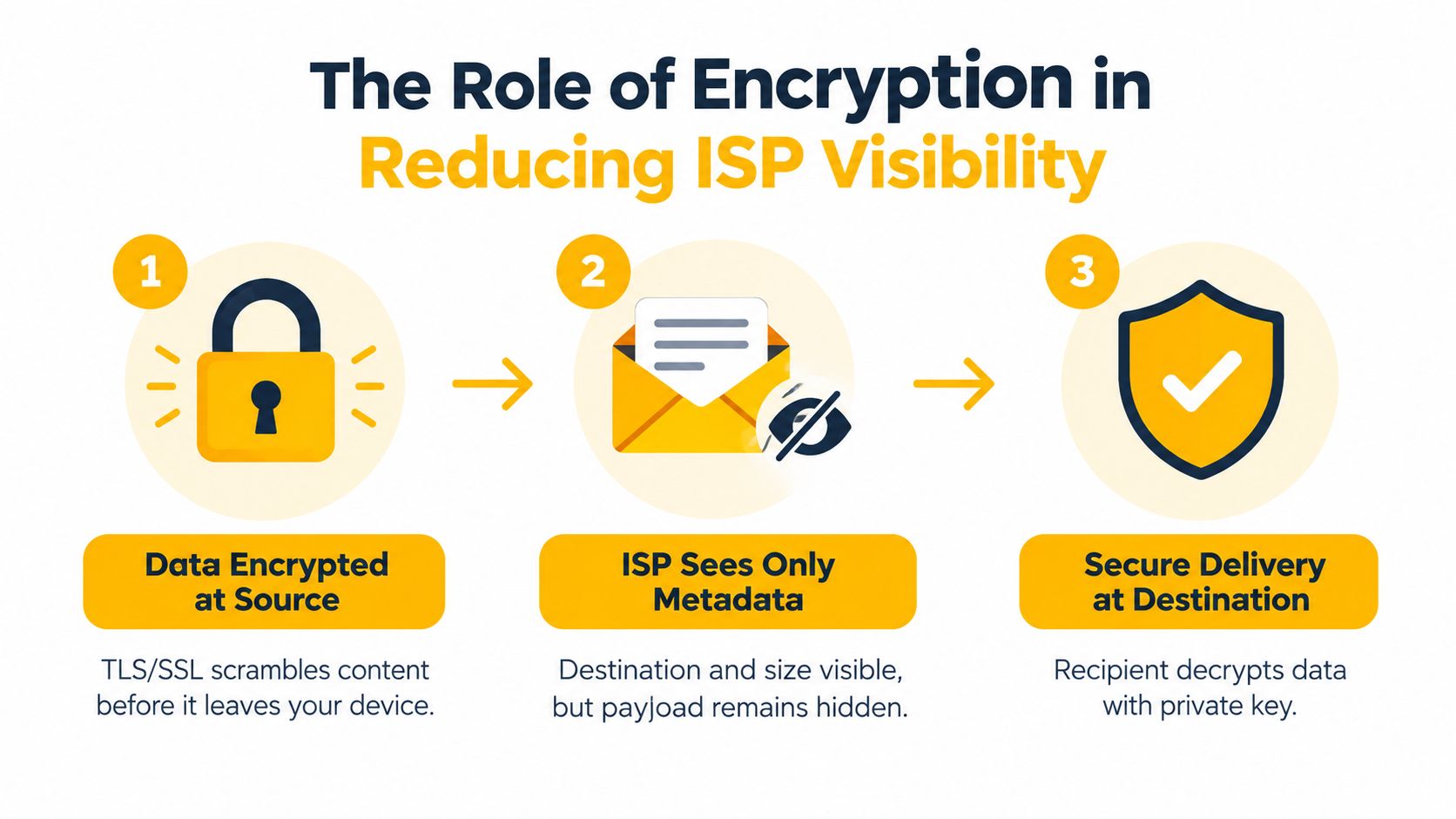
Encryption works by protecting the data before it crosses the access network. The device and destination establish a secure session, and the ISP carries the resulting traffic without normally reading the application payload.
HTTPS protects the payload
In a normal HTTPS session, TLS encrypts the URL path, page content, credentials, form data, and messages exchanged within the session. The ISP can still generally observe the subscriber IP address, destination IP address, connection timestamps, packet sizes, and traffic volume, as described in this EFF technical explanation of HTTPS metadata.
That's why a password submitted to a secure website is protected from ordinary network inspection, while the domain can remain visible. The distinction is especially important for account operations. HTTPS protects the login exchange, but it doesn't make the originating IP look like a different user, country, carrier, or network.
Encrypted DNS closes one leakage path
DNS over HTTPS, or DoH, and DNS over TLS, or DoT, encrypt the domain lookup between the device and the selected resolver. Mozilla's DoH documentation explains that encrypted DNS prevents the ISP or another local observer from seeing those lookups in plain text.
This shifts visibility rather than eliminating it. The resolver receives the DNS request, while the ISP may still observe destination IP addresses, timing, traffic volume, and, in many TLS connections, the hostname exposed through SNI. Encrypted DNS also doesn't change the public source IP presented to a website, so it won't by itself solve geo-targeting or account-separation problems.
A sound implementation treats the controls as layers:
- Use HTTPS to protect application content.
- Use encrypted DNS to prevent ordinary DNS queries from exposing domains to the ISP resolver.
- Review hostname exposure, since SNI and destination IPs can still provide clues.
- Control the egress route with a VPN or proxy when the website must see a different public IP.
The result is reduced visibility, not invisibility. For compliance-heavy workflows, document exactly which party can see which layer. The ISP may see a tunnel or proxy connection, the proxy operator may see routed traffic metadata, and the destination may see the proxy's public IP. A privacy design is credible when it states those trade-offs plainly.
Evaluating VPNs and Proxies for Privacy Protection
Which control fits the workflow: a VPN that protects traffic from the device, or a proxy that assigns an egress identity to a specific application? Both change the route between the device and the destination, but they solve different operational problems. A VPN generally creates a device-level encrypted tunnel. A proxy usually handles traffic from one application or workflow, which makes separate session identities easier to manage.
A correctly configured VPN generally prevents the ISP from reading visited domains, page paths, searches, and content because traffic and DNS pass through the encrypted tunnel. The ISP can still identify the VPN endpoint, its address, connection timing, session duration, and approximate data volume, as explained in this VPN visibility guide. The tunnel reduces content visibility without removing network metadata.
Choosing the route by requirement
- VPN: Suitable for broad, device-level privacy from the ISP. Check DNS routing, IPv6 behavior, split tunneling, and kill-switch operation before relying on it.
- Residential proxy: Uses addresses associated with residential access networks. It can fit research and verification workflows that require a non-datacenter network identity, provided the activity is lawful and authorized.
- Datacenter proxy: Runs from hosting infrastructure. It often offers predictable performance and control, while its ASN, or Autonomous System Number, identifies a hosting-network range that some services assess differently from consumer access.
- Mobile proxy: Routes through 4G or 5G carrier networks. Mobile addresses can be harder to block as a whole because carriers use shared address pools and legitimate users may appear behind the same infrastructure.
A proxy does not automatically encrypt every application. With HTTPS, the session payload remains protected between the device and destination while the proxy manages the route. An application using unencrypted traffic can expose its contents to the proxy and other intermediaries. HTTP and SOCKS5 define routing behavior, not end-to-end content protection.
Visibility comparison between VPNs and proxies
| Tool | Hides Destination Domain | Hides IP Address | Hides Traffic Volume |
|---|---|---|---|
| HTTPS | Usually hides page paths and content, not necessarily the domain | No | No |
| Encrypted DNS | Hides the DNS lookup from the ISP resolver | No | No |
| VPN | Generally hides destinations inside the tunnel from the ISP | Hides the source IP from the destination | No, the ISP can see tunnel volume |
| Proxy | Usually hides the destination from the ISP when the ISP sees only the proxy route | Hides the source IP from the destination | No, the ISP can see the proxy session volume |
Operational controls that matter
IP rotation changes the egress address on a schedule or when requested. It can separate independent research sessions, but frequent changes may interrupt authentication and appear suspicious. Sticky sessions retain one egress address for a defined period. That pattern usually fits multi-step logins, QA flows, and ad rendering more reliably.
For multi-accounting, separate the account session, browser state, credentials, and egress identity. A new IP alone does not create a compliant account boundary. For ad verification, preserve the session long enough to load the placement consistently, then record the authorized test location, observed egress identity, and result.
Geo-targeting depends on more than country selection. The IP's carrier or hosting ASN, DNS path, browser locale, and application settings can all affect how a service interprets location. Select the narrowest location scope required by the authorized test and document the controls used.
Evoproxy provides mobile proxy routing with personal and shared ports, configurable rotation, and French mobile connectivity. Treat it as one infrastructure option, not a substitute for access controls, consent, platform rules, or leak testing. Its function is to change the network path and public egress identity for approved workflows. Your team remains responsible for the automation and its authorization.
The practical rule is direct: stable sessions need stickiness, independent identities need separation, and privacy claims need verification. Review IP masking with proxies when mapping those requirements to an application architecture.
Real-World Applications for Business and Automation
A social media agency, an ad verification team, and a retail intelligence group may all use proxies, but their failure conditions differ. The agency needs account sessions to remain consistent. The verification team needs to observe how an advert renders from an authorized location. The retail team needs repeatable requests without confusing a shared research identity with a customer's own network.

Why mobile networks behave differently
Mobile connectivity often uses carrier-grade NAT, or CGNAT, which lets a carrier place many subscribers behind a smaller pool of public IPv4 addresses. RFC 6598 reserves the IPv4 block 100.64.0.0/10 as Shared Address Space for service-provider networks using carrier-grade NAT.
The practical consequence is important for attribution. A website may see a shared carrier egress address rather than a uniquely assigned handset address, while the carrier retains translation state that associates connections with subscribers. That shared structure can make mobile IPs harder to block indiscriminately than datacenter ranges, because blocking one address may affect many legitimate mobile users.
This doesn't make mobile proxies invisible or universally trusted. A service can still evaluate session behavior, cookies, headers, account history, request patterns, and other signals. Mobile routing improves the network identity layer, but it can't compensate for abusive automation or violations of platform rules.
Match the design to the workflow
Multi-account management needs account-to-session mapping. Assign a stable mobile session to each authorized account workflow, keep cookies and browser profiles isolated, and rotate only when the task allows it. Don't put several unrelated identities behind one uncontrolled session and then diagnose every challenge as a proxy problem.
Ad verification needs reproducibility. Select the target geography, preserve the session while the page and redirect chain load, capture what the user sees, and log the egress IP and timestamp for internal audit. A rotating address on every request can make the test less representative.
Price and SEO monitoring usually benefits from a controlled cadence and clear identity separation. Use rotation where the target permits it, respect access policies, and cache results so the system doesn't generate unnecessary requests. For brand protection, the same approach can support authorized checks for impersonation, unauthorized listings, and regional content differences.
QA testing needs a known matrix. Test mobile and fixed access conditions separately, validate DNS and public IP behavior, and record failures by route rather than treating all network errors as application defects.
Operational advice: A proxy should make a test repeatable, not merely make the request look different.
HTTP proxies are convenient for browser and web-request traffic. SOCKS5 can support a wider range of application traffic, but it doesn't encrypt the payload by itself. In either case, keep credentials secure, monitor session leakage, and make compliance review part of deployment rather than an afterthought.
Next Steps for Securing Your Digital Footprint
Start by documenting the visibility boundary for each workflow. Identify what the ISP sees, what the proxy or VPN operator sees, what the destination sees, and which logs your own system retains.
Then test the route instead of trusting its label. Check DNS resolution through the intended path, review IPv6 behavior, verify that split tunneling isn't bypassing the control, and confirm that a dropped tunnel or proxy session fails safely. Use sticky sessions for multi-step flows and rotation for tasks that require changing egress identities.
Complete invisibility isn't the goal. Controlled exposure, predictable routing, and compliant automation are more useful targets for business systems.
Evoproxy offers mobile 4G/LTE/3G proxy routing with personal and shared ports, configurable rotation, and French mobile IP connectivity for approved social management, ad verification, research, and QA workflows. Visit Evoproxy to review the available mobile routing options for your specific use case.