
You're staring at a French campaign dashboard, the creative should be local, the price should be in euros, and the landing page should match France. Then the proxy says “Paris,” the ad preview shows the wrong city variant, and your team wastes half a day arguing about whether the provider mislabeled the IP or the site is just being difficult.
That's the trap with geo targeted proxies. A country label is not a promise of city truth, especially on mobile routes where carrier networks, shared gateways, and database lag can all distort what the destination sees. If you treat geo-targeting as a binary switch, you'll keep getting noisy results and blaming the wrong layer.
Why Your "Paris" Proxy May Not Actually Be in Paris
A marketer runs a French launch, expects the Paris variant, and gets Lyon in the preview tool. The proxy dashboard still says France, so the instinct is to blame the provider. That's usually the wrong diagnosis.
The core problem is that geo-targeting is a network claim, not a coordinate claim. A proxy can be valid for France and still fail a city-sensitive workflow because the site, the browser, or the geolocation database sees a broader carrier footprint instead of a precise street-level location. On mobile routes, that gap is normal, not exceptional.
The mistake teams keep making
Many teams start by asking for the most specific location they can buy, then assume that label equals truth. It doesn't. On cellular networks, the useful question is whether the proxy supports the decision you need, not whether it prints the prettiest city name.
Practical rule: trust the country result first, treat the city result as probabilistic, and always compare it against the exact page behavior you care about.
That framing saves time because it stops people from overreacting to a city mismatch that's really a database or carrier-routing issue. It also shifts the conversation from “Is the proxy fake?” to “What kind of geographic confidence does this workflow need?” That's the question that matters for ad verification, localization QA, and account work.
The Three Proxy Network Classes and What Their ASNs Reveal
Proxy type is not a branding choice, it's a network-class decision. A datacenter proxy usually comes from a hosting ASN, a residential proxy maps to a consumer ISP ASN, and a mobile proxy sits on a cellular carrier ASN. That ASN, the autonomous system number, is a meaningful clue because it tells you which organization is announcing the network, not just where the IP appears to sit.
For a deeper breakdown of how residential and mobile footprints differ in practice, the residential versus mobile proxy guide is the right companion read. The point is simple, though. Datacenter IPs are easy to fingerprint because they announce like servers. Residential IPs look more like normal household traffic. Mobile IPs look like consumer traffic on a carrier network, which is why they're harder to block in sensitive workflows.
What to inspect before you trust an IP
Start with the ASN, then check the organization behind it, and then look at reverse-DNS if your workflow exposes it. If the network still looks like hosting infrastructure, don't expect it to behave like a real consumer route. Rotating within the same hosting ASN often changes the IP but not the detection surface.
A mobile IP can represent many subscribers behind carrier infrastructure, so the address tells you less than the network class does.
That matters for multi-account social work, ad checks, and login flows. If you need a footprint that blends into ordinary consumer traffic, carrier ASN coverage is the closer match. If you only need high-volume regional access, datacenter routes can be fine. Don't pretend they're the same thing.
How IP Geolocation Databases Actually Locate You
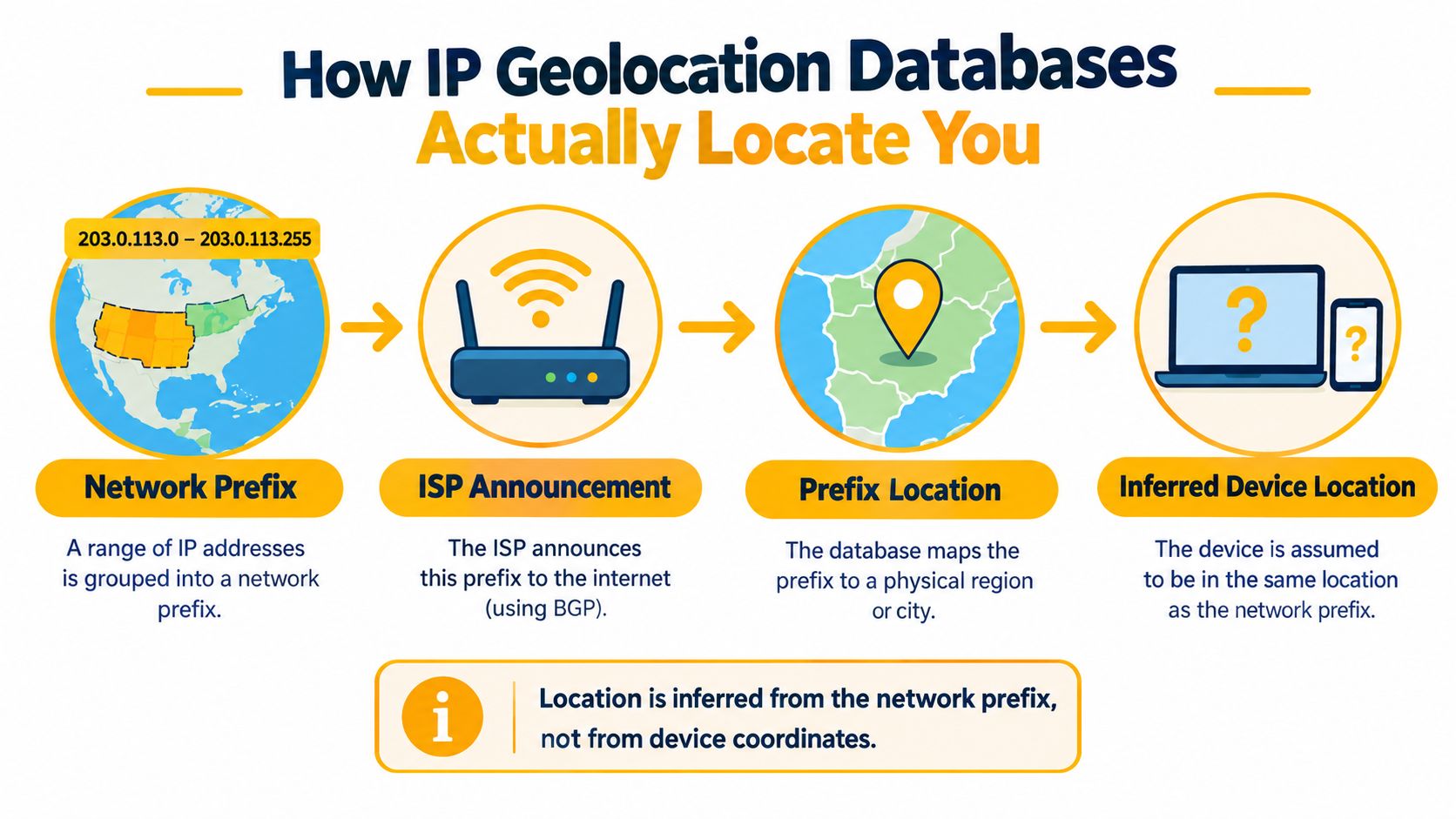
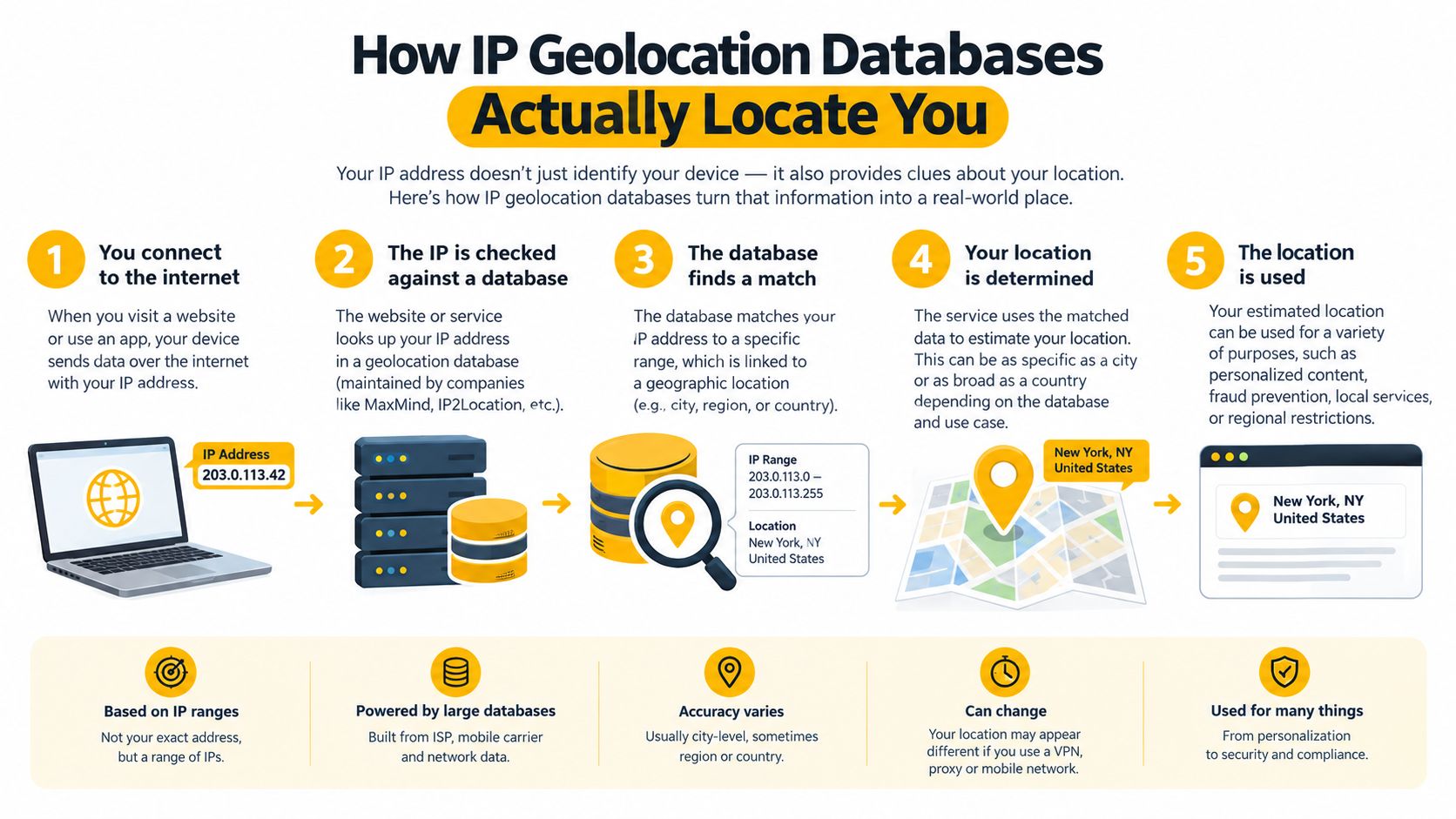
Geolocation databases infer location from the network prefix announced by the ISP. They're not reading device coordinates. That distinction is the whole game. On a fixed network, the prefix can be tight enough to support useful city-level guesses. On cellular networks, the same logic gets messy fast.
A large-scale evaluation across 175 countries found mobile-network IP geolocation median errors of about 179–207 km, compared with 3–16 km for fixed networks, and about 70% of mobile prefixes spanned more than 100 km geographically (research paper). That's why a proxy can be technically assigned to the right country and still resolve to the wrong city or region. The database isn't lying. It's estimating from a prefix that covers too much ground.
What that means for QA and ad work
Use country-level validation as the default on cellular routes. City-level validation can still be useful, but only if you treat it as a signal to verify rather than a fact to believe. Stable carrier prefixes can improve consistency for account workflows and localization checks, but they can't erase database uncertainty caused by carrier-grade NAT and prefix aggregation.
The right protocol is boring and effective. Query multiple geolocation databases, record country, region, and city separately, and compare them against the actual page output. If the site shows the wrong market variant, don't assume the proxy failed. Check the browser locale, timezone, DNS behavior, and account history before you blame the IP.
Bottom line: on mobile routes, geo-targeting is a probabilistic decision. Treat it like one.
HTTP Proxies and SOCKS5 Proxies in Real Automation Stacks
The protocol choice matters less than people think, until it suddenly matters a lot. An HTTP proxy relays web traffic and may add headers such as Forwarded or X-Forwarded-For, which is useful when your target is a normal browser flow over HTTP or HTTPS. It behaves like a web proxy because it understands web traffic.
A SOCKS5 proxy is more general. It relays connections without interpreting HTTP semantics, so it's a better fit when your client or tool supports SOCKS but not browser-style proxy settings. For automation stacks, that usually means one thing: pick the protocol your client handles cleanly, then verify that every relevant request stays inside the tunnel.
For a protocol-level reference, the SOCKS5 proxy guide is enough to anchor the distinction. The operational difference is more important than the label.
What leaks break the location story
DNS resolution, WebRTC, IPv6, and non-browser requests can all escape the proxy path if you don't check them. That creates a split-brain result where the page sees one country, the resolver sees another, and the app telemetry points somewhere else entirely. If you're doing geo-sensitive QA, that's not a minor bug, it invalidates the test.
Use this sequence:
- Confirm the public IP: Make sure the visible exit IP matches the intended network class.
- Check DNS behavior: Validate that name resolution follows the same geographic path as the web request.
- Inspect browser-side signals: Look at WebRTC and locale settings if the target is browser-driven.
- Test non-browser calls: API requests, background jobs, and embedded resources should follow the same route.
If any of those leak, your geographic assumption is wrong. Fix the tunnel before you keep debugging the site.
Matching Rotation Frequency to the Task You Are Running
Rotation is not a virtue by itself. Too much rotation breaks continuity. Too little rotation creates attribution bias and can expose the wrong reputation over time. The right move is to match rotation to the workflow, not to your fear level.
| Workflow | Session type | Rotation frequency | Why |
|---|---|---|---|
| Login and checkout | Sticky session | Keep one IP through the flow | Cookies, reauthentication, and cart continuity need stability |
| End-to-end QA | Sticky session | Keep one IP until the journey ends | You want a realistic user path, not a fragmented one |
| Population-level market checks | Controlled rotation | Rotate between sessions | You're comparing outcomes across samples, not preserving a single identity |
| Isolating a suspected IP issue | On-demand rotation | Rotate only when needed | You're testing whether the IP, not the site, is the variable |
That table is the actual decision matrix. Use sticky sessions when the user journey depends on continuity. Use controlled rotation when you're sampling market behavior. Use on-demand rotation when you're trying to isolate a bad prefix, a reputation issue, or a broken route.
Why mobile makes this more delicate
Mobile routes often sit behind carrier gateways, so changing addresses doesn't always give you a new independent user observation. A different IP can still live in the same carrier context, same database neighborhood, and same attribution bucket. That's why rapid rotation can make a test less representative, not more.
If the session is supposed to look human, don't rotate so fast that the workflow stops looking like a person at all.
For social workflows, checkout, and multi-step QA, stickiness usually wins. For broad market checks, rotation between clean sessions is better. For one-off reputation debugging, rotate only after you've logged the current state.
Use Cases That Actually Need Geo-Targeted Mobile IPs
A social team doesn't need “a proxy,” it needs the right signal. For multi-account management, the important thing is a stable carrier footprint that doesn't scream hosting infrastructure. For ad verification, you need the country and sometimes the carrier context to match what an ordinary user would see. For localization and SEO QA, the point is to confirm that the page changes by market, not just that the request succeeds.
Mobile 4G and 5G IPs matter because they tend to blend into ordinary consumer traffic on carrier ASNs. That makes them a better fit when the workflow is sensitive to blocks, reputation checks, or mobile-first pages. Datacenter routes may still be fine for bulk regional testing, but they're the wrong default when the site's detection logic is sensitive.
Match the use case to the network class
- Ad verification: Use mobile when you need a consumer-like footprint and stable session behavior.
- Price and competitive monitoring: Use the least granular location that still changes the offer you're testing.
- Brand protection: Use mobile or residential when the target reacts to consumer ASN behavior.
- Account registration and warming: Use a sticky mobile session when continuity matters more than churn.
A wrong proxy type usually fails in a predictable way. Datacenter IPs get flagged. Over-rotating mobile sessions break login state. Residential routes can be fine, but if the site cares about carrier behavior, they won't reproduce the same result. Choose based on the signal the site reads.
A Pre-Purchase Validation Checklist for Any Provider
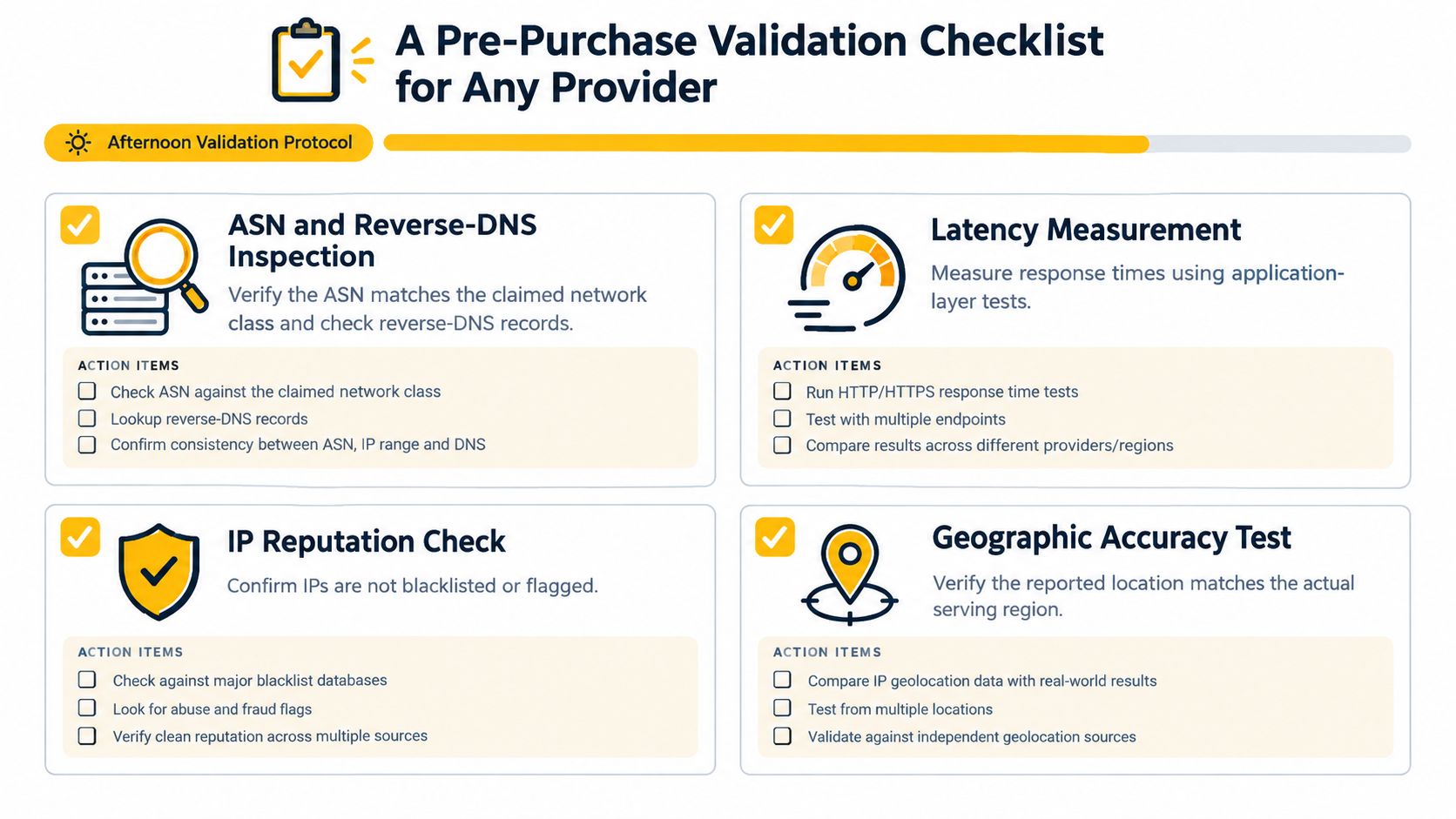
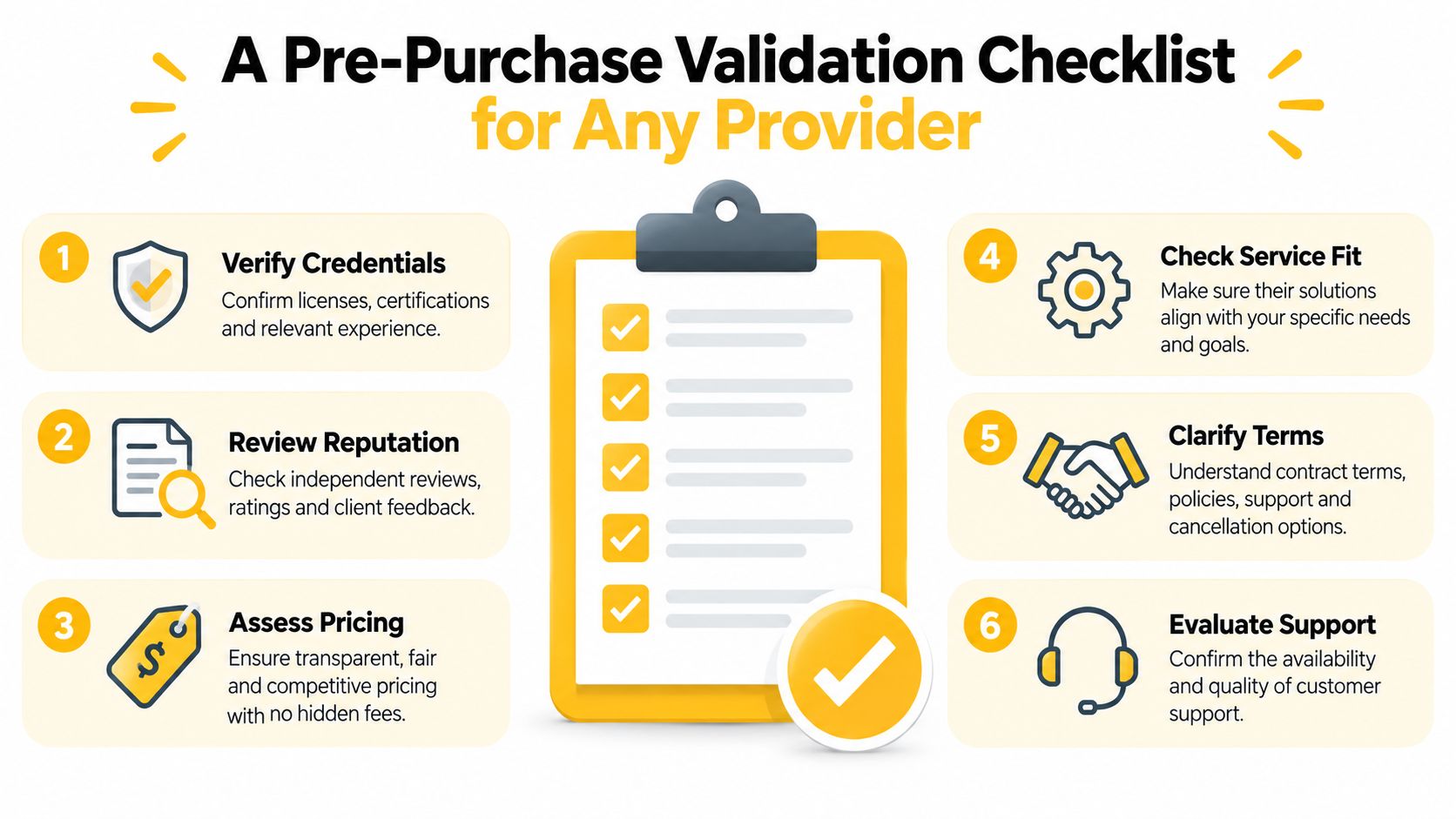
Don't buy on claims. Test the route before you commit. A serious validation pass fits in an afternoon if you keep it focused on what matters.
Run the checks in this order
First, inspect the ASN and the reverse-DNS pattern if available. You want the network class to match the promise, not just the country label. Then run application-layer latency tests from the same region and machine that will run the workload.
Measure connection time, time to first byte, total transfer time, and throughput across multiple rotating IPs. Benchmark guidance recommends sampling at least 5–10 IPs and reporting p50, p95, and success rate rather than trusting a single speed test (performance guidance). Mobile-proxy median time to first byte often lands around 300–1,200 ms, with p95 reaching 1,200–4,000 ms in available benchmark data, so the tail matters more than the average.
What to log and why
- Geographic result: Country, region, and city, stored separately.
- Network identity: ASN and carrier or organization.
- Request quality: Success rate, p50, and p95.
- Leak checks: DNS, WebRTC, IPv6, and non-browser paths.
- Compliance: Make sure the provider's terms fit your use case.
If p95 starts creeping toward your application timeout, more throughput won't save you. Reduce geographic distance, carrier congestion, connection reuse failures, or rotation frequency instead. Also test against the exact geolocation database and service endpoint your target application uses, because that's the only result that matters.
Putting It All Together for a French Mobile Workflow
If you need authentic French mobile traffic for social management, ad checks, or QA, stop asking whether the IP merely shows France. Ask whether it gives you a stable enough carrier footprint to support the workflow without tripping the site's detection logic. That's a better buying test than any country badge on a dashboard.
A provider like Evoproxy fits only if the route is genuinely French, mobile, and stable enough for the task. Use sticky sessions for login or checkout, controlled rotation for market checks, and on-demand rotation when you're isolating a reputation problem. Respect platform terms, rate limits, and your own internal compliance rules, because geo-targeting isn't a license to ignore them.
If you need French mobile coverage for ad verification, multi-account management, or geo-dependent QA, Evoproxy provides 4G, LTE, and 3G traffic from France with mobile-specific routing and rotation options. Visit Evoproxy and test it against the exact workflow you run, then judge it by the location, session behavior, and page results it produces.