
The build passes on the developer's iPhone, the browser checks are green, and the release goes out on schedule. Then support reports that the app crashes on a Samsung device, a checkout step fails for users in another region, or an identity verification screen never loads on a mobile network. Nothing changed in the test script. The execution environment changed.
That gap is why cross platform testing now needs to cover more than browser rendering and responsive layouts. A realistic release check must account for devices, operating systems, browser engines, network identity, regional routing, permissions, and the conditions that shape what a real user sees. This matters to QA teams, but it also matters to social media managers, market researchers, ad verification specialists, price monitoring teams, and growth marketers whose workflows depend on consistent regional experiences.
Why Cross-Platform Testing Matters Now
A payment flow can pass repeatedly on a developer's phone and still fail for customers using a different Android skin, an older operating system, or a restricted regional network. Desktop rendering may look correct while a mobile WebView processes a redirect differently. An identity check can also succeed over Wi-Fi and fail when the service evaluates the device's mobile network identity.
Cross-platform testing verifies that software behaves consistently across the environments customers use. Coverage includes layout, functionality, performance, permissions, authentication, and security-sensitive journeys. For QA teams, the result is more useful than a bug list. It provides evidence that a release works across the devices, browsers, and network conditions behind real traffic.
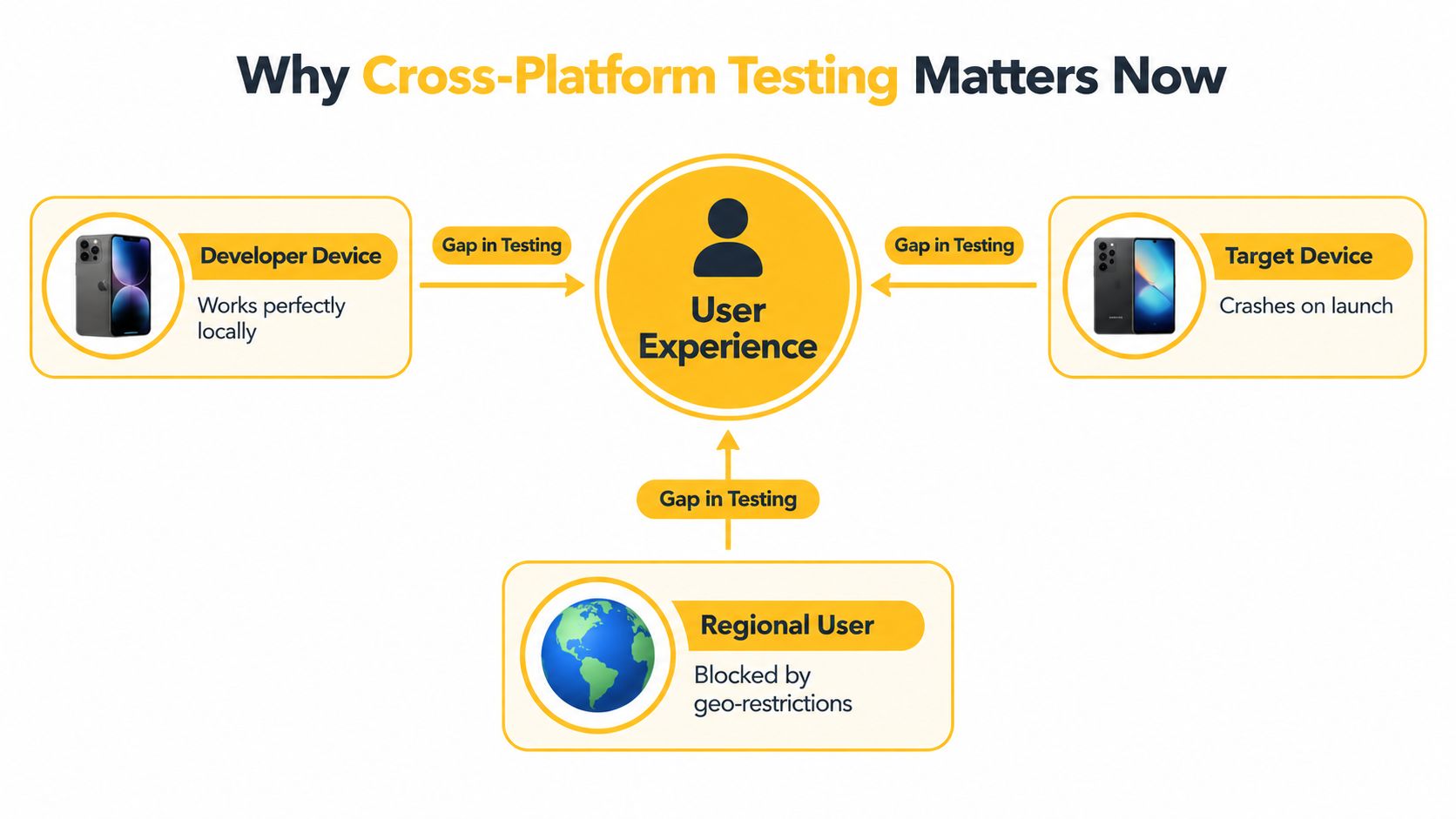
The environment is part of the product
Device and browser variation has made cross-platform coverage a core QA responsibility. The global cross-browser testing market was estimated at $1.8 billion in 2025 and is projected to reach $4.2 billion by 2034, implying a 12.4% CAGR, according to market estimates for cross-browser testing. The same source reports that cloud-based deployment held 68.5% market share, reflecting demand for distributed environments instead of a small local device lab.
The practical question has changed. A feature must work across browser families, operating systems, device types, regions, and network identities, not only on the machine used to build it. Mobile proxies add an important verification layer by exposing how geolocation, carrier routing, IP reputation, and identity checks affect the same user journey.
Practical rule: Treat the device, browser, operating system, and network identity as test inputs, not incidental background details.
A low-level defect can become a commercial failure quickly. A broken checkout reduces completed purchases, a failed ad landing page corrupts campaign validation, and an interrupted login can disrupt multi-account workflows even when the application appears healthy in a controlled environment. Testing those conditions early helps distinguish application defects from environment-specific failures before they block a release.
Market Growth and Industry Standards
The testing market reflects a shift in how teams operate. Local labs and a small set of desktop browsers no longer represent the full delivery environment. Products now reach users through mobile browsers, native apps, hybrid interfaces, progressive web apps, and region-specific network paths. That wider surface requires faster feedback than manual device-by-device checks can provide.
Because cross-browser validation now behaves like infrastructure, teams provision environments on demand and run checks in parallel rather than maintaining a fixed lab. Cloud deployment supports that operating model, while engineering judgment still determines which combinations deserve time. Mobile proxies extend the model beyond browser rendering by testing carrier routing, geolocation, IP reputation, and identity verification under conditions closer to a real mobile session.
Fragmentation affects prioritization
Global browser share shows why a default-browser strategy leaves gaps. In July 2026, Chrome held 68.28% of global browser share, Safari 16.47%, Edge 5.36%, Firefox 3.3%, Samsung Internet 2.06%, and Opera 1.89%. Blink-based browsers collectively accounted for about 77.6% of global page views, according to global browser statistics.
Regional usage changes the risk calculation. Chrome reached 76.97% in Asia, 60.73% in Europe, and 53.03% in North America, while Safari reached 29.21% in North America, according to the same source. A team validating a North American consumer journey therefore needs Safari coverage, even if its worldwide dashboard is dominated by Chrome.
Identity checks add another source of variation. A login or verification flow may pass in a desktop lab, then fail when a mobile carrier route, regional IP, device signal, or reputation check changes the decision. That makes proxy-backed testing useful for distinguishing a browser defect from an environment-dependent trust failure.
Cloud access doesn't remove engineering judgment
Cloud access expands browser and hardware coverage, but it does not choose the right matrix. Engineers must connect test targets to product risk, audience data, release frequency, and failure cost. Running every combination can create noise and delay the journeys that affect revenue, account access, or user trust.
Prioritize environments that represent meaningful user exposure, then add targeted coverage for known technical and business risks. This approach supports faster releases while recognizing that exhaustive coverage is impractical. Keep the matrix reviewable, record why each environment exists, and remove combinations that no longer represent users or a credible failure mode.
Comparing Testing Approaches
Architecture determines what cross platform testing can reveal. A responsive web application, an adaptive interface, and a product built from separate native binaries each create different failure modes. Choosing the test strategy before understanding that distinction leads to wasted effort, such as validating CSS breakpoints while missing platform-specific permission behavior.
Responsive design uses fluid layouts and CSS rules to adapt to available space. It's usually efficient for web products because one application can serve many viewport sizes, but viewport checks won't expose every native UI or operating system behavior.
Adaptive design uses predefined layouts for selected breakpoints or device classes. It can offer tighter control over important screens, though every additional layout becomes another state to maintain and validate.
Cross-compilation produces separate native binaries for each operating system. This can deliver platform-specific performance and interaction quality, but teams must maintain platform-specific implementation details and test them independently.
A practical decision matrix
| Approach | Best For | Maintenance Cost | Performance |
|---|---|---|---|
| Responsive | Web apps that need broad viewport coverage | Lower when shared components are stable | Generally consistent, but browser rendering still varies |
| Adaptive | Products requiring controlled layouts at known breakpoints | Moderate because each layout needs validation | Predictable at supported breakpoints |
| Cross-compilation | Native apps where platform behavior and performance matter | Higher because platform-specific code paths require care | Strong platform-specific control |
The choice isn't purely technical. A lean team may prefer responsive delivery to reduce duplicated UI work. A regulated product may accept higher maintenance because native controls, permissions, and device capabilities carry greater risk. A marketing team validating landing pages needs different evidence from an app team testing biometric login or background notifications.
For browser-focused work, browser compatibility testing guidance should include more than engine selection. Test the user context, viewport, operating system, permissions, touch interactions, network conditions, and regional route that shape the experience.
What doesn't work
A common mistake is to use one methodology as proof that all platforms behave alike. Responsive layout tests don't validate native binaries, and a native smoke test doesn't prove that a web checkout works across browser engines. The reliable approach combines architectural testing with user-journey testing, then adds environmental variables where identity, geography, or network behavior affects the result.
Building a Lean Test Matrix
A useful test matrix starts with observed usage, not a catalogue of every device ever released. Exhaustive coverage is expensive and can still miss the combinations that matter most if the selection isn't tied to actual traffic. Industry guidance recommends prioritizing device, operating system, and browser combinations that cover more than 80% of the audience, with validation of UI, functionality, and performance on those targets, as described in hybrid, native, and PWA compatibility guidance.
Another practical coverage point prioritizes roughly 80–90% of device-OS combinations that represent actual user traffic, because Android and iOS span multiple major versions and exhaustive coverage is unrealistic, according to mobile app testing coverage guidance.
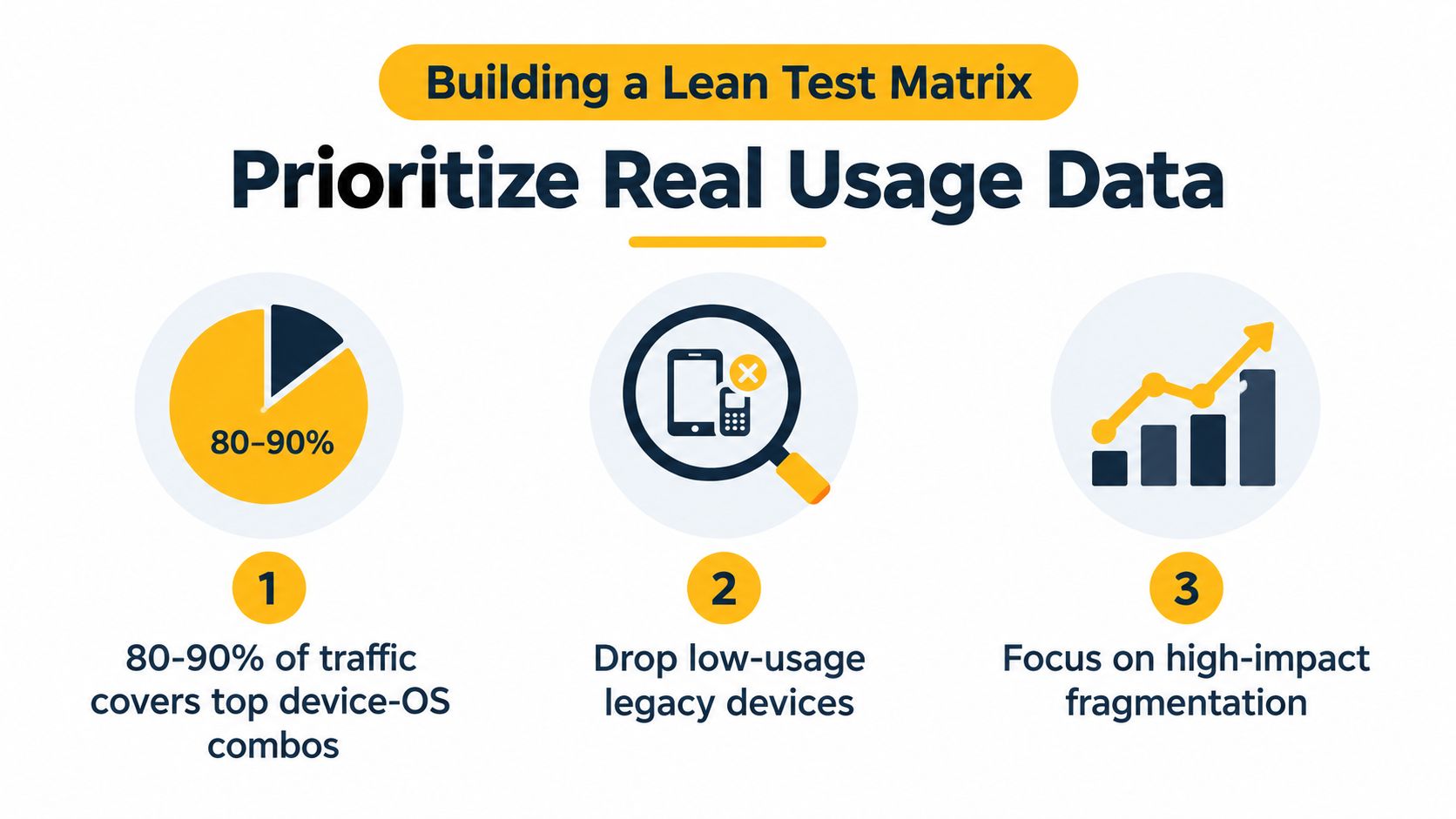
Start with evidence
Export analytics by browser, operating system, device family, screen size, and region. Separate logged-in and anonymous traffic if the product serves different journeys. Then map each combination to business impact, such as purchase completion, account access, ad rendering, or content visibility.
A practical matrix usually has three layers:
- Primary targets receive automated regression coverage and manual exploratory checks. These combinations account for the largest share of relevant usage or support the most valuable workflows.
- Risk targets cover technical areas known to fail, such as hybrid WebViews, unusual permission states, older operating system behavior, or manufacturer-specific background handling.
- Sentinel targets provide smaller smoke coverage for less common environments. They can reveal broad regressions without receiving the same depth as primary targets.
Validate more than appearance
For each high-priority target, check:
- UI behavior: Verify layout, text wrapping, touch targets, keyboard handling, orientation changes, and visual hierarchy.
- Functionality: Run login, search, checkout, form submission, redirects, file handling, notifications, and account recovery.
- Performance: Measure loading, scrolling, input response, rendering, and behavior under realistic network conditions.
- Identity flows: Test verification prompts, location-aware content, consent screens, and redirects that depend on network or regional context.
- Evidence quality: Record device, operating system, browser, network route, session state, screenshots, logs, and reproduction steps.
Coverage should follow user exposure and business risk. More devices don't automatically produce more useful confidence.
Review the matrix after meaningful changes in audience, product architecture, browser share, or incident history. Remove targets that no longer represent a material risk, but don't delete a rare environment if it exposes a failure mode shared by a larger family of devices.
Integrating Mobile Proxies for Authentic Testing
Standard browser checks answer whether a page renders under a chosen browser. They don't always answer whether a service treats the session like a normal mobile user from a particular carrier environment. That distinction matters for ad verification, geo-dependent QA, brand protection, market research, and workflows involving identity or access checks.
A mobile proxy routes traffic through a 4G or 5G carrier connection. Residential proxies generally use household broadband or consumer connections, while datacenter proxies originate from hosting infrastructure. Mobile exits are harder to block through simple IP range rules because Carrier-Grade NAT, or CGNAT, lets multiple real subscribers share one public carrier IP, as explained in the comparison of residential, datacenter, and mobile proxies. Blocking that address can affect legitimate mobile users, so detection systems often consider ASN, behavior, and fingerprint consistency as well as the IP.

Configure the route deliberately
Use mobile proxy traffic only for authorized testing, monitoring, verification, or research. Don't use it to bypass access controls, misrepresent identity, or violate a platform's rules.
A workable integration sequence looks like this:
- Define the test variable. Decide whether the scenario needs a country, carrier ASN, mobile network type, or a mobile-origin exit. Geolocation and network identity aren't identical, so record both the expected location and the observed ASN.
- Choose the session model. Use a sticky session when the journey includes login, checkout, account verification, or any multi-step state. Sticky sessions preserve the same proxy IP for a defined period, with documented lifetimes ranging from 1 second to 7 days, according to proxy rotation documentation.
- Use rotation for independent requests. Rotating mode changes the exit IP on every proxy request or at configured intervals. That suits broad page validation, freshness checks, and independent regional observations, not a stateful flow that expects continuity.
- Match the protocol to the runner. HTTP, HTTPS, and SOCKS5 are common supported protocols for mobile proxy integrations. Some mobile configurations support country and ASN targeting but not city or state targeting, UDP, or HTTP/3, as described in mobile proxy protocol documentation.
- Capture the environment. Store the proxy session identifier, observed ASN, region, browser context, device profile, timestamps, response behavior, and screenshots with the test result.
- Separate diagnosis from production traffic. Route a controlled test suite through the mobile exit, compare it with an approved baseline, and prevent test credentials or synthetic traffic from mixing with customer analytics.
Evoproxy can provide mobile connectivity for this type of controlled validation, including personal or shared ports and configurable rotation. Its mobile proxy testing guide is the relevant setup reference for teams evaluating that workflow.
Avoid the fingerprint trap
A mobile IP won't make an inconsistent test environment authentic. Keep the browser profile, locale, timezone, device characteristics, and network route coherent. Detection systems correlate these signals, and a session that claims one region while exposing contradictory browser or carrier characteristics can produce a result that doesn't represent a normal user.
Automated Workflows and CI/CD Integration
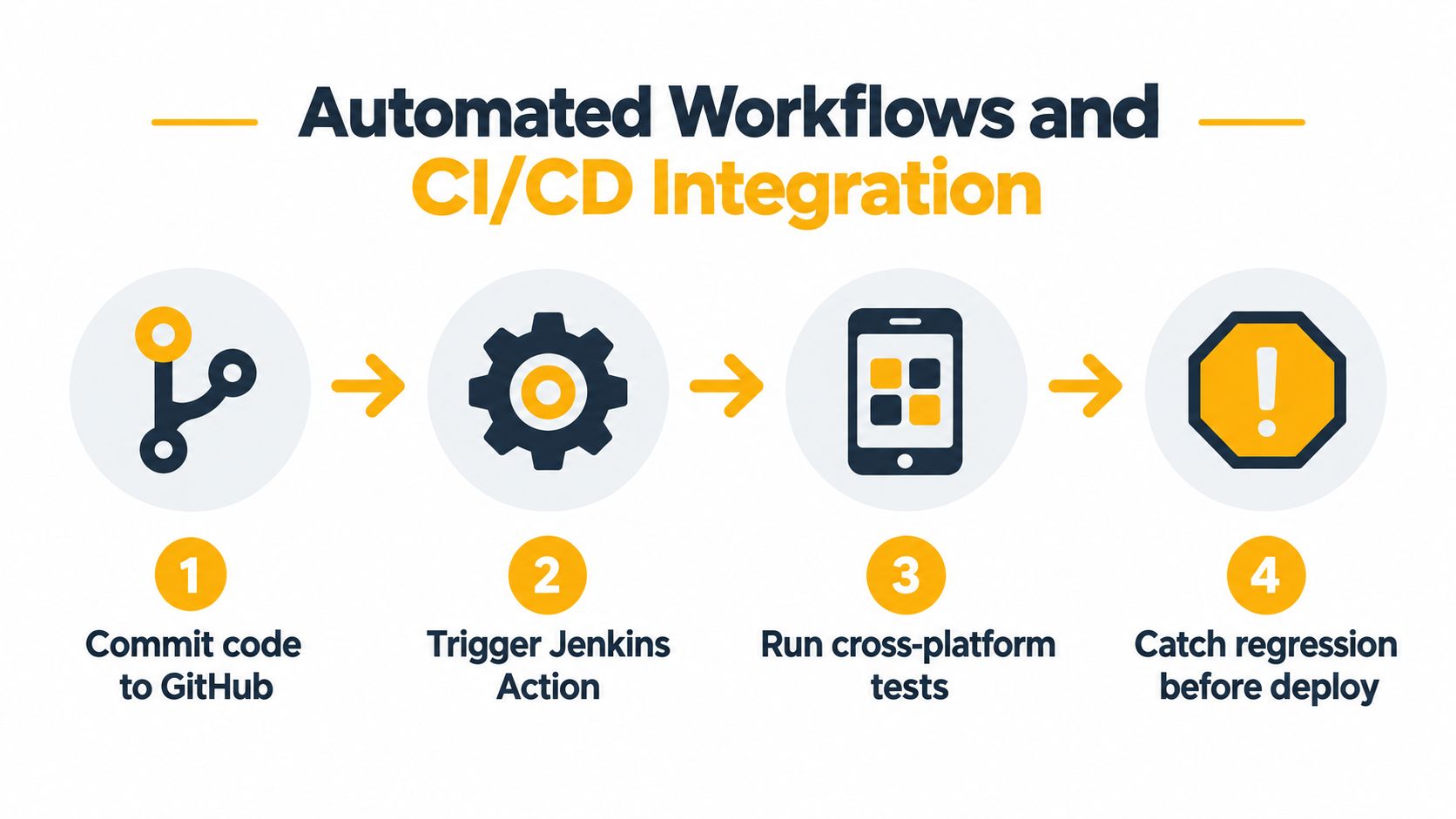
Cross platform testing becomes operationally useful when it runs at the same point where code changes enter the delivery process. A developer commit can trigger a focused smoke suite, while a scheduled job runs broader browser, device, and regional coverage. The pipeline should distinguish release-blocking failures from diagnostic failures, otherwise teams either stop shipping too often or learn to ignore alerts.
Build the pipeline around risk
A practical flow has four stages:
- Commit validation runs fast checks for critical journeys and obvious regressions.
- Environment validation provisions the selected browser, device, operating system, and network context.
- Cross-platform execution runs the lean matrix in parallel where infrastructure allows it.
- Release decision collects pass or fail status, logs, screenshots, video, timing, and environment metadata before deployment.
The framework should match the product. Browser automation suits web journeys, while a mobile automation framework is more appropriate for native controls, system dialogs, permissions, and app lifecycle behavior. A hybrid application may need both browser-level and device-level checks because WebView behavior can diverge from desktop browser behavior.
Make failures actionable
A failed job should identify the smallest useful unit of diagnosis. Report the commit, test scenario, browser engine, device, operating system, proxy session, region, and failure artifact. Without that context, an engineer may spend time reproducing a network issue as an application defect.
Use test environment setup guidance to document the environment separately from the test logic. This separation makes it easier to rerun the same scenario with a different browser, device, or network route without rewriting assertions.
Pipeline discipline: A test that can't explain where, under which identity, and in what state it failed is only partially automated.
Keep retries controlled. Retrying every failure can hide genuine regressions and inflate confidence. A better pattern records the first failure, performs a limited diagnostic retry, and marks the test as flaky when the result changes without an environment or code explanation.
Automated reports should also expose trends qualitatively. If failures cluster around one operating system, carrier ASN, or browser engine, the team can investigate the shared condition instead of treating every red test as an isolated incident.
Troubleshooting Common Flakiness Issues
Local emulation is useful for fast feedback, but it isn't proof of production readiness. Emulators can miss hardware behavior, manufacturer skins, background-process policies, WebView differences, and network conditions that affect hybrid apps and PWAs. Mobile QA becomes especially difficult when the same scenario passes in a clean foreground session and fails after the operating system manages resources differently.
One recent analysis reports that the share of teams affected by flaky mobile builds rose from 10% in January 2022 to 26% in June 2025, according to mobile test flakiness analysis. The same discussion connects Android fragmentation with manufacturer-specific behavior, including aggressive background-process killing by manufacturers such as Samsung, Xiaomi, and Huawei.
Stabilize the test before blaming the app
Start with synchronization. Replace arbitrary delays with explicit waits for visible, enabled, and stable states. Capture the screen and application logs at the point of failure, then check whether the test raced a WebView load, keyboard transition, permission dialog, animation, or background task.
Use isolation when the network is part of the defect:
- Control dependencies: Stub unstable third-party services where the test doesn't need a live response.
- Preserve state: Keep a consistent session for login and verification journeys.
- Vary conditions intentionally: Change the mobile route only when diagnosing regional, carrier, or network-specific behavior.
- Repeat diagnostically: Compare first-run and retry results without turning retries into automatic passes.
Mobile proxies help reproduce geo-specific failures because they let a team test a user journey through a carrier network and regional route rather than only through an office connection. That evidence is valuable for ad verification, regional content checks, account verification, and mobile QA, provided the traffic is authorized and clearly separated from production activity.
The practical fix isn't “use real devices” as a slogan. It's to combine real-device validation, controlled timing, explicit state management, and network-aware diagnostics. For a legitimate workflow that depends on mobile identity, trying mobile 4G proxies can add the missing environmental signal without expanding every test into an unmanageable matrix.
Evoproxy provides mobile 4G connectivity with personal and shared ports, configurable rotation, and support for regional QA, ad verification, research, and monitoring workflows. If your cross platform testing needs a consistent carrier-based network context, visit Evoproxy to evaluate a mobile proxy setup for your use case.


