
A release passes in London. The checkout loads, the payment form accepts test data, and the automated journey reaches the confirmation page. Then a customer in Germany reports that the payment option is missing, the consent prompt loops, and the page layout shifts on a mobile connection. Your team repeats the test from the office, sees no failure, and starts looking in the wrong place.
That gap is where user experience testing often breaks down. A polished prototype and a successful scripted journey can still produce false confidence when the test environment doesn't resemble the network, location, device, or access conditions used by real customers. Mobile proxies add a practical infrastructure layer, allowing QA and research teams to validate geo-dependent experiences through consumer-grade cellular routes while keeping conventional UX methods at the center.
Why User Experience Testing Feels Broken for Global Products
A developer testing a regional feature usually begins with a reasonable setup. The browser has the right language, the test account has the right permissions, and the application responds normally from the office network. The problem appears only after launch, when the platform evaluates signals the internal test never reproduced, such as the visitor's IP location, network ownership, carrier context, or regional routing.
A team may verify an advertising landing page from London, then discover that visitors in Germany receive a different consent sequence. A retailer may confirm a checkout flow in one market, while another market presents different payment methods or legal copy. In both cases, the interface can be functionally correct in the test environment and still fail the customer journey.

The hidden failure is often access, not design
Platforms increasingly distinguish ordinary browsers from automated or unusual traffic. A request from a known datacenter network may receive a challenge, a restricted page, or a different response from the one delivered to a mobile subscriber. A location mismatch can create the same confusion. The browser claims one market, the IP resolves to another, and the session changes routes halfway through a task.
That matters because 88% of online consumers are less likely to return after a bad experience, while 91% of unhappy customers leave without giving feedback. These figures are reported in VWO's usability testing statistics, and they explain why analytics alone can't expose every UX failure. A customer who exits without a word won't tell you whether the cause was a missing payment method, a blocked request, or a confusing interface.
For geo-sensitive work, treat network identity as part of the test fixture. A localization QA testing workflow should validate language, currency, consent, content, account behavior, and access conditions together. Changing only the browser locale tests presentation. It doesn't necessarily test the experience a real user receives from the target market.
Practical rule: If a customer could receive a different response because of location or network type, include those conditions in the test design rather than treating them as infrastructure noise.
Why conventional automation produces false negatives
Automated browser scripts are useful for repeatability, but they often run from a narrow set of environments. The same IP, datacenter ASN, browser profile, and request rhythm can make a journey easy to execute internally while triggering defenses in production. A successful script then proves only that the application works for that synthetic identity.
Mobile 4G and 5G routes help close this gap because they originate through cellular networks used by real subscribers. They don't make a test automatically representative, and they shouldn't be used to bypass access controls or violate platform rules. Used responsibly, they let teams ask a more useful question: does this journey work when the request arrives with the geographic and network characteristics of the intended audience?
Comparing Quantitative and Qualitative Testing Methods
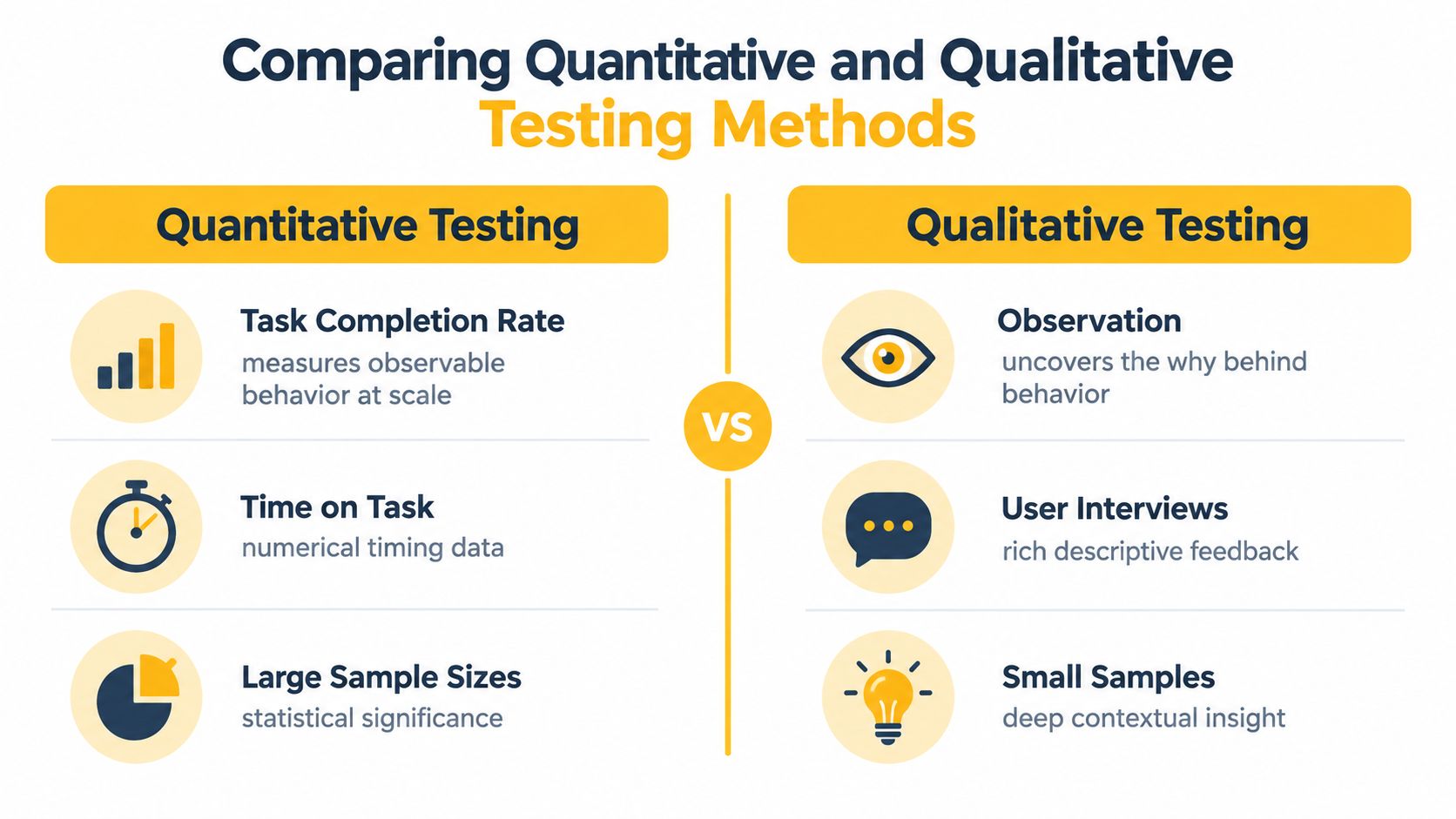
Quantitative and qualitative testing answer different questions. Quantitative testing shows where behavior changes, while qualitative testing helps explain why. A reliable program needs both, especially when a regional flow can fail because of interface comprehension, local expectations, or network-mediated access.
Quantitative measures give product and engineering teams a common baseline. Useful measures include task success, time on task, error rate, and subjective satisfaction. The Nielsen Norman Group guide to quantitative research recommends considering these measures together because they represent different dimensions of usability, including effectiveness, efficiency, and perceived quality.
A user who completes checkout after several wrong turns has a successful task but a poor experience. Another user may finish quickly while reporting low confidence because the confirmation message is unclear. Looking at one metric alone hides that distinction.
What each method contributes
| Method | Best for | Typical evidence | Main trade-off |
|---|---|---|---|
| Quantitative testing | Comparing flows and detecting patterns | Task outcomes, timings, errors, ratings | Shows the result more clearly than the cause |
| Qualitative testing | Understanding confusion and motivation | Observation, interviews, think-aloud comments | Produces richer context but requires careful interpretation |
| Combined testing | Connecting friction to its likely cause | Behavioral measures plus participant explanations | Needs stronger planning and consistent conditions |
A remote unmoderated test can reveal that users in one region abandon a form more often than users in another. A moderated session can reveal that the translated field label doesn't match local terminology, or that the consent wording makes the next step seem unsafe. The first method gives you a pattern. The second gives the team something concrete to investigate.
Geo-variability changes the research question
A participant's location affects more than the language displayed on screen. It can influence available payment methods, consent prompts, promotional content, account verification, delivery information, and fraud checks. Network conditions also affect page timing and how defensive systems classify the session.
For an unmoderated study, use a stable regional route and record the test location, device category, browser state, and session identifier. For moderated research, keep the route consistent while the facilitator observes the participant's reasoning. Don't rotate the IP during a single account journey unless changing network identity is itself part of the scenario.
A number can tell you that users struggle in one market. Observation tells you whether the problem belongs to the copy, the interaction, the network, or the access policy.
Use quantitative testing to prioritize. Use qualitative testing to diagnose. Then rerun the same task under comparable regional conditions to check whether the fix changed user behavior rather than merely changing the team's interpretation.
Planning Your First User Experience Test
A credible test starts with a narrow decision. “Improve the global experience” is too broad to produce useful evidence. “Verify that a new visitor in France can find a product, understand delivery terms, and reach checkout without a location challenge” gives the team a testable path.
1. Define the decision before the task
Write down the audience, market, device context, journey, and decision the result must support. A social media team might test whether a regional account can publish a post and load the correct media preview. An ad verification team might check whether a campaign displays the intended creative and destination for a target location. A data team might validate that a localized product page exposes the expected price and availability.
Choose primary measures before running the study:
- Task outcome: Record completion, abandonment, blocking, and partial completion separately.
- Efficiency: Capture time on task and the number of actions needed.
- Accuracy: Count wrong clicks, form errors, backtracking, and failed requests.
- Perception: Collect a satisfaction or confidence rating after the task.
- Environment: Log market, device, browser, route type, session behavior, and timestamp.
Keep infrastructure failures separate from usability failures. A blocked request isn't evidence that the button label is confusing.
2. Recruit for the actual audience
Recruit participants who resemble the users you serve, not just people who are easy to access. Include the relevant language, device habits, account state, and familiarity with the product. If the journey depends on mobile behavior, don't validate it only on desktop browsers.
A small continuous program can be more useful than a large one-off study. A 1993 usability model associated with Jakob Nielsen and Thomas K. Landauer described diminishing returns in problem discovery, later summarized as about 5 test users uncovering roughly 85% of usability problems in a continuous testing program. The historical overview of user testing explains how this finding encouraged repeated small-sample testing.
3. Write realistic tasks
Give participants a goal, not a script that reveals the answer. “Find a jacket suitable for rain and check whether it can be delivered to your area” exposes navigation, filtering, product information, and delivery clarity. “Click the rain filter, open the first result, and select delivery” tests compliance with instructions instead.
Build regional conditions into the task. Use the expected language and currency, a market-appropriate account, a mobile viewport when relevant, and a route that resolves to the target geography. Pilot the full journey first. Confirm that the test account works, the proxy remains stable, consent banners appear as expected, recordings are captured, and the application doesn't treat the pilot as an accidental duplicate transaction.
4. Prepare the analysis plan
Create a result template before execution. Include the task version, market, participant or run identifier, route details, outcome, errors, timing, observations, and recommended owner. This prevents the team from filling gaps from memory after the sessions end.
Don't rotate aggressively during a session-based test. Per-request rotation suits stateless collection, while an authenticated UX journey usually needs a sticky session with consistent location. A changing IP can create a false failure through re-authentication or risk checks, and the team may mistakenly blame the interface.
Mobile Versus Residential and Datacenter Proxies
A checkout succeeds from a local office but fails for users on cellular connections. The interface may be unchanged. The route is not. Proxy type determines the network signals, location, and session behavior that reach the application, so it can change the result of a UX test.
Datacenter proxies run through hosted server networks. They are fast and useful for controlled, high-volume checks, especially when the target does not distinguish network classes. Their visible server ASN can still trigger classification or extra verification, making them a weak fit for tests that depend on a consumer mobile footprint.
Residential proxies use addresses associated with household internet connections. They can produce a more ordinary access pattern than a datacenter route, but availability, consistency, and shared usage vary. They are also the wrong match when the target experience depends specifically on a cellular carrier.
Mobile proxies route traffic through 4G or 5G networks. Carrier-grade NAT, or CGNAT, lets many real subscribers share one public IP address. Blocking that address could affect legitimate users, so mobile IPs are materially harder to classify than many datacenter addresses. The route still needs monitoring, because a shared carrier address can carry reputation or session risks from other traffic.
A practical comparison
| Proxy Type | Network Signal | Cost | Ideal Use Case |
|---|---|---|---|
| Datacenter | Visible server ASN | Often lower | Controlled QA, stateless checks, and high-volume collection where consumer routing is not required |
| Residential | Household ISP address | Usually moderate | Market research and regional content checks that do not require cellular identity |
| Mobile | Carrier ASN behind CGNAT | Often higher | Mobile UX testing, geo-sensitive account journeys, ad verification, and realistic cellular access |
Choose the route based on the failure you need to reproduce. Use datacenter access for fast functional coverage when network class is irrelevant. Use residential access when household broadband represents the target audience. Use mobile access when the product experience, detection layer, or campaign is tied to cellular users.
A mobile proxy guide can help teams distinguish carrier routing from residential and server-based access while building the test matrix. Record the proxy type, carrier or ISP context, geography, and device profile with each run. Otherwise, a network-induced failure can look like an interface defect.
Rotation also depends on the journey. For a public product page, rotating between requests can help sample locations. For login, checkout, publishing, or verification, use a sticky session. Keep the IP, geography, language, and device context aligned until the workflow ends. A new route mid-session can trigger re-authentication or risk checks and create a false negative.
Selecting Metrics and Analyzing Results
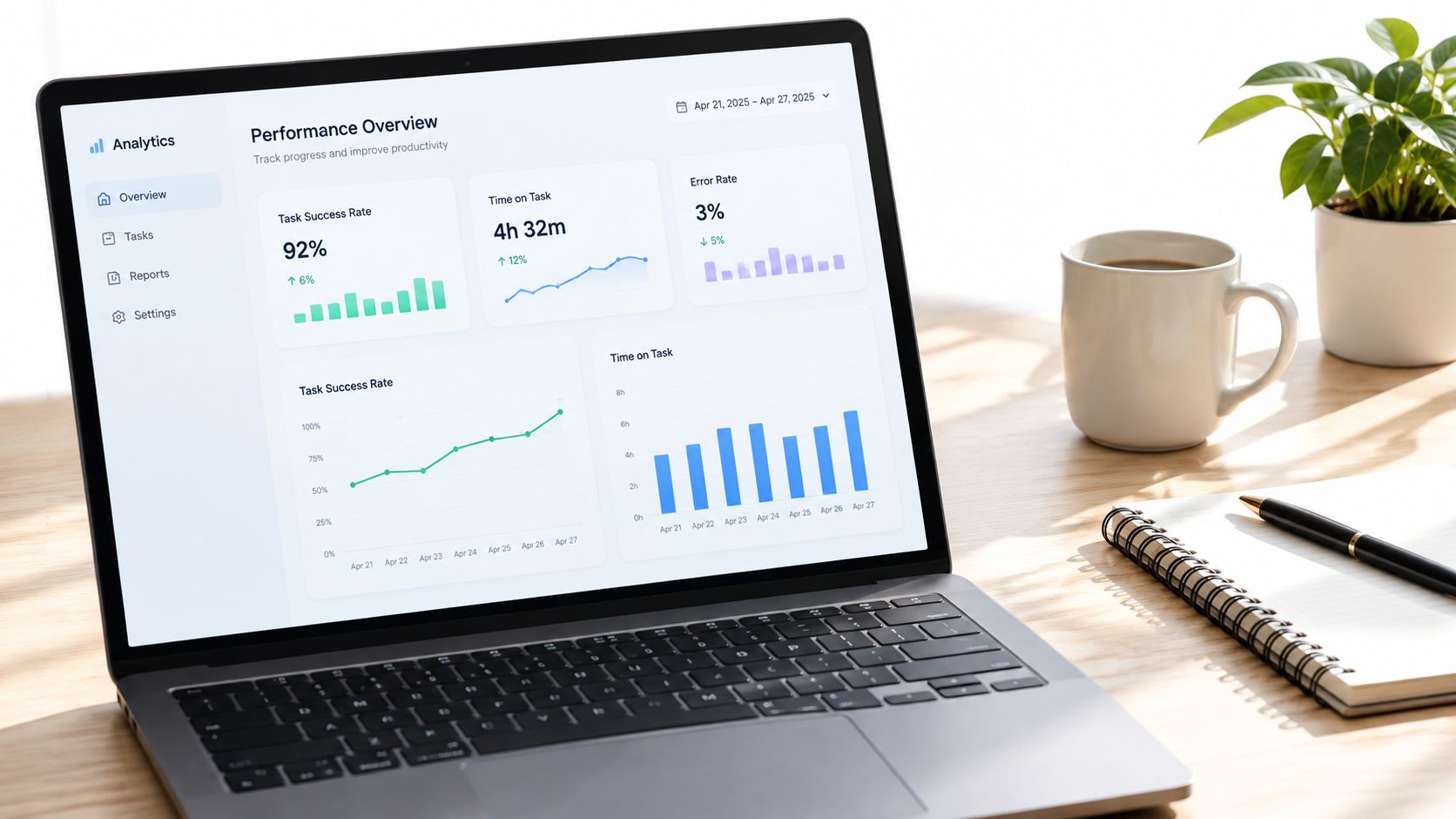
A test report should connect user behavior to the conditions that produced it. Task success tells you whether the user reached the intended outcome. Time on task shows efficiency. Error rate exposes interaction friction. Subjective satisfaction indicates whether the journey felt clear and trustworthy.
The Nielsen Norman Group guidance on product UX benchmarks emphasizes repeated, comparable measurements against a baseline. That principle matters even more when proxy conditions vary. A redesign can't be judged fairly if one version runs through a stable mobile session and the other runs through an unstable route that triggers repeated challenges.
Build a two-layer result model
Start with the user layer:
- Effectiveness: Did the participant complete the intended task?
- Efficiency: How long did the task take, and how much backtracking occurred?
- Errors: Which fields, controls, or transitions caused mistakes?
- Perception: Did the participant report confidence and satisfaction?
- Path quality: Did the participant follow a reasonable route or struggle toward completion?
Then add the operational layer:
- Connection stability: Did the route remain available throughout the run?
- Latency: Did slow responses affect timing or interaction?
- Session continuity: Did the IP remain consistent where the task required it?
- Geographic alignment: Did the route resolve to the intended market?
- Access events: Did the platform return a challenge, redirect, or restricted response?
Don't combine these layers into one unexplained score. A failed checkout caused by an access challenge should remain visibly different from a failed checkout caused by an unusable form.
Read patterns, not isolated failures
Suppose French mobile runs complete the task but take longer, while the same route also experiences intermittent slow responses. Don't immediately redesign the interface. Compare the same flow under a stable session, inspect browser recordings, and separate time spent waiting from time spent deciding.
Conversely, if users repeatedly hesitate at the same control while connection stability remains normal, the evidence points toward an interaction problem. A useful report shows the task version, market, route type, outcome, timing, errors, and representative observations in one view. That gives engineering, product, and compliance teams a shared basis for action.
Reporting principle: Preserve enough environment data to explain a failure, but keep the final recommendation focused on the user decision the team needs to make.
Understanding IP Authenticity and Network Signals
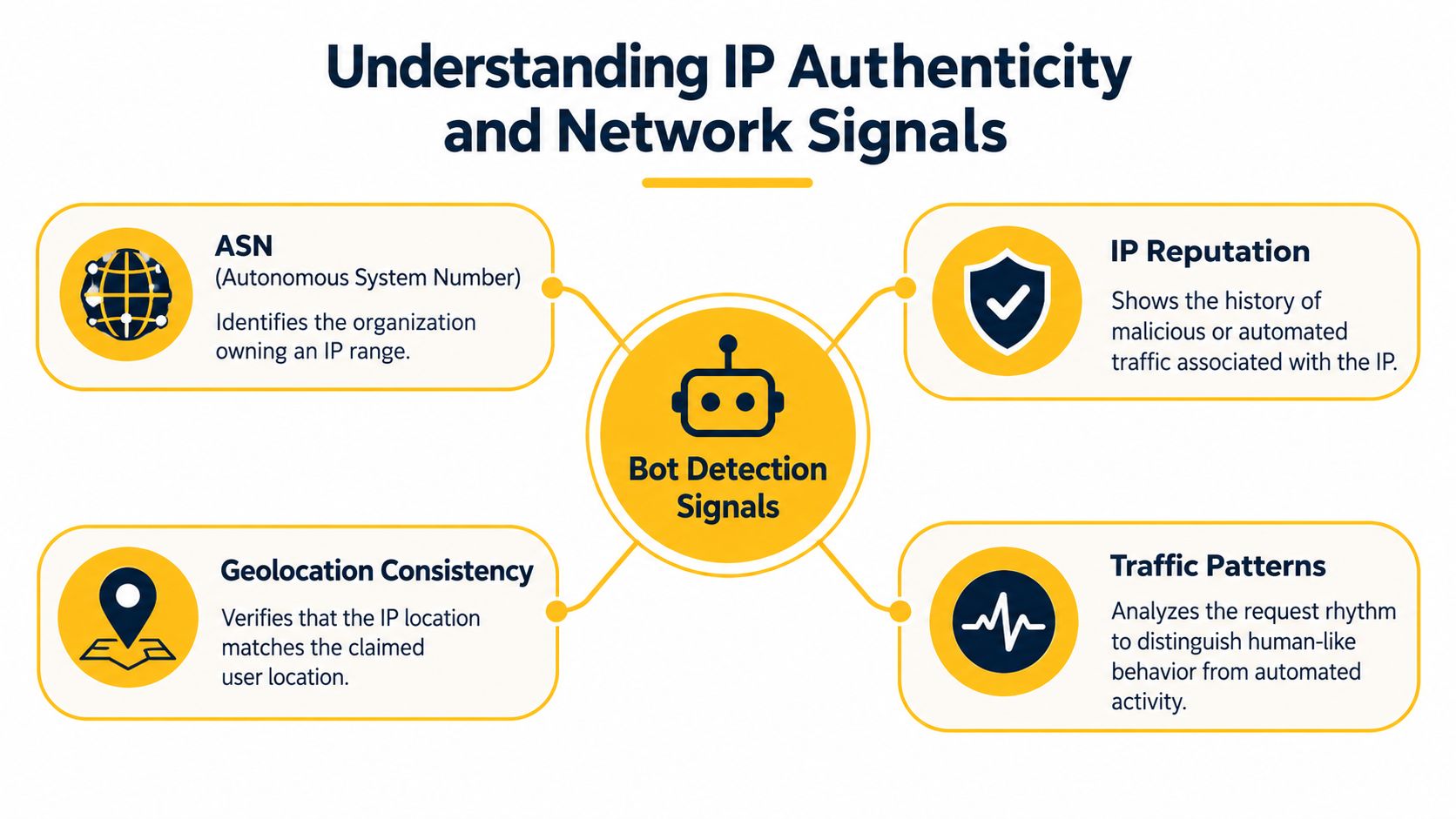
A platform doesn't identify traffic from IP address alone. It can evaluate the network that owns the address, the consistency of the claimed location, the reputation associated with the route, and the rhythm of requests. QA teams don't need to reproduce every detection rule, but they do need to understand why a test environment can create a misleading result.
An ASN, or autonomous system number, identifies the network that owns an IP range. Datacenter ASNs are public knowledge, which makes server-based routes easier to classify. The proxy detection overview from Scrapfly identifies ASN, geolocation, and subnet as core signals used in proxy detection and targeting.
Why carrier-grade NAT changes the picture
With CGNAT, many mobile subscribers may appear behind the same public address. That shared identity is normal for a carrier network, so a platform must distinguish legitimate shared usage from suspicious behavior using additional context. This is one reason a mobile route can produce a more realistic access condition than a server address for testing mobile-specific experiences.
The trade-off is that shared public identity can introduce its own complexity. A route may inherit reputation from other activity, and a location can be technically correct while the browser language, timezone, or account history contradicts it. Treat IP geography as one part of a coherent test profile, not as a substitute for it.
Choose the protocol for the workflow
HTTP proxies are commonly used for browser and web requests. SOCKS5 operates at a lower level and can support a wider range of traffic, depending on the client and configuration. The protocol isn't the main authenticity signal. The route, session behavior, geography, and request pattern matter more.
Use a sticky session for a login or multi-step account journey. Use controlled rotation for independent page checks or stateless market sampling. Keep the same region throughout a task unless your test explicitly examines a network transition.
Subnets add another layer of context. Repeated runs from a narrow range may behave differently from traffic distributed across carrier infrastructure, but broad distribution alone doesn't make a workflow legitimate. Respect access policies, rate limits, consent requirements, and account permissions.
An IP quality score reference can be useful when documenting route selection and investigating why one test condition receives a challenge while another doesn't. Record the result as diagnostic evidence, not as a guarantee that any address will always pass a platform's controls.
Building a Sustainable Testing Workflow
A sustainable program turns regional testing into a repeatable loop rather than an emergency exercise before launch. Start with the customer journey and the market condition, then add the route and device context needed to reproduce that experience.
Use this launch checklist
- Define one decision: State the market, audience, task, and release risk.
- Recruit representative participants: Match language, device behavior, account state, and accessibility needs.
- Create realistic tasks: Describe goals instead of prescribing clicks.
- Set a baseline: Record success, timing, errors, satisfaction, and relevant access outcomes.
- Configure the route: Select mobile, residential, or datacenter access according to the actual user condition.
- Preserve session identity: Use sticky routing for authenticated or multi-step journeys.
- Pilot the run: Check accounts, recording, location, consent, and recovery behavior.
- Separate causes: Label usability defects, network failures, access challenges, and data problems independently.
- Repeat after changes: Compare like with like, then share owners and next actions.
User experience testing works best as a continuous cycle of hypothesis, observation, diagnosis, and validation. Mobile infrastructure doesn't replace participants, interviews, analytics, or good task design. It makes those methods more credible when geography and network identity can change what the customer sees.
Evoproxy provides mobile 4G connectivity with configurable rotation and session options for teams validating geo-dependent UX flows, regional campaigns, and browser-based QA. If your workflow needs a French mobile route or a stable cellular session, visit Evoproxy to assess the setup for your testing requirements.