
Your team is already juggling the same mess most agencies face. Content has to be planned weeks ahead, clients want to approve every post, community managers need one place to answer messages, and nobody wants to pass around account passwords just to publish an Instagram Reel or pull a monthly report. Add multiple brands, mixed time zones, and a few last-minute client edits, and the wrong platform turns simple publishing into admin work.
Choose by agency workflow, not feature count. The useful comparison points are simple: platform coverage, collaboration, permissions, publishing reliability, analytics, inbox and listening, integrations, scalability, and whether the pricing tier still makes sense after you add more clients, users, and reporting needs. That matters because the category is no longer small or experimental. By 2026, social media management software had grown to 139 tracked tools and 95,424 aggregated third-party reviews, which means agencies are choosing from a crowded mature market, not a handful of schedulers.
One more reality check. Approval flow is still where agencies lose time. A 2025 benchmark cited in an agency workflow article found that 33% of B2B marketers still named workflow and content-approval issues a top challenge. So this list focuses on what each platform is good at in daily agency operations.
1. Meta Business Suite
A client adds a new approver on Friday, a community manager needs inbox access by Monday, and nobody should be texting passwords around to make that happen. For accounts centered on a native social ecosystem, the built-in business suite is usually the first layer to set up because permissions, publishing, messages, and page-level reporting already live in the same admin environment.

The main agency advantage is access control. You can assign people by role instead of sharing one owner login across strategists, freelancers, and client contacts. That makes onboarding faster, offboarding cleaner, and audits less painful when a client asks who can publish, view messages, or change business settings.
Where it fits best
Use the native suite when one client account depends heavily on that platform family for posts, direct messages, comments, and ad-adjacent coordination. It is a practical operations layer for agencies that need to keep approvals and access close to the source, especially when clients want visibility without giving every stakeholder full editing rights.
It is especially useful for:
- Role-based access: Separate publishing, admin, finance, and reporting permissions by person.
- Approval control: Keep client reviewers inside the actual account structure instead of relying on shared credentials.
- Inbox handling: Route conversations through one workspace so community managers are not jumping between personal logins.
- Asset separation: Keep each client in its own business setup to reduce offboarding risk and prevent cross-account mistakes.
Set it up carefully. Give each client a separate business structure, document who owns the primary assets, and keep an internal access register. Agencies lose time here when they inherit messy ownership, mixed personal and business logins, or a former employee who still controls the page.
There is a clear limit. A native suite works well inside its own ecosystem, but it is not a full agency command center for broad channel coverage, consolidated reporting, or multi-network scheduling at scale. It fits as a foundation for platform-specific operations, not as the only layer for an agency managing a large multi-client stack.
One more operational point matters for distributed teams. If your staff handles moderation, approvals, or QA from different regions, test location-sensitive post previews, account prompts, and login flows with a compliant access setup. Use documented client permissions, approved team devices, and responsible network controls for geo-checking content and account access. Do not work around platform rules just to simulate a location.
2. Buffer
A small agency usually hits the same wall first. Too many client posts live in spreadsheets, approvals happen in email, and a coordinator is copying captions into social apps by hand. This category of scheduling tool fixes that fast.
Use a lightweight scheduler if your agency sells content production, basic publishing, and simple month-end reporting. It fits teams with a modest client roster, limited channel coverage per account, and short approval chains. You get a cleaner queue, less manual posting, and an easier handoff for freelancers or junior coordinators.
The trade-off is clear. These tools are built for publishing efficiency, not heavy agency operations.
A good agency setup in this category usually includes:
- Weekly batching by client, with captions, links, and creative approved before anything is queued.
- Tight role settings so contractors can draft without getting full account control.
- A separate source of truth for assets and feedback, because the scheduler should handle publishing, not act as your DAM or full approval system.
- Simple client reporting expectations, since exported insights are often good enough for status updates but thin for deeper performance reviews.

Watch the pricing model closely. Tools in this class often become less efficient as profile counts climb across many clients, even if your team stays small. They also start to strain when one client wants layered approvals, another expects detailed custom exports, and a third needs serious inbox coverage across several networks.
There is also an operations detail agencies ignore until it causes rework. If your team checks scheduled posts, previews, or account behavior from different countries, keep that QA process separate from publishing permissions and handle access responsibly. Use approved client access, documented devices, and compliant network controls for regional checks. The goal is to verify how content and account prompts appear by market, not to bypass platform rules.
3. Later
A client opens the content preview on Monday, hates the look of the week at a glance, and sends your team back to reshuffle approved posts. That is the kind of account this tool fits.
Use it for agencies selling visual planning first. Retail, hospitality, beauty, food, creator-led campaigns, and social commerce retainers often care less about complex routing logic and more about how the feed, story mix, and promotional cadence look together before anything goes live. A visual calendar helps account managers get approval faster because the client can react to the whole pattern, not just one caption at a time.
The fit gets clearer when you examine day-to-day operations.
If your team manages a brand where Instagram, TikTok, and Pinterest carry the workload, this category of scheduler can reduce revision cycles. It is strong at arranging posts by aesthetic balance, spotting when too many product assets stack together, and giving clients an easier review experience on mobile. That matters for agencies handling frequent UGC, seasonal launches, and late creative swaps.
Where it starts to strain is agency complexity. Multi-step approvals, heavy inbox work, deeper cross-network reporting, and broad client-by-client permission structures usually need more than a visually oriented planner. You also should not treat the scheduler as your approval system of record. Keep final sign-off, asset history, and client feedback in your PM or DAM stack if more than one stakeholder can override creative.
A good agency setup with this tool usually looks like this:
- Creative and captions are approved before scheduling starts.
- The client reviews weekly layout, offer spacing, and merchandising balance in one pass.
- The agency tracks final assets and approval history outside the publishing tool.
- Reporting stays focused on content output and channel-level updates, not advanced executive analysis.
One more operational point matters for agencies with clients in multiple regions. Visual QA, link checks, storefront previews, and localized account prompts should be handled through a separate, documented access process. Use approved credentials, defined devices, and compliant network controls for market verification. If your team needs that layer, this guide to a proxy setup for social media account access and regional QA covers the infrastructure side without turning the publishing tool into an access workaround.
4. Hootsuite
A six-client agency hits the same wall fast. Publishing is still manageable, but approvals start living in email, two people reply to the same comment, one client wants regional review before anything goes live, and reporting turns into a monthly copy-paste job. That is the point of this category of tool. It gives operations a single place to control publishing, permissions, inbox work, and reporting across a larger account load.
For agencies, the question is fit. This type of platform makes sense when your team needs stricter role control, shared visibility across many client accounts, and a cleaner approval chain than lightweight schedulers usually provide. If your retainers span several networks and several stakeholders per brand, centralization saves admin time. If your team mainly schedules approved posts, it is usually more system than you need.
The strongest use case is operational control. Agencies can separate who drafts, who approves, who publishes, and who handles messages. That matters when a client wants final sign-off, an account manager needs oversight, and specialists still need access to specific profiles without getting full account control. The better setups also treat reporting the same way. Channel snapshots can live in the tool, while executive reporting and attribution stay in your analytics stack.
Before you buy, test the workflow against actual agency friction points:
- Client permissions: Confirm you can limit access by brand, profile, and task. Agencies get burned when every user can see or touch every account.
- Approval chains: Check whether internal review, client review, and final publishing can happen in order without workarounds.
- Inbox ownership: Shared inboxes only help if assignments, reply history, and status tracking are clear.
- Reporting depth: Good output reporting is useful. It does not replace your broader client reporting stack.
- Account scale: Price and usability change fast once you add many profiles, seats, and approval layers.
- Platform coverage: Verify the specific channels your clients pay for, not the generic network list on a pricing page.
- Integrations: Make sure it connects cleanly with your PM, DAM, CRM, and analytics tools.
There is a trade-off. Broad platforms solve coordination problems, but they also introduce process overhead. Your team has to define roles, naming conventions, approval rules, asset handoff, and exception handling. Without that discipline, the software becomes one more place where work gets stuck.
One more agency reality matters here. If clients operate in multiple regions, use a separate, documented process for geo-specific QA, localized previews, and account access checks. Keep that work compliant. Use approved credentials, managed devices, and controlled network policies so your team can verify regional experiences without turning the publishing system into an access workaround.
5. Agorapulse
A client sends a 7:12 a.m. Slack message: comments are piling up, two locations have complaints in DMs, and nobody knows who already replied. That is the kind of account this category of tool is built for. If your agency sells community management, response handling, or reputation support alongside publishing, judge the platform by inbox control first and the content calendar second.
The priority is operational clarity. Your team needs message assignment, visible reply history, approval for sensitive responses, and enough role separation that support staff can work without getting full publishing access. For multi-location brands, hospitality groups, and service businesses with frequent public questions, that setup matters more than another scheduling view.

Here is the practical test. Open a demo account and run a real agency workflow through it.
Can one team member triage incoming comments, assign edge cases to account leads, and keep a clean status trail without duplicate replies? Can the client review only the conversations that need escalation? Can you separate community managers from publishers and still preserve audit history? If the answer is no, skip it.
A strong setup usually includes:
- Granular response permissions: let community managers handle messages without broad posting rights
- Assignment rules: route complaints, location-specific questions, or high-risk terms to the right owner fast
- Escalation paths: require review before replies on legal, billing, safety, or PR-sensitive issues
- Inbox reporting: track response volume and team activity for staffing decisions, not just client slides
Use automation carefully. Draft suggestions, tagging, routing, and queueing can reduce admin work. Auto-replies, mass engagement shortcuts, and anything that blurs real account control create risk. If you are reviewing broader social media automation tools for agency workflows, keep the automation focused on moderation support and process efficiency, not artificial engagement or access workarounds.
One more agency reality matters here. Community management gets messier across regions. If a client needs geo-specific QA for localized offers, language, or support paths, keep that process separate from daily publishing. Use approved account access, managed devices, and documented network controls so your team can verify regional experiences responsibly without turning the social tool into a proxy for restricted access.
Buy it only after you model the tier you need, including approvals, reporting needs, seat count, and profile growth. Inbox-heavy software can fit well for agencies that sell active engagement. It can also become expensive overhead for agencies that mostly schedule posts and send monthly reports.
6. Sendible
An account manager closes the month with 18 client reports due, two approval chains still open, and one client who wants everything to look like it came from the agency. A white-label delivery platform fits that job better than a tool picked for feature breadth alone.
This category works best for agencies that sell recurring social execution to SMB and mid-market clients. The value is not just scheduling. It is controlled client visibility, branded reporting, basic collaboration, and a cleaner handoff between the team doing the work and the client reviewing it.
Buy for delivery fit, not brand recognition.
If your service model depends on polished monthly reports, limited client access, and a consistent presentation across many smaller accounts, prioritize these setup decisions first:
- Permission design: decide who can draft, approve, publish, and view reports for each client
- Approval flow: keep sign-off inside one path so feedback does not sprawl across email and chat
- Account separation: isolate profiles, assets, and reporting by client to avoid avoidable publishing mistakes
- Reporting templates: standardize recurring reports so account managers are not rebuilding the same deck every month
- Inbox ownership: assign who handles comments and DMs, and who only handles publishing
That last point gets missed. Some agencies buy a white-label platform for presentation, then discover their real bottleneck is inbox triage, not content scheduling. If your contracts include active engagement, test how the tool handles assignment, response history, and client visibility before you roll it out across the whole portfolio.
Pricing also needs a margin check. Entry plans can look reasonable, then seat growth, profile count, and reporting needs push the stack into software overhead that does not match your retainer model. The breakdown in this social media tools pricing analysis is useful for pressure-testing whether an all-in-one setup beats a lighter publishing stack plus separate reporting or support workflows.
One more operational point matters for agencies with regional clients. If a client asks you to verify local offers, support paths, or location-specific profile behavior, handle that QA through approved account access, managed devices, and documented network controls. Keep regional verification separate from the publishing tool so your team can review local user experience responsibly without drifting into access workarounds or Terms-of-Service problems.
This category loses appeal at the high end. Agencies that need deep governance, advanced social care operations, or complex cross-team controls usually outgrow it. Agencies that sell branded delivery and repeatable monthly service often do well with it for a long time.
7. Loomly
A client sends final copy at 4:30 p.m. Compliance wants one edit. Legal wants another. The account manager approves the wrong draft in chat, and the published post is no longer the version anyone signed off on. If your agency serves regulated or approval-heavy clients, that failure is usually a process problem first and a software fit problem second.
Use this type of platform when the job is controlled publishing, not fast-turn creative output. The value is clear approval routing, version visibility, and a record of who approved each step. That matters for healthcare groups, financial firms, franchise systems, and multi-stakeholder client teams where one post can trigger internal escalation.
Best for structured approval chains
The right setup looks boring on purpose. Drafts move through named reviewers in order. Clients know where to comment. Account managers know what is waiting, what is blocked, and what changed between versions. If your team still collects feedback in email, chat, and marked-up screenshots, fix that before you roll out any new tool.
Evaluate this category against agency operating reality:
- Client permissions: Give reviewers comment or approval access without exposing the whole workspace.
- Approval chains: Map required sign-off order by client, service line, or content type.
- Account scale: Check whether adding brands, locations, or stakeholder seats creates admin overhead.
- Reporting fit: Confirm the reporting matches what you sell, especially if clients expect executive summaries rather than raw activity logs.
- Inbox workflow: Do not assume strong publishing controls mean strong engagement handling.
- Integrations: Make sure it connects cleanly with your asset storage, approval docs, and team communication stack.
- Platform coverage: Verify channel support before standardizing on it across the agency.
Geo-dependent QA belongs outside the publishing workflow. If a client needs you to verify local profile behavior, regional offers, or market-specific user experience, do that through approved account access, managed devices, and documented network controls. Keep that work separate from scheduling and approvals so your team can review local experiences responsibly without drifting into access workarounds.
This category fits agencies that sell process discipline. It fits less well for creative-first teams that win on speed, volume, and loose collaboration. If your margin depends on rapid production, strict governance can slow delivery enough to erase the benefit.
8. CoSchedule
A client approves the blog title. The email draft changes twice. Social still needs the final URL, the UTM structure, and the publish date. If that sequence breaks every week, a social-first scheduler will not fix your problem. You need an integrated marketing calendar tool that controls dependencies across channels.
This category fits agencies that sell campaigns, content programs, or retainer work tied to launches. The value is not better posting alone. The value is keeping copy, assets, owners, and deadlines in one operating layer so social does not wait on everyone else.
Best for multi-channel coordination
Use an integrated marketing calendar tool when your bottleneck is handoff management. Agencies running blog, email, landing pages, and social promotion from separate systems create avoidable errors. Wrong links go live. Reviewers approve outdated copy. Social managers publish before the landing page is ready.
A solid setup should cover a few agency realities:
- Client review access: Give approvers a narrow place to review campaign assets without exposing unrelated client work.
- Dependency tracking: Tie social posts to the final article, landing page, or email version so your team is not guessing what is approved.
- Role-based handoffs: Writers, editors, designers, and social managers need clear ownership by task, not just a shared calendar view.
- Repeatable promotion: Reuse approved evergreen content with documented intervals, updated links, and current creative.
- Reporting fit: Confirm the tool can show campaign status and delivery progress, not just social activity logs.
This category is strong for planning. It is weaker for inbox handling, social care, and high-volume engagement queues. If your agency sells community management as a core service, do not expect a calendar-led tool to cover that workflow well.
It also helps agencies that need cleaner account oversight across many brands. If your team is juggling logins, publishing rights, and overlapping client schedules, this guide on how to manage multiple social media accounts is a useful process companion.
Keep geo-dependent QA separate from the calendar. If a client wants local offer checks, regional profile verification, or market-specific review of published content, handle that through approved account access, managed devices, and documented network controls. That protects the campaign workflow and keeps regional checks compliant instead of turning them into improvised access workarounds.
9. Sprout Social
A client asks for more than a content calendar. They want approval trails for legal review, team-level inbox ownership, executive reports that make sense to a CMO, and social listening that supports an actual recommendation. That is the agency scenario this category serves.
It fits agencies selling social as an operating function, not just post scheduling. The value is workflow control across larger account sets: client permissions, approval chains, reporting, inbox coverage, and data that can support monthly strategy reviews without your team exporting everything into separate slide decks.
Best for agencies selling reporting and social care together
This type of platform makes sense when your retainer includes ongoing engagement management, higher-stakes stakeholder reporting, or brand monitoring that needs structure. If your team only needs a scheduler and a basic calendar, the cost and setup overhead will work against you.
Use it well by setting the operating model first:
- Map permissions by role: Keep content creators, approvers, and engagement staff in separate permission groups so clients can review work without getting full publishing control.
- Build approval paths around the client, not your org chart: Regulated brands, franchise groups, and multi-market accounts usually need more than one checkpoint.
- Separate inbox ownership clearly: Assign who handles replies, escalations, and after-hours monitoring before messages start piling up.
- Limit advanced listening to paid strategy work: Use it where the client is buying insight, not as a default feature you absorb into every retainer.
- Standardize reports by service line: Community management, executive thought leadership, and paid-organic coordination need different reporting views.
Agencies also need to test what clients and audiences see in different regions. Keep that work separate from the publishing workflow. For geo-dependent QA, market research, or region-specific account checks, use approved account access, managed devices, and documented network controls. That keeps local verification clean and avoids turning routine publishing into risky access workarounds.
The trade-off is simple. This category is heavier to implement, pricier to scale across seats, and harder to justify for small teams with light reporting needs. Buy it when reporting quality, inbox discipline, and approval control are part of what the client is paying for.
10. Lately
Your team already has the raw material. A webinar recording, a founder interview, a product walkthrough, a long client article. The problem is turning that into a week or month of usable social posts without burning strategist time on repetitive rewriting.
This category fits agencies with a content production engine, especially B2B, executive branding, and thought leadership retainers. The value is not broader publishing control. The value is faster post creation from assets you already produce.
Best for repurposing long-form content into draft social posts
Use this kind of tool as a production layer, not as your system of record. Keep approvals, client permissions, publishing rights, and inbox ownership inside your main social stack. Repurposing tools help upstream. They do not replace the parts of the workflow agencies get judged on: review paths, account safety, reporting consistency, and day-to-day community management.
A practical setup looks like this:
- Feed it high-quality source material. Clear webinars, sharp articles, and structured interviews produce better draft posts.
- Put an editor between AI output and client publishing. Brand voice, compliance language, and platform fit still need human review.
- Tag output by source asset and client account so you can see which formats create usable social inventory.
- Keep approval chains separate. Draft generation is one step. Client sign-off and scheduled publishing are different steps.
- Check regional context before publishing market-specific variants. For geo-dependent QA or local audience research, use approved account access, managed devices, and documented network controls rather than improvised access workarounds.
This category works well for agencies that sell content multiplication as part of the service. It is a weak fit for agencies that mainly need inbox management, multi-level approvals, or client-facing reports.
The recommendation is simple. Buy a repurposing layer if your agency creates a steady flow of long-form content and your bottleneck is post production. Skip it if your bottleneck is operations.
Top 10 Social Media Management Tools for Agencies, Comparison
| Tool | ✨ Unique selling point | 🏆 Core features | ★ UX / Quality | 👥 Target & 💰 Pricing/value |
|---|---|---|---|---|
| Meta Business Suite | ✨ Native Meta integration, free to use | 🏆 Multi-account mgmt, scheduling, unified inbox, ad integration, role-based access | ★★★★☆ Native, simple, limited advanced analytics | 👥 Agencies, DTC brands, 💰 Free |
| Buffer | ✨ Simplicity + optimal posting recommendations | 🏆 Drag‑drop scheduler, analytics, browser extension, Canva integration | ★★★★☆ Intuitive, mobile-first | 👥 Freelancers & small agencies, 💰 Affordable, predictable plans |
| Later | ✨ Visual-first planner + shoppable posts | 🏆 Instagram grid preview, Reels/TikTok scheduling, commerce links | ★★★★☆ Visual UX ideal for creatives | 👥 Fashion/retail, influencers, 💰 Budget to mid-tier |
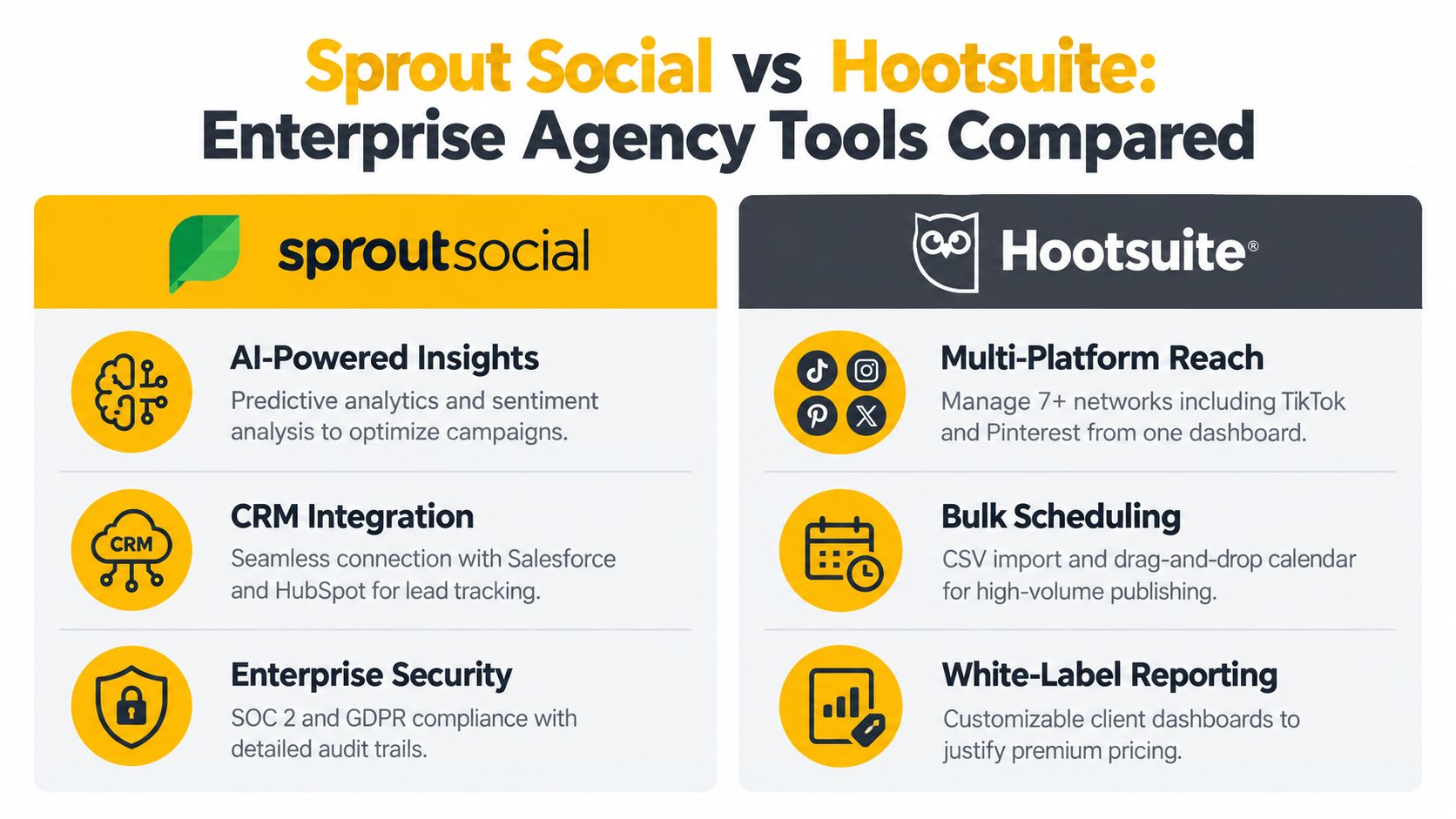
| Hootsuite | ✨ Multi-platform reach + white‑label reporting | 🏆 Scheduling, social listening, bulk upload, approvals, integrations | ★★★☆☆ Powerful but steeper learning curve | 👥 Mid-market & enterprise agencies, 💰 Premium |
| Agorapulse | ✨ Best unified inbox & community management | 🏆 Inbox, social listening, AI reply suggestions, reporting | ★★★★☆ Easy to use, strong support | 👥 Service/hospitality agencies, 💰 Scales by profiles (cost-effective) |
| Sendible | ✨ Full white‑label + built‑in CRM/invoicing | 🏆 White‑label dashboards, client CRM, scheduling, reporting | ★★★☆☆ Customizable but longer setup | 👥 Agencies reselling services, 💰 Agency-focused pricing |
| Loomly | ✨ Brand compliance & multi-level approvals | 🏆 Approval workflows, asset/brand management, audit trails | ★★★☆☆ Enterprise-grade, steeper onboarding | 👥 Regulated industries & enterprises, 💰 Enterprise-priced |
| CoSchedule | ✨ Integrated marketing calendar (social + content + email) | 🏆 Marketing calendar, project management, headline analyzer | ★★★★☆ Great for cross‑team workflows | 👥 Content marketing teams & agencies, 💰 Mid-market value |
| Sprout Social | ✨ Advanced listening, AI insights & CRM integration | 🏆 Social listening, AI prioritization, detailed reporting, CRM | ★★★★★ Enterprise-level, best-in-class support | 👥 Large agencies & Fortune 500, 💰 Highest tier / premium |
| Lately | ✨ AI-driven content repurposing at scale | 🏆 AI extraction, auto post generation, learning-based optimization | ★★★★☆ Time-saver; requires human review | 👥 Content-heavy agencies & publishers, 💰 Cost-effective for high volume |
Match the Stack to the Service You Sell
The right choice depends on the service your agency delivers. Use Meta Business Suite for native Meta operations and permission control. Pick Buffer when you need straightforward scheduling for a small team. Choose Later for visual commerce and Instagram-first planning. Go with Agorapulse when inbox management and community work are part of the retainer. Use Sendible when white-label delivery shapes the client experience. Pick Loomly for governance-heavy approval chains. Choose CoSchedule when social sits inside a broader content operation. Use Hootsuite for broad multi-client workflow coverage. Move to Sprout Social when enterprise reporting and intelligence are part of what clients pay for. Add Lately when long-form content repurposing is a bottleneck.
Before you commit, validate the commercial details, not just the feature list. Check profile limits, seat logic, workspace structure, approval roles, export formats, and whether external collaborators cost extra. Confirm what happens during client offboarding too. If you can't remove access cleanly, separate data cleanly, and hand over assets without confusion, the tool is creating risk.
That matters because agencies now operate in a large and mature category. One industry roundup tracked a crowded field and noted that 58% of listed tools were paid-only in the 2026 dataset, which tells you where the market has landed. Vendors increasingly assume agencies need professional workflows, not hobby-tier scheduling.
Proxies are a separate infrastructure decision, and teams often mix that up with social software. Don't. Your social media management platform handles planning, collaboration, publishing, and reporting. A proxy setup matters only for legitimate geo-dependent QA, privacy, ad verification, market research, or controlled account-access workflows that stay within platform rules and internal compliance standards.
Use the proxy type that matches the job:
- Mobile 4G or 5G proxies: These route traffic through real mobile carrier networks. They're harder to block because mobile carriers commonly use carrier-grade NAT, or CGNAT, which makes IP-range blocking less reliable.
- Residential proxies: These use household ISP connections and can make sense for broad web research and location-sensitive checks.
- Datacenter proxies: These are fast and efficient for many technical tasks, but they're usually easier for sites to identify as non-consumer traffic.
Then check the mechanics. IP rotation changes the exit IP over time. Sticky sessions keep the same exit device or IP for a defined session, which is useful when a login or QA flow shouldn't switch identity mid-task. One technical explanation shows how a session ID can pin traffic and notes that the same approach works over HTTP and SOCKS5 sticky sessions. Geo-targeting routes traffic through a chosen country, and ASN targeting lets you choose a specific network footprint when you need carrier- or network-specific validation, as described in this geo-targeting and ASN targeting documentation.
If your team needs that layer for compliant QA, research, ad verification, or privacy-sensitive social workflows, it's reasonable to explore Evoproxy's mobile 4G options at Evoproxy. Keep the decision tied to a real operational need, not as a substitute for clean account structure or sound platform governance.
If your agency needs French mobile connectivity for geo-dependent social QA, ad checks, research, or account access workflows, Evoproxy offers 4G/LTE/3G mobile proxies with configurable rotation, personal and shared ports, and support for social platforms your team already works with. It's a separate infrastructure layer from your publishing tool, and it's worth evaluating when location, privacy, or mobile-network behavior matters in your workflow. Visit Evoproxy to see whether the setup fits your compliant use case.


